Category: News

  • RunCloud 2025 Year in Review

    RunCloud 2025 Year in Review

    Welcome to the RunCloud 2025 Year in Review. 

    First of all, Happy New Year! Here’s to 2026! 🎉🎆👏

    As we write this, we’re wrapping up the first week of 2026. And, as is the trendy thing to say this year – and every year before – largely because it tends to be the case: it’s been quite a year. 

    If you’re here for the first time, here’s a bit about us: 

    • RunCloud is a server management platform that makes it easy to run production-grade infrastructure on your favorite cloud providers (including AWS, UpCloud, Vultr, and more). Trusted from startup to enterprise – from your favorite indie hackers and WordPress agencies all the way through to world-class hosting companies. 
    • Our mission is to make server management so simple & reliable that it fades into the background. We believe you should spend your energy scaling your business, shipping code, and serving your customers, rather than fighting with the command line or worrying about uptime, performance, and the cost of using managed providers eating into your margins. 

    But we couldn’t do this alone. We build the tools, but you build the web. 

    To our amazing community of developers, agencies, and business owners: Thank you, RunCloud users. Thank you for trusting us with your mission-critical applications, for your honest feedback, and for pushing us to keep shipping. 

    Let’s take a moment to celebrate what a year it’s been & look ahead to 2026.

    2025 By The Numbers

    This year, RunCloud celebrated its 8th anniversary. 

    🌍 Serving 120 countries, powering nearly 100k servers & 400k+ apps

    🕵️ 38 product updates shipped. 

    📈 Over 200,000 web app deployments: from personal blogs to high-traffic ecommerce stores, you built & launched it all.

    RunCloud Around the World

    We often talk about “The Cloud,” but real servers live in real places, managed by real people. RunCloud isn’t just present in Silicon Valley or the usual major tech hubs; we are powering businesses in 138 different territories around the globe.

    It’s always striking to see RunCloud adopted in unexpected places. RunCloud is truly global, and this year we saw active servers managed from some of the most remote and fascinating corners of the world, including:

    • Turks and Caicos Islands
    • Christmas Islands
    • Isle of Man
    • Mongolia
    • Faroe Islands

    Whether you are coding from a high-rise in New York or a remote office in the Faroe Islands, we are proud to be the engine behind your infrastructure.

    This Year in Support & Service

    Good infrastructure should stay out of your way, and software should be easy to use. 

    A big part of this is having great, well-written, human-written documentation. 
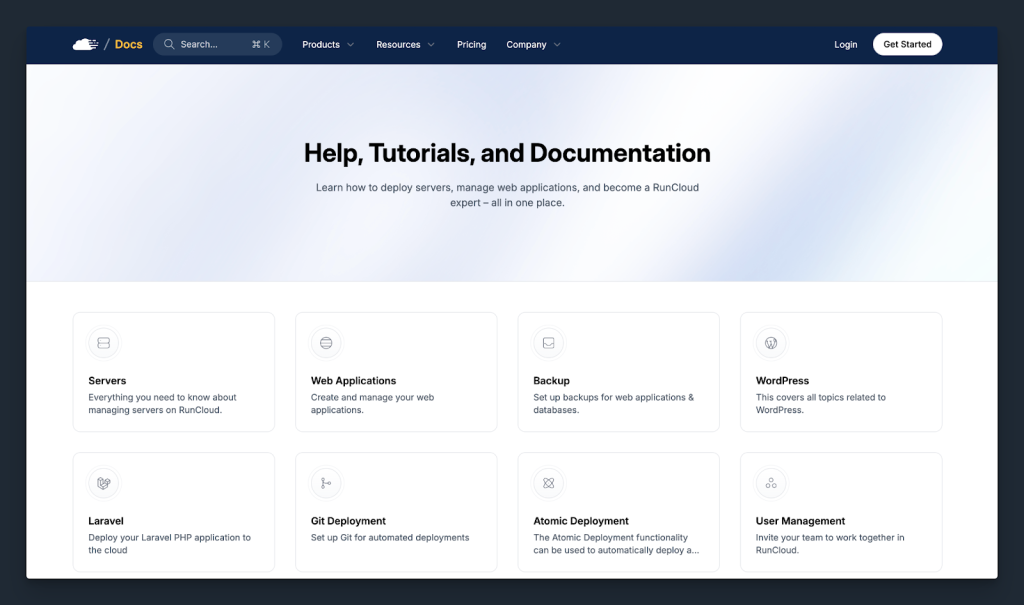
    But when something does go wrong, being able to rely on human support matters. We’ve invested heavily in our support team this year to ensure that when you reach out, we are there to provide a prompt response.

    • Lightning Fast Responses: We respect your time. In 2025, our average first-response time during business hours was under 20 minutes. 
    • Customer Happiness: Speed means nothing without quality. We are incredibly proud that over 90% of customers rated their support experience as “Extremely Satisfied.”

    Feedback from RunCloud users drives our roadmap, and your satisfaction is our top priority. Thank you for trusting us with your business. While we want to celebrate where we are, we also recognize that our work here is never done & as such, it goes without saying that we retain our commitment to continuous improvement in support. 

    This Year in Product

    In 2025, we shipped 38 product updates, ranging from major new features to critical platform improvements. While some of these were entirely new feature releases, others were necessary maintenance and platform enhancements that don’t always get headlines, but quietly make RunCloud work better for you every day.

    Auto Healing

    Server stability is non-negotiable; however, services can sometimes crash due to traffic spikes or memory leaks. In the past, this would have created panic and required a manual restart. This year, we introduced Auto Healing to take that stress off your shoulders.

    This feature actively monitors your server’s essential services. If a service goes down, RunCloud doesn’t just alert you; it attempts to restart the service automatically to get your site(s) back online instantly. 

    Learn more: Understanding the RunCloud Auto Healing Feature

    MySQL Support

    For years, MariaDB has been the default standard on our platform, but we know that developers love choice. RunCloud users asked for it, and in 2025, we delivered full MySQL Support. RunCloud users can now choose the database engine that best fits their specific application requirements when provisioning a server.

    We didn’t stop at just adding the engine, though. We wanted to make the transition as seamless as possible. We introduced a dedicated MySQL/MariaDB Migration Tool that allows you to switch your existing databases between the two engines effortlessly. Whether you are migrating legacy projects or optimizing for specific performance needs, the choice is now 100% yours.

    Learn more: How to migrate between MySQL and MariaDB

    HTTP/3 Support

    Speed is the currency of the web, and this year we gave your sites a significant performance boost at no extra cost. We rolled out full support for HTTP/3. This protocol reduces latency and enhances connection stability, particularly for users on mobile networks.
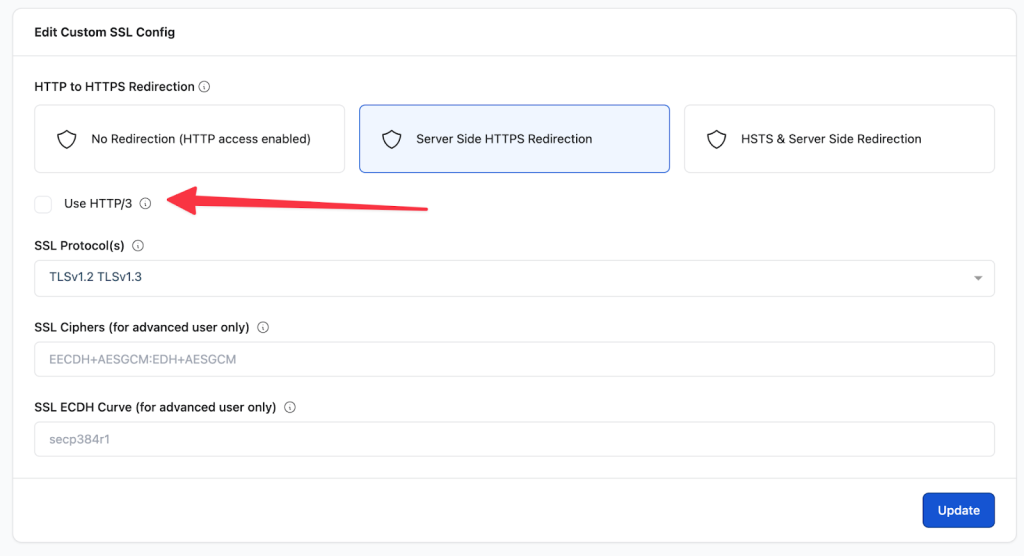
    By opening the necessary firewall ports and optimizing the server stack, we enabled your sites to serve content more quickly and securely, with users having no need to upgrade hardware to get it. It’s a free performance upgrade that ensures your applications remain on the cutting edge of web standards.

    Maintenance Mode

    Sometimes you need to take a site offline to perform critical updates or fix a bug, but you never want your visitors to see a broken page or a raw error log. This year, we simplified this workflow with our new Maintenance Mode feature.

    With a single click, you can now make your website temporarily unavailable to the public. It is the cleanest way to handle downtime during deployments or modifications. Once your work is done, simply toggle it off, and your site is back in business instantly.
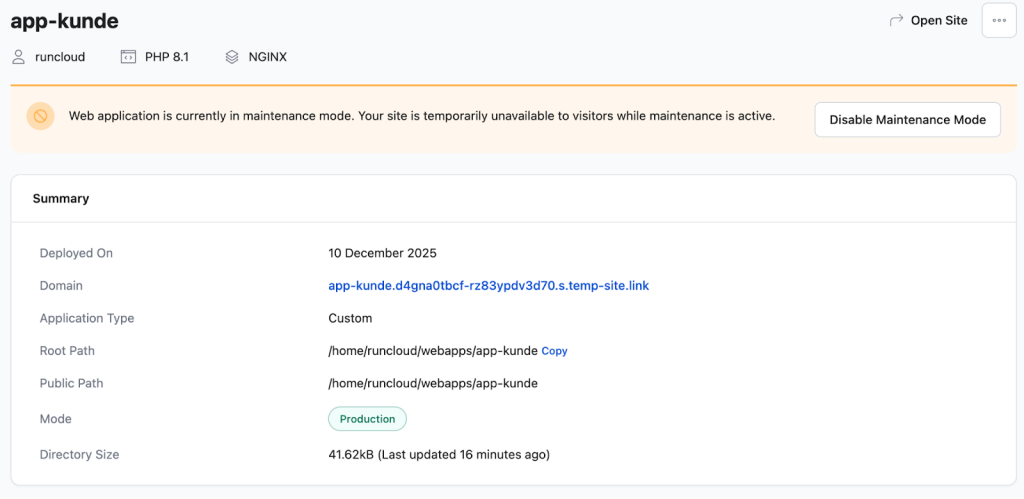
    Learn more: How to Enable Maintenance Mode for a Web Application

    Community & Events

    2025 was a big year for community connection and real-world engagement. RunCloud appeared not just online, but also in places where users build, learn, and collaborate.

    WordCamp Pune 2025
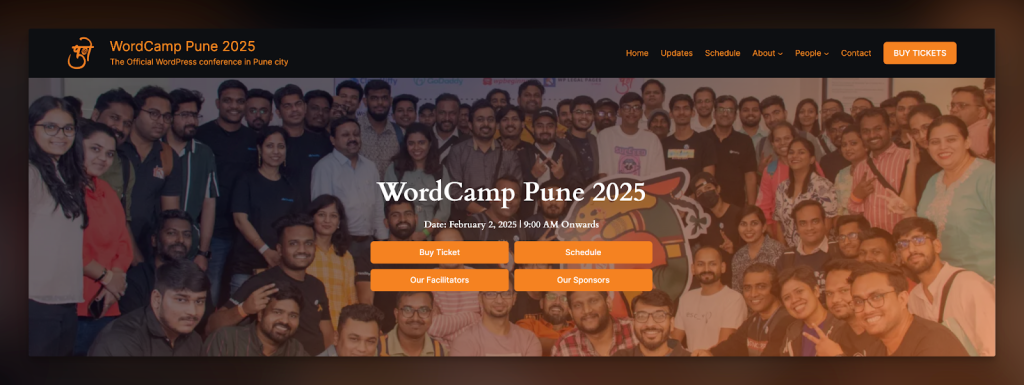
    In February, RunCloud was a Silver Sponsor at WordCamp Pune 2025, joining developers and WordPress enthusiasts in India. Teams shared product insights, answered questions in person, and met users face-to-face.

    WordCamp Europe 2025 🇨🇭

    In June, Arif Tukiman (CEO) and Rajendra Zore (CMO & Product Strategist) travelled to attend WordCamp Europe, where they were supported by a “semi-local” (me!). 

    Although I wasn’t raised in Switzerland, I am half-Swiss (on my mother’s side) & conveniently from the German part, which made it all the more enjoyable to meet some of RunCloud’s German and Swiss users at the conference. 

    WordCamp Europe 2025 was a particularly special one for us as we announced the Arch by RunCloud project, opening up our waitlist (join here).

    Being able to meet a lot of our users, including ones who very recently migrated over, as well as other active members of the community who were just hearing about how they can run their own infrastructure with RunCloud, truly never gets old. 

    Over the next year, we hope to start gradually inviting existing users as a part of a phased rollout, starting with select high-usage accounts, followed by those who have registered for early access, and eventually opening up broader access (so make sure to get on the waitlist sooner rather than later 🙌).

    WordCamp Malaysia 2025
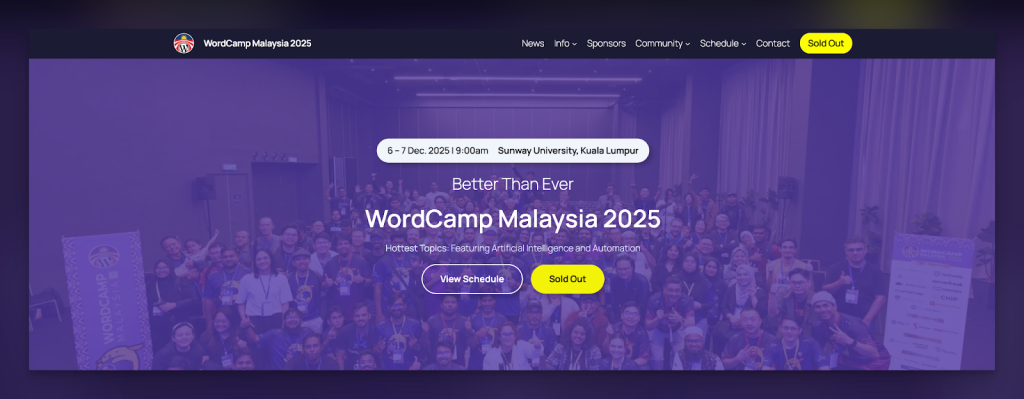
    Later in the year, RunCloud supported WordCamp Malaysia 2025 as a Gold Sponsor. At the event in Petaling Jaya, the team connected with Southeast Asian developers, shared best practices, and talked through features like RunCache with attendees.

    RunCloud’s presence at these events helped users learn about server management workflows directly from the team. It also strengthened relationships with local WordPress communities, from workshop sessions to casual chats at booths.

    Beyond sponsorships, local meetups and ambassador-led gatherings continued throughout the year, bringing RunCloud users together for learning and collaboration.

    Looking Forward – Our Vision for 2026

    We couldn’t wrap up the year without giving you a glimpse of what’s to come. While we’re proud of what we achieved in 2025, we are even more excited about what we are building for 2026. We have two major announcements to share, and we believe they will change the way you work.

    Announcement #1 – Introducing RunCache

    For years, you have trusted RunCloud to manage the server-side performance of your applications. Now, we are taking that expertise directly into your WordPress dashboard.

    We are thrilled to announce RunCache, our very own, all-in-one WordPress caching plugin.We built RunCache to solve a simple problem: making WordPress fast shouldn’t require a degree in systems engineering. With RunCache, you can enable a full suite of performance layers (Object Caching, PHP Caching, NGINX Caching, and CDN Caching) all with a single click.
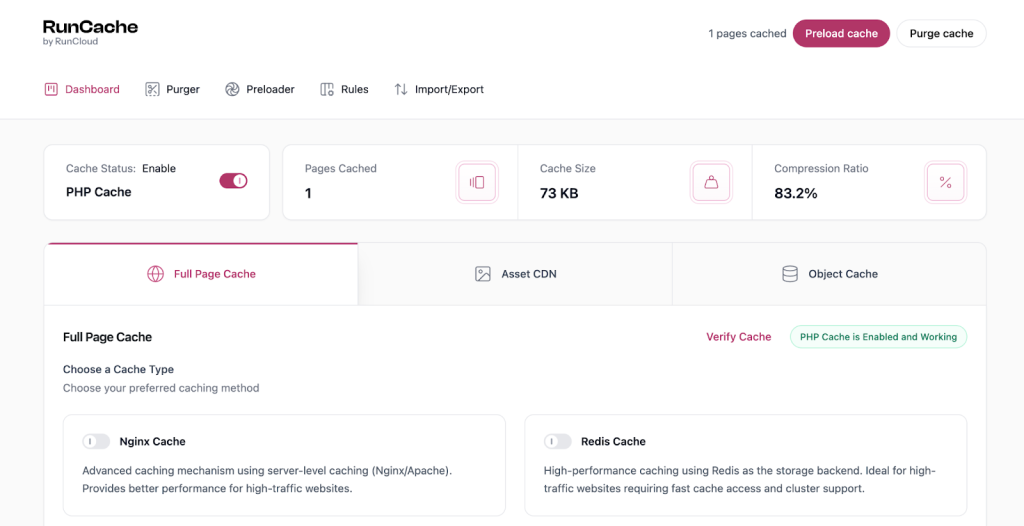
    And the best part is that RunCache will be completely free & cloud-agnostic. 

    We believe that high performance should be accessible to everyone. Unlike other proprietary solutions that lock you into a specific hosting environment, RunCache works on any server, with any cloud provider. Whether you are on RunCloud or not, you can use RunCache to supercharge your site.

    Fast, free, and coming soon to a WordPress dashboard near you. What’s not to love?

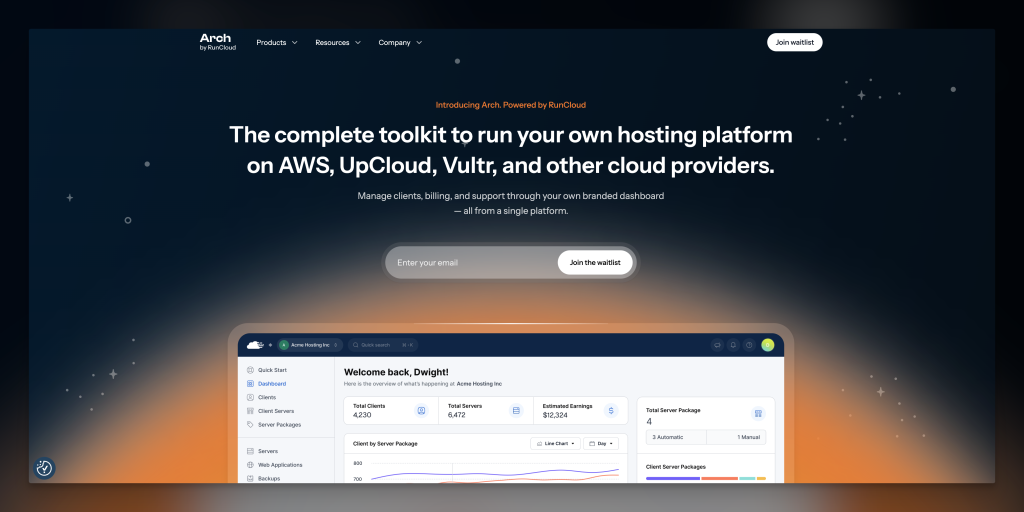
    Announcement #2 – Introducing Arch

    Our engineering team is currently focused on refactoring RunCloud’s architecture to prepare for Arch, so we aren’t yet ready to reveal everything. Join the waitlist for Arch today.

    This year, we plan to start gradually inviting existing users as a part of a phased rollout, starting with select high-usage accounts, followed by those who have registered for early access, and eventually opening up broader access (so make sure to get on the waitlist sooner rather than later). 
    Wrapping Up

    As we close the chapter on 2025, we are filled with immense gratitude. The numbers and milestones matter, but what matters most is you – the developers, agencies, and business owners who trust us with your infrastructure every single day.

    2025 was an amazing year of strengthening foundations and scaling up, but we promise that 2026 is going to be even better. With tools like RunCache and Arch on the horizon, we are gearing up to make your workflow faster, simpler, and more powerful than ever before.

    Thank you for being part of our journey, for your feedback, and for helping us build the web.

    Ready to get back to work?
    Login to RunCloud | Create a New Server

    Not part of the RunCloud family yet?
    What are you waiting for? Join the community that is powering the web’s fastest-growing businesses. Create your RunCloud account today.
  • The 7 Best Node.js Hosting Platforms for 2026 (Free + Paid)

    The 7 Best Node.js Hosting Platforms for 2026 (Free + Paid)

    Choosing where to host your Node.js application can be tough. Should you use a free platform for quick tests, or invest in a scalable setup that supports complex APIs and MySQL databases? This guide breaks down the best options in 2026 – so you can find the right balance of cost, control, and performance.

    In this comprehensive guide, we’ll cover the best Node.js cloud hosting options available in 2026. We’ll explore everything from free Node.js hosting platforms perfect for testing and development to enterprise-grade solutions for scaling production applications.

    Whether you’re looking to host a simple Node.js website, deploy a complex API, or set up a full-stack application with MySQL integration, we’ll help you understand the trade-offs between managed platforms such as Heroku, Railway, and Vercel versus the flexibility of running your own VPS.

    A Quick Comparison of the Best Node.js Hosting Platforms

    To simplify your decision, we’ve created a comparison table that breaks down the key features of our top picks. Use this as a starting point to identify which platforms best align with your project’s needs. Then, jump to the section below to read a detailed analysis.

    PlatformPricing ModelFree Tier DetailsBest ForKey Features
    RunCloudSubscription5-day free trialDevelopers want full server control with a simple management panel.Atomic Git Deployments, Server Health Monitoring, Multi-server support, Backup/Restore.
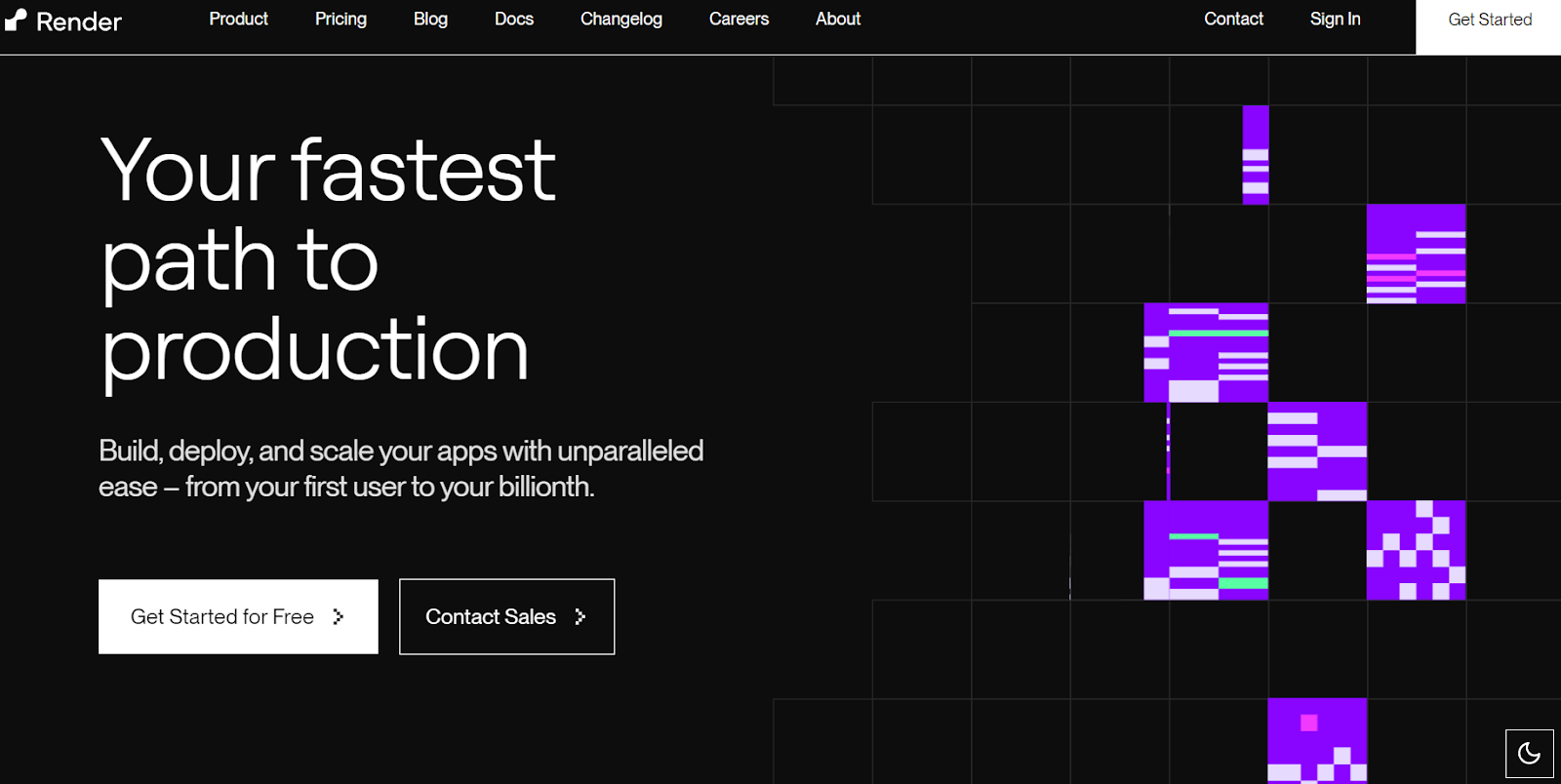
    RenderPay-as-you-goYes (for services with usage limits)Startups and developers looking for a modern, autoscaling Heroku alternative.Zero-downtime deploys, Managed PostgreSQL, Private Networking, Docker support.
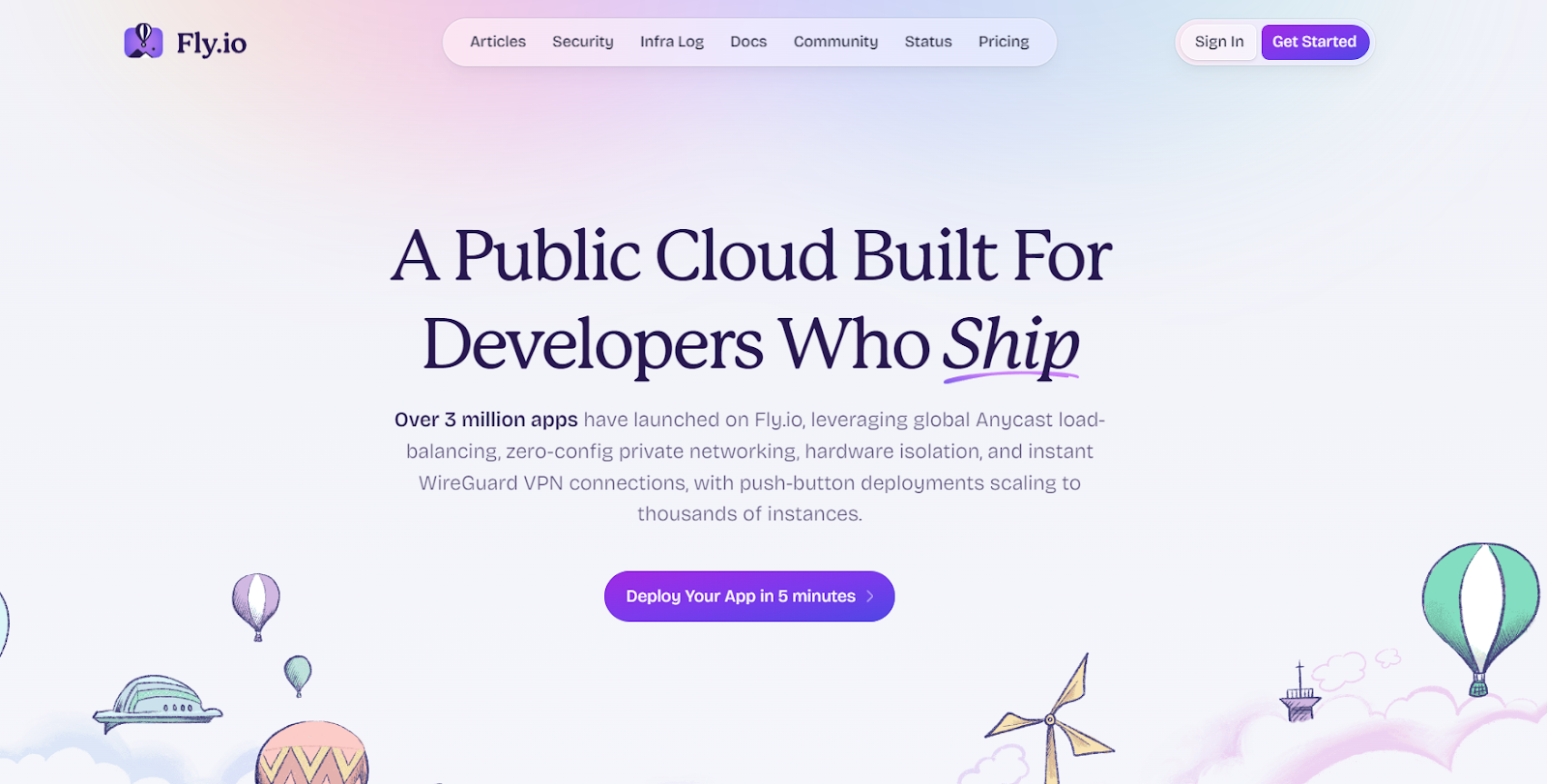
    Fly.ioPay-as-you-goYes (Generous “free allowance” on resources)Globally distributed applications that need low-latency performance.Global Edge Deployment, Docker-based, Built-in Postgres, Custom Domains w/ SSL.
    VercelPer-user SubscriptionYes (For hobby/personal projects)Front-end developers using frameworks like Next.js and Jamstack sites.Git integration, Serverless Functions, Global CDN, Analytics.
    NetlifyPer-user SubscriptionYes (Generous tier for personal projects)Jamstack and static-first websites that use serverless functions for backend tasks.Git-based workflow, Serverless Functions, Form & Identity Management.
    HerokuUsage-based (“Dynos”)No longer offers a viable free tier for apps.Beginners and teams who need a simple PaaS with a massive add-on ecosystem.Simple git push deploys, Extensive Add-on Marketplace, Managed Databases.
    DigitalOcean App PlatformTiered / Pay-as-you-goYes (For static sites)Developers who have already invested in the DigitalOcean ecosystem.Fully managed platform, Scales from source code, Integrates with other DO products.

    Top Node.js Hosting Platforms

    Here are some of the best cloud hosting platforms where you can host your Node.js application with minimal effort.

    RunCloud

    RunCloud turns your VPS into a powerful, easy-to-manage hosting platform for Node.js applications. It removes the hassle of manual server setup while adding enterprise-grade features.

    Most platforms on this list lock you into their ecosystem. RunCloud doesn’t.

    It gives you full control over your servers – on any cloud provider – while still offering the same modern deployment tools and monitoring features developers expect. RunCloud works seamlessly with every major cloud provider:

    • Deploy on DigitalOcean’s affordable droplets
    • Leverage AWS’s global infrastructure
    • Use Google Cloud’s cutting-edge network
    • Host on Vultr’s high-performance instances
    • Run on Linode’s developer-friendly platform
    • Or even manage your self-hosted servers

    Benefits of Using RunCloud

    • Git Integration: Supports direct deployment from Git repositories 
    • SSL Management: Free SSL certificates and automatic renewal
    • Security Features:
      • Web Application Firewall (WAF)
      • Automated security patches
      • IP blocking
      • SSH hardening
    • Performance Optimization:
      • Built-in Redis caching
      • Server optimization
      • Resource monitoring
    • Team Collaboration: Multi-user access with role-based permissions

    Pricing

    • Essentials: For $9/month, the Essentials plan provides all the fundamental tools to manage a single server with unlimited applications, backups, and 1-click SSL.
    • Professional: The Professional plan, priced at $19/month, is designed for developers shipping to production by expanding to 50 servers and adding advanced tools, such as application cloning and 10 staging environments.
    • Business: At $49/month, the Business plan is tailored for teams managing mission-critical workloads, including zero-downtime atomic deployments, team management, and API access.
    • Enterprise: The Enterprise plan, priced at $399/month, is designed for large-scale businesses that require extensive capacity, supporting up to 500 servers, 50 team seats, and high-volume API access.

    Suggested read: How to install & setup Ghost (NGINX and OpenLiteSpeed)

    RunCloud strikes the perfect balance between convenience and control by offering developers a unique hybrid approach to server management. While its intuitive dashboard simplifies common tasks, you retain complete access to your server’s underlying infrastructure. With full SSH access, you can dive into the command line whenever needed, whether for troubleshooting or advanced configurations.

    Unlike managed solutions that hide the filesystem from you, RunCloud provides direct access to your files, making it easier to debug issues, implement custom solutions, or perform granular backups. This combination of visual management tools and low-level access means platform limitations never constrain you.

    Additionally, RunCloud provides access to its API, which allows you to manage your server exactly as you need while still benefiting from its streamlined interface.

    Suggested read: The Best Web Development Tools To Level Up Your Stack

    Render

    Render is a modern cloud platform that reduces the complexity of deploying and managing Node.js applications. Unlike traditional hosting services that require extensive DevOps knowledge, Render abstracts away the infrastructure complexities while maintaining powerful capabilities.

    The platform automatically handles crucial aspects such as SSL certificate management, continuous deployment from Git repositories, and DDoS protection, which allows developers to focus primarily on their code.

    Paid Plans: Starting at $0/month, paid plan costs $19/month

    Best For: Small to medium-sized applications, startups

    Notable Features:

    • Zero-downtime deployments
    • Automatic scaling
    • Built-in DDoS protection
    • Native PostgreSQL support

    When traffic increases, Render automatically handles load balancing and scaling, requiring no manual intervention. The platform’s integrated PostgreSQL and Redis offerings are particularly valuable for Node.js developers, as they come with automatic backups, point-in-time recovery, and secure private networking. This makes it an excellent choice for novice users who don’t want to handle the infrastructure themselves.

    The platform’s ability to automatically sleep inactive services in development environments, and wake them on demand, helps optimize costs – especially for developers managing multiple projects or staging environments.

    Suggested read: How To Monitor Your Web App’s RAM & CPU Usage with Netdata

    Fly.io

    Fly.io is a developer-centric platform that excels in hosting Node.js applications and takes a unique approach to cloud deployment and pricing. It offers an innovative edge deployment model that automatically distributes applications across global regions for optimal performance. It also provides seamless WebSocket support, built-in Redis integration, and native PostgreSQL hosting capabilities, which makes it a great choice for JavaScript developers.

    Paid Plans: Pay-as-you-go plans, with a simple application costing approximately $15/month

    Best For: Distributed applications, edge computing

    Notable Features:

    • Global deployment with edge locations
    • WebSocket support
    • Built-in Postgres databases
    • Docker-based deployments

    It has sophisticated containerization support using its enhanced Docker implementation. This ensures that Node.js applications can be deployed with minimal configuration while maintaining full access to native Node.js features and packages.

    Similar to other tools in this list, Fly.io automatically handles crucial aspects such as SSL/TLS certification, HTTP/2 support, and global load balancing while still providing developers with granular control when needed.

    But what really distinguishes Fly.io is its approach to regional deployment. Node.js applications can be automatically distributed to edge locations closest to users, resulting in significantly reduced latency and improved application performance.

    Suggested read: How To Create a Docker Image For Your Application

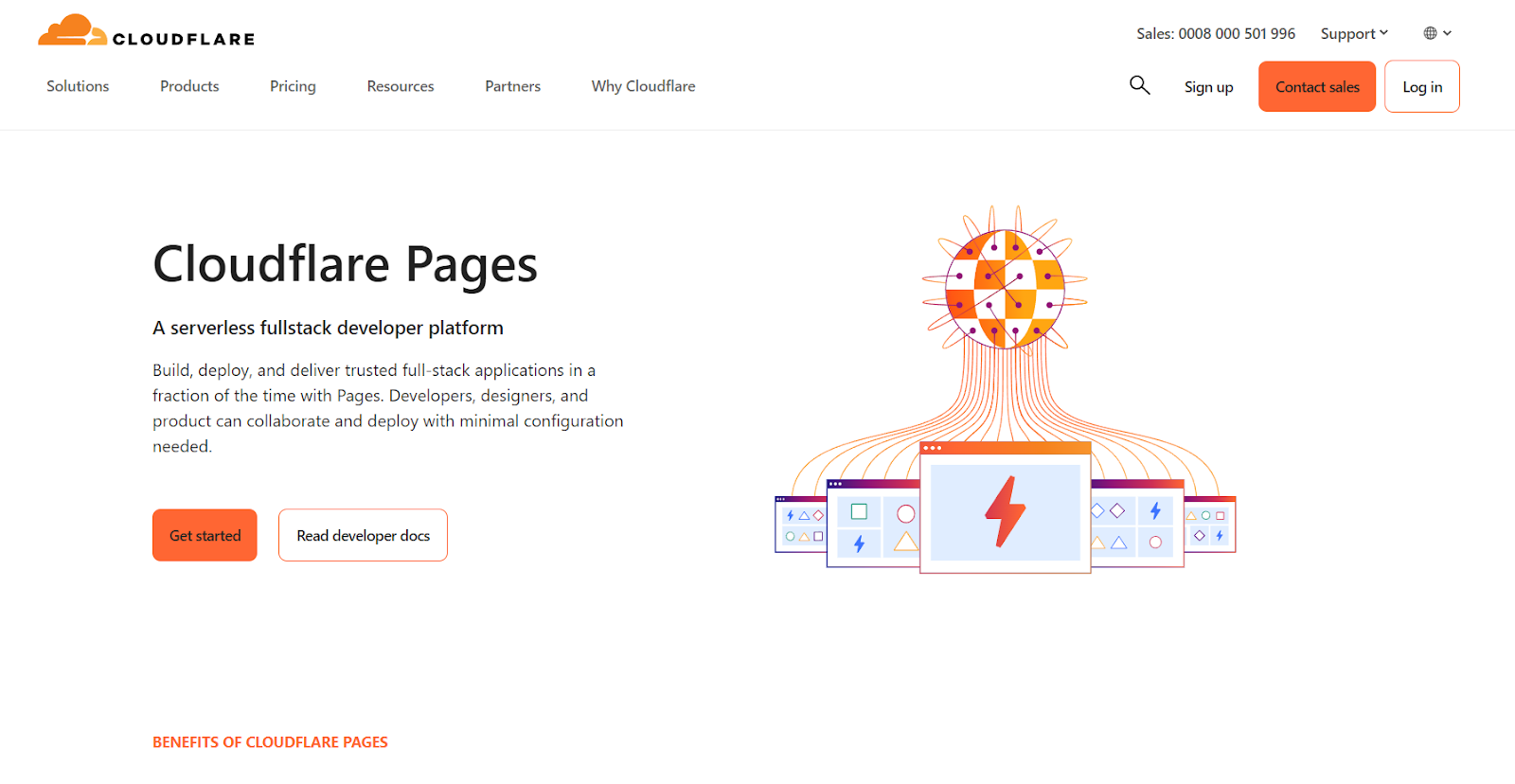
    Cloudflare Pages + Workers

    Cloudflare offers a serverless platform to host Node.js applications using a unique combination of Workers and Pages. This is particularly compelling for Node.js developers because it eliminates the traditional distinction between frontend and backend deployments and allows for seamless integration of serverless functions with static content.

    Cloudflare has its own extensive global network, and it can place compute resources within 50ms of 95% of the world’s Internet-connected population. This results in exceptional website performance and page speed improvements.

    Free Tier Includes:

    • Unlimited sites
    • Unlimited requests
    • 100,000 Workers invocations/day
    • Unlimited bandwidth

    Paid Plans: Starting at $5/month

    Best For: JAMstack applications, serverless architecture

    Notable Features:

    • Global CDN
    • Automatic git deployment
    • Zero cold starts
    • Edge computing capabilities

    Additionally, Cloudflare uses a standard JavaScript runtime that ensures compatibility with existing Node.js packages and libraries while offering free egress and static asset hosting. It integrates essential development tools, including CI/CD pipelines, git-based deployments, and live previews, making it particularly attractive for teams looking to streamline their development workflow.

    It can auto-provision and directly integrate with other Cloudflare services such as KV (key-value storage), Durable Objects (distributed computing), R2 (object storage), and D1 (SQL database), providing developers with a complete ecosystem for building sophisticated Node.js applications.

    Suggested read: The 12 Best cPanel Alternatives to Manage Your Servers

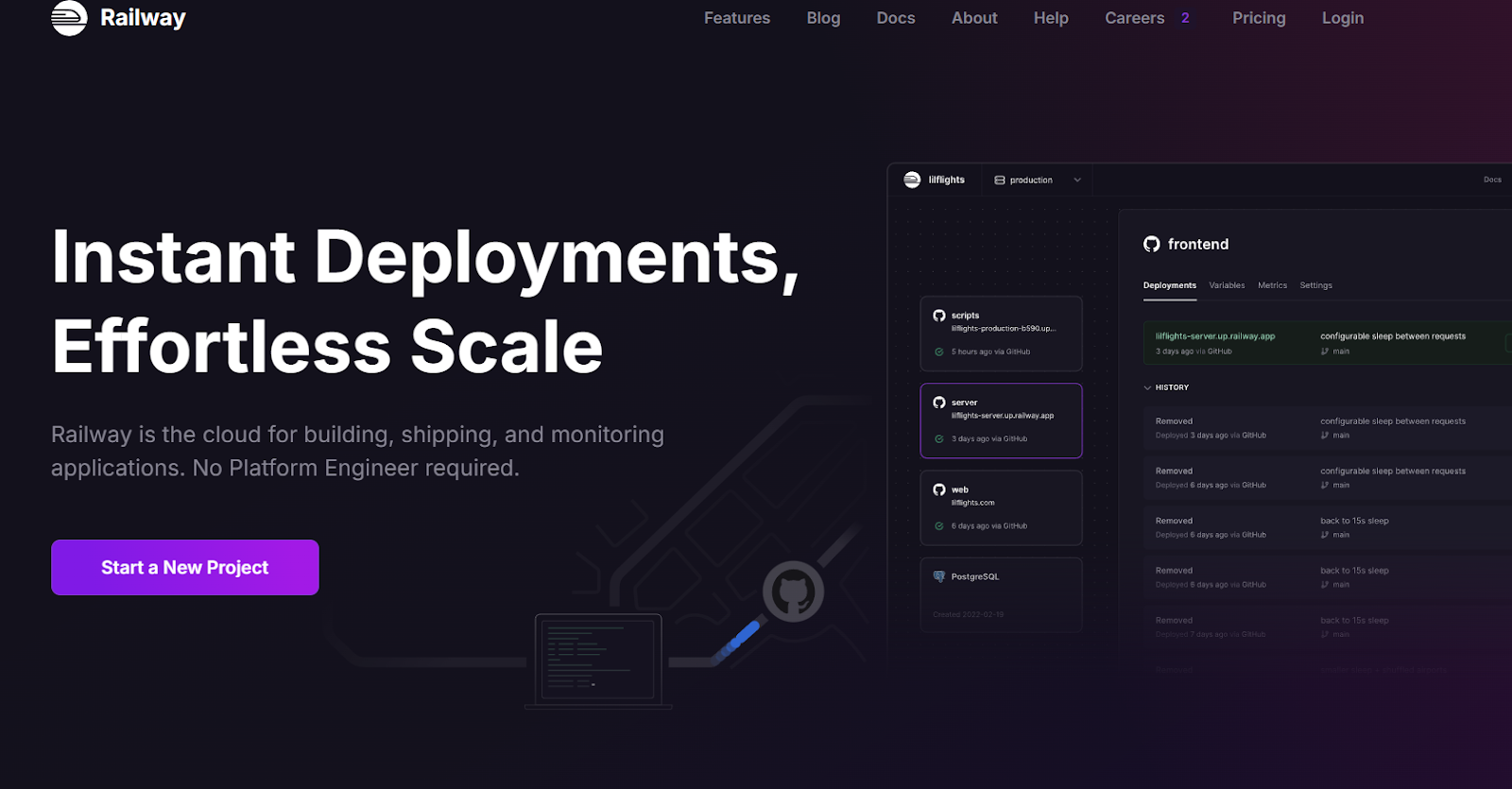
    Railway

    Railway is a developer-first platform with an impressive array of features that takes the pain out of deployment. It supports deploying directly from GitHub repositories, local codebases, and Docker containers. What sets it apart is its developer-centric features that dramatically speed up the development cycle. Railway’s automatic preview environments for pull requests mean you can test changes in isolation before merging to production.

    It also offers horizontal scaling capabilities, with support for 50+ replicas per service and round-robin load balancing, making it a great choice for fast-growing applications. Railway’s networking stack is particularly impressive, offering up to 100 GBPS of transfer speed for private networking between services and up to 10 GBPS for public traffic.

    Advanced users can also take advantage of their extensive observability tools – including 90-day log retention, JSON-structured logs, and comprehensive metrics monitoring.

    Free Tier Includes:

    • $5 credit monthly
    • 512MB RAM
    • Shared CPU
    • 1GB disk

    Paid Plans: Starting at $5/month

    Best For: Full-stack applications, development teams

    Notable Features:

    • One-click deployments
    • Built-in databases
    • Automatic HTTPS
    • Team collaboration tools

    Suggested read: Self-Managed or Managed Hosting: Which One is Right for You?

    Heroku

    Heroku was one of the first Platform-as-a-Service (PaaS) solutions, offering developers a seamless way to deploy Node.js applications without getting bogged down by infrastructure complexities. Heroku’s “dynos” are lightweight Linux containers that provide flexible computing options starting from as low as $7 per month.

    Similar to other cloud providers, Heroku has a comprehensive ecosystem of managed services, from PostgreSQL databases and Redis key-value stores, to automated certificate management and zero-downtime deployments.

    Free Tier: Discontinued

    Paid Plans: Starting at $5/month

    Best For: Enterprise applications, scalable projects

    Notable Features:

    • Extensive add-on marketplace
    • Advanced monitoring
    • Auto-scaling
    • Managed containers
    heroku hosting for NodeJS

    With features such as Heroku Pipelines, developers can create sophisticated CI/CD workflows that automate the journey from code to production. Additionally, Heroku’s Review Apps feature automatically creates temporary environments for pull requests, making code review and testing much easier and faster.

    When it comes to monitoring and maintenance, Heroku provides built-in application metrics, log management, and automated OS patching to ensure your Node.js applications remain healthy and secure.

    Suggested read: Cloud Hosting vs VPS Hosting – Which One Should You Choose in 2024?

    Vercel

    Vercel has a zero-configuration platform that prioritizes developer experience above everything else. It is very popular among JavaScript developers due to its seamless integration with popular frameworks like Next.js.

    What makes Vercel particularly powerful for Node.js developers is its serverless functions architecture. This architecture automatically handles the deployment and optimization of resources across 18 regions, eliminating the need for complex infrastructure management. It also offers automatic edge deployment across hundreds of global locations for lightning-fast content delivery.

    Free Tier Includes:

    • 100GB bandwidth/month
    • Serverless functions
    • CI/CD pipeline

    Paid Plans: Starting at $20/month

    Best For: Next.js applications, frontend-heavy projects

    Notable Features:

    • Edge functions
    • Analytics
    • Preview deployments
    • Team collaboration
    vercel hosting ofr node js

    Vercel also includes built-in DDoS protection at the edge and L3/L4 protection at every location, ensuring applications remain secure without compromising on performance. This makes it a great option for hosting NodeJS applications.

    How to Choose the Right Node.js Hosting for Your Project

    There’s no single best platform – it depends on your project. Use these four questions to narrow your choices and find the best fit for how you build and scale applications.

    1. Scalability

    Your application’s hosting needs will likely evolve over time. Choose a platform that can grow with you.

    • For Personal Projects & Prototypes: Start with a platform that offers a generous free tier. Render, Vercel, and Fly.io are excellent choices that enable you to deploy and run small applications with no initial investment.
    • For Growing Startups: Prioritize platforms that simplify the scaling process. Render’s autoscaling and Heroku’s flexible “dynos” let you handle traffic spikes without manual intervention. A solution like RunCloud on a cloud provider (e.g., DigitalOcean, AWS) also gives you a clear path to scale your server resources as needed.
    • For Large-Scale & Enterprise Apps: Focus on performance, reliability, and global reach. Fly.io excels at deploying applications close to your users worldwide, reducing latency. For maximum control and security, using RunCloud to manage dedicated servers gives you unparalleled power over your infrastructure.

    2. Developer Experience (GUI vs. CLI)

    How your team likes to work is an important factor.

    • GUI-Focused Teams: If you prefer a visual dashboard to manage deployments, environments, and settings, you’ll feel at home with Render, Vercel, or DigitalOcean App Platform. Their web interfaces are intuitive and require minimal setup.
    • CLI-First Developers: For those who live in the terminal, a command-line-interface-driven workflow is faster and more powerful. Fly.io and Heroku are famous for their excellent CLIs that let you deploy and manage apps with just a few commands.
    • The Best of Both Worlds: RunCloud strikes a unique balance. It provides a clean, powerful web dashboard to manage servers provisioned from any cloud provider, abstracting away complex server administration while still giving you the underlying power and SSH access of a full VPS.

    3. Budget and Pricing Models

    Understand how you will be charged to avoid surprise bills.

    • Fixed & Predictable: A subscription model, like that offered by RunCloud, provides a predictable monthly cost, which is great for budgeting.
    • Pay-As-You-Go: If your traffic is variable, the PAYG models of Render and Fly.io are ideal. You only pay for the resources you actually consume, making it highly efficient for apps with inconsistent usage patterns.
    • Tiered Pricing: Platforms like Heroku and Vercel often have structured tiers. These are good starting points, but be sure to monitor your usage to know when you might need to upgrade to the next level.

    4. Database and Integration Needs

    Your application is more than just Node.js code. Consider your database and other service requirements.

    • Integrated Managed Databases: For ultimate convenience, platforms like Render and Heroku offer managed databases that can be provisioned and connected to your application in just a few clicks. This removes the headache of database setup and maintenance.
    • Broad Ecosystem: Heroku’s main strength is its massive add-on marketplace. You can easily integrate dozens of third-party services for logging, monitoring, caching, and more.

    Wrapping Up

    In this post, we’ve explored several powerful platforms for deploying Node.js applications, from Railway’s developer-centric approach to Heroku’s mature ecosystem and Vercel’s cutting-edge infrastructure. Each platform offers unique advantages that could align with your project needs, whether it’s extensive database options, scalability, or edge computing capabilities.

    However, it’s crucial to consider the trade-offs associated with these Platform-as-a-Service solutions. While they offer convenience, users are often locked into their specific ecosystems, with limited control over the underlying infrastructure.

    Your hosting costs can quickly escalate as you scale, and you’re ultimately at the mercy of their pricing models and platform-specific limitations. Many developers want more control over their server environment or the ability to optimize configurations for their specific use cases.

    This is where RunCloud offers a compelling alternative.

    Unlike platform-specific solutions, RunCloud works with any cloud provider – whether it’s DigitalOcean, AWS, Google Cloud, or others – giving you the freedom to choose and switch providers as needed.

    With RunCloud, you get the best of both worlds: complete server control through CLI for when you need to fine-tune your setup, alongside a powerful dashboard that makes server management accessible and efficient.

    Want full control without the complexity?

    Try RunCloud free for 5 days and see how easily you can manage your Node.js servers across any cloud provider.

    Start Your Free RunCloud Trial

    FAQs on Node.js Hosting

    How much does it cost to host a Node.js server?

    Node.js hosting costs vary widely, from free tiers on platforms such as Cloudflare to hundreds of dollars per month for dedicated servers. Factors influencing price include required resources (CPU, RAM), bandwidth, and chosen hosting provider (shared, VPS, dedicated, or serverless).

    How do I run a node server locally?

    Install Node.js and npm on your machine. Then, navigate to your project’s directory in the terminal and run the command node server.js (or node index.js, depending on your main file).

    Which cloud database is best for node JS?

    Node.js is database-agnostic, meaning it works well with various databases. Popular choices include MongoDB (NoSQL, document-based) for flexibility and PostgreSQL (SQL, relational) for robust data integrity, depending on your project’s needs.

    How many clients can a NodeJS server handle?

    Due to its non-blocking, event-driven architecture, Node.js excels at handling concurrent connections. The number of clients depends on server resources, application complexity, and efficient code implementation, potentially scaling to thousands or even millions.

    Which architecture is best for node JS?

    Microservices architecture is often a good fit for Node.js applications as it allows for independent scaling and deployment of individual services. Alternatively, a more traditional monolithic architecture can be suitable for smaller projects with simpler requirements.

    Can I run NodeJS on shared hosting?

    Some shared hosting providers offer Node.js support, but it may be limited. Ensure your chosen provider allows SSH access and custom startup scripts to run your Node.js application effectively.

  • Introducing Support for MySQL on RunCloud

    Introducing Support for MySQL on RunCloud

    We’re excited to announce that RunCloud now supports MySQL alongside MariaDB, giving you more freedom to choose the database that best fits your web applications.

    This addition reflects our commitment to providing flexible, enterprise-grade solutions for developers and businesses of all sizes.

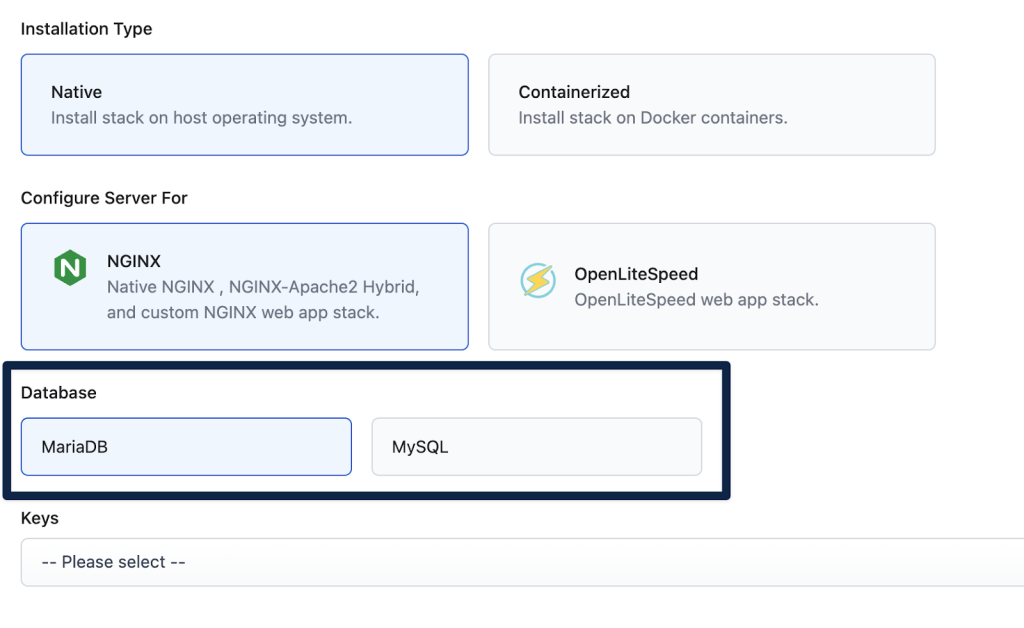
    Starting today, when deploying a server on RunCloud, you can choose between MariaDB or MySQL as your preferred database system. This feature is available for all RunCloud users running Agent 2.9.6 and above.

    Why MySQL Support Matters

    While MariaDB has served our users well, we recognize that many developers and organizations have specific requirements or preferences for MySQL, including:

    • Direct MySQL Compatibility: Some applications are specifically optimized for MySQL
    • Enterprise Familiarity: Many teams have existing MySQL expertise and tooling
    • Ecosystem Integration: Certain tools and frameworks work best with MySQL
    • Migration Flexibility: Easier transitions for projects moving from other platforms

    Getting Started

    To start using MySQL on your RunCloud servers, ensure your RunCloud Agent is updated to version 2.9.6 or higher. The easiest way to do this is to deploy a new server (or restore backups of existing web applications to a new server that is configured to use MySQL).

    Migration Support

    We understand that many users may want to transition their existing web applications from MariaDB to MySQL.

    Here’s what you need to know about migration options:

    Server Migration

    • New Servers Required: To use MySQL, you’ll need to deploy new servers. Existing MariaDB servers cannot be converted to MySQL.
    • Clean Installation: This approach ensures optimal performance and reliability by avoiding potential compatibility issues.

    Application Migration Options

    • Full Backup Migration: You can successfully migrate web applications using full backup restoration
      • Clone existing MariaDB sites to MySQL servers
      • Restore from full backups of MariaDB sites
      • Bidirectional support: Migration works both from MariaDB to MySQL and vice versa
    • Incremental Backups: Please note that incremental backup restoration is not supported for cross-database migrations

    Best Practices

    • Test migrations in a staging environment first
    • Schedule migrations during low-traffic periods
    • Create full backups before attempting any migration

    Try MySQL on RunCloud Today

    Whether you’re launching a new project or managing existing applications, RunCloud’s new MySQL support gives you more freedom to choose the right database for your needs.

    To get started:

    1. Log in to your RunCloud dashboard
    2. Deploy a new server
    3. Select MySQL as your database system

    Need help getting started? Our support team is ready to assist you at support@runcloud.io.


    Note: MySQL support requires RunCloud Agent 2.9.6+4 or higher. Please ensure your agent is updated before attempting to use MySQL features.

  • RunCloud 2024 Year in Review

    RunCloud 2024 Year in Review

    Welcome to RunCloud’s 2024 year in review.

    First of all, Happy New Year – here’s to 2025! ♥️

    I hope all of you have had an incredible winter break (or Christmas 🎄 break if you celebrate) – and a wonderful New Year’s Eve with family and friends.

    As we wrap up the first month of 2025, we want to take a moment to reflect on the past year, and to look ahead to what we’re focusing on for the coming year.

    Here’s a quick summary in case you’re here for the first time:

    RunCloud is a server management platform that makes it easy to run production-grade infrastructure. Trusted from startups to enterprises – from your favorite indie hackers and WordPress agencies through to world-class hosting companies.

    This year, we delivered:

    💳 Over 13,254 new server deployments

    🕵️ 54 product updates shipped

    📈 10,740 Web app (Git & Atomic) deployments

    So, without further ado, let’s look back on what a year 2024 was…

    Overhauling Our Documentation

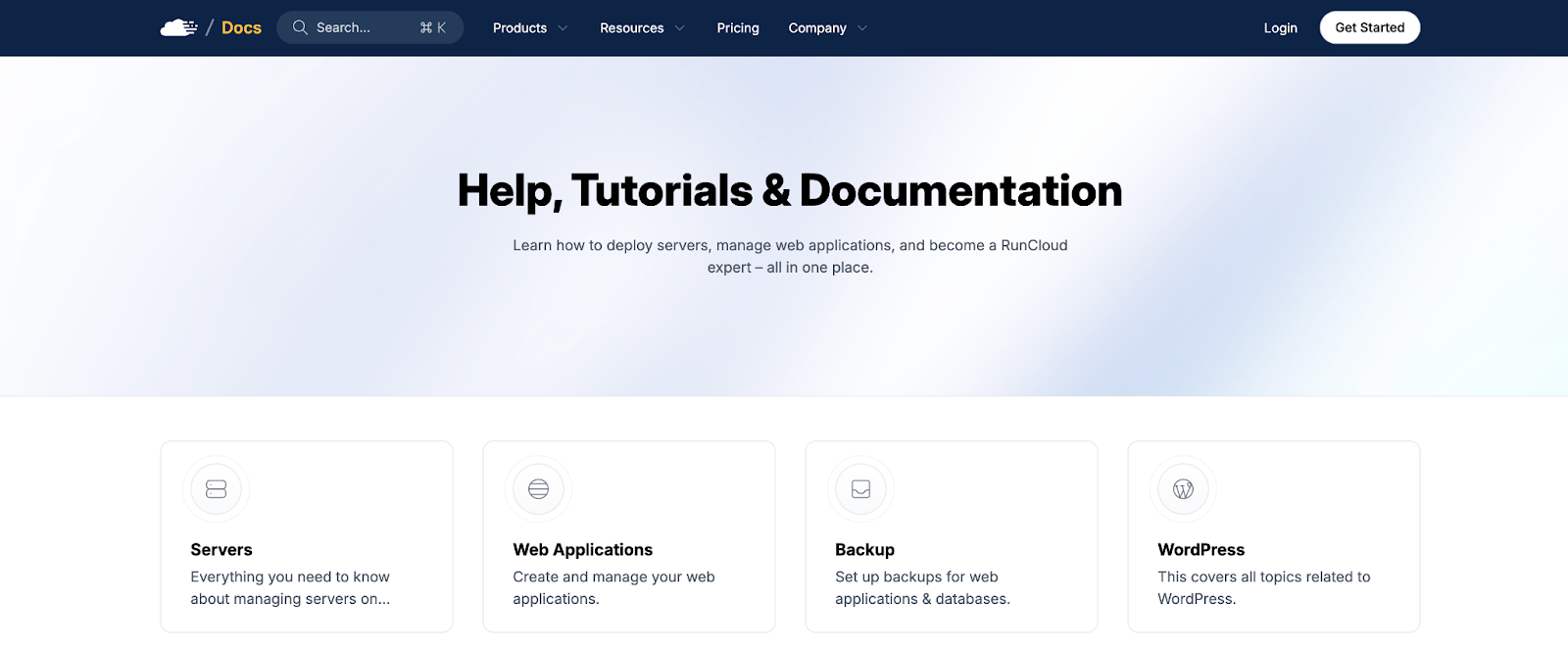
    We gave our product documentation a facelift, to say the least. And we didn’t stop there! While we were at it, we also re-reviewed every article in our documentation, leading to partial/complete rewrites of almost every single article.

    This sets a new standard for our product documentation going forward, and demonstrates our ongoing commitment to making RunCloud as easy as possible to use – outside of continuing to build a product that just “feels right” and “makes sense”.

    Overhauling Our Blog

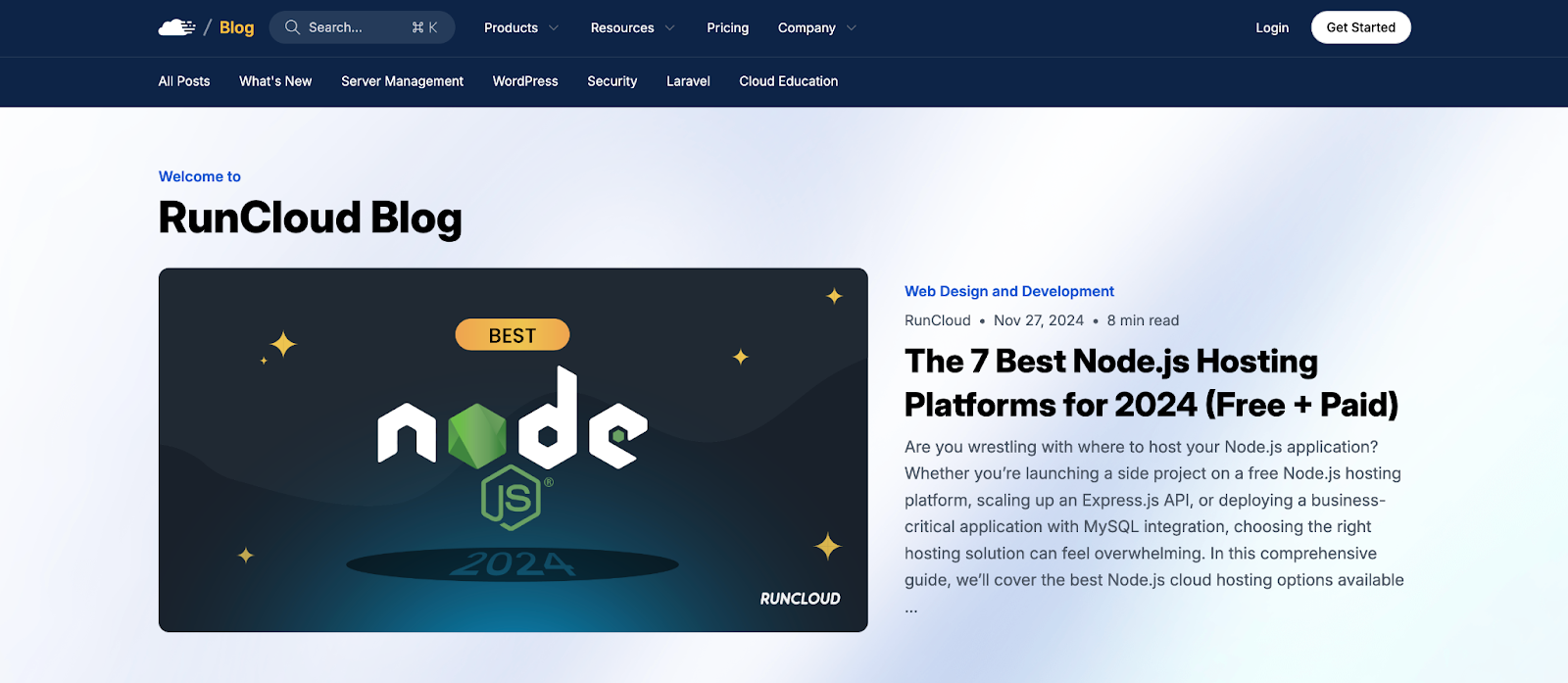
    In conjunction with the huge overhaul of our product documentation, we brought our blog into line with the new design, keeping things such as the navigation consistent, and building on top of the same design system.

    The final part of the RunCloud marketing site that remains to be consolidated into a newer, overhauled design style that’s indicative of where we’re at is our homepage and other pages at the root (i.e., pricing, about, etc.).

    This is something we’re excited to take on this year, so stay tuned!

    Shipping V3 of the RunCloud API

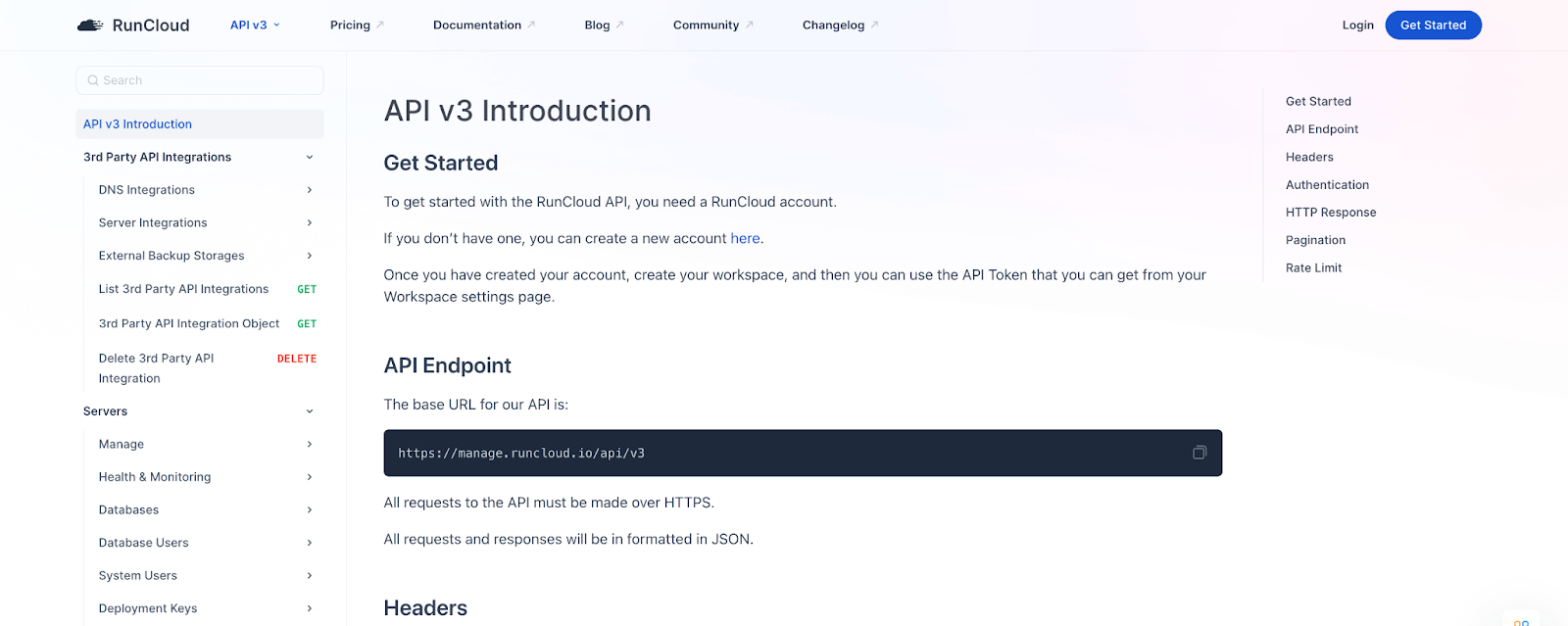
    This year, RunCloud as a product took a massive leap forward for developers. With the introduction of V3 of the RunCloud API, it’s never been a better time to build with RunCloud.

    Companies such as ZipWP, InstaWP, and many others have already been taking advantage of our API to make it much easier to build their platforms powered by RunCloud under the hood.

    Learn more in our API documentation here.

    Note: For those interested, we’re using Apidog to power our API documentation. This is separate from our primary product documentation – which is a headless WordPress site.

    Improving Pricing to Align With Our Direction

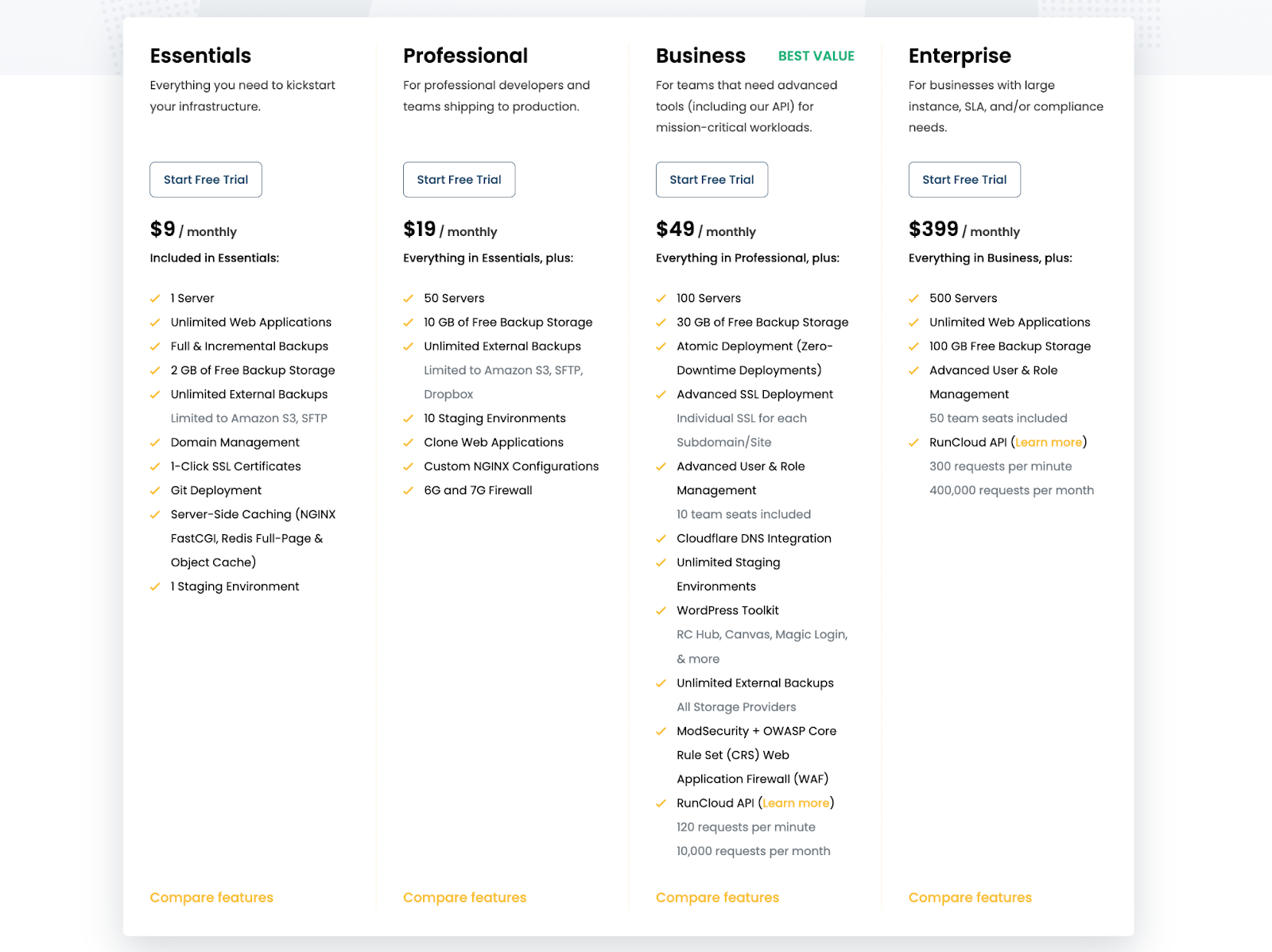
    With the release of your all-new RunCloud Workspace and version 3 of our API, we updated our pricing plans in line with the direction of RunCloud as a product and company.

    This change was initially viewed as controversial, but as the initial reactions faded, we were pleased to re-align with our core audience, who saw why this was a necessary change and, like us, couldn’t be more excited to continue using RunCloud as part of their stack.

    RunCloud Turns 7

    Towards the end of the year (September), RunCloud turned 7!

    Even after 7 years, it feels like we’re just getting started. Most startups don’t make it past 1 year, let alone 3, 5, and now 7. We’re deeply grateful to survive – and thrive, serving thousands of customers in over 100 countries.

    Here are some of the values that have carried us through the past 7 years:

    1. Customer-first always. Despite tough competition, we prioritized solving our customers’ immediate needs.
    2. Brand matters. From day one, we invested in building trust and a strong brand – a rare focus in today’s impatient startup world.
    3. Customer satisfaction. We can’t please everyone, but with a 99% CSAT score, we keep learning from the 1% who challenge us.
    4. Flywheel over funnels. We focus equally on existing customers and acquiring new ones, ensuring long-term growth.
    5. Simplicity wins. We respect competitors but focus on crafting a simple, straightforward product that meets real needs.
    6. Value-driven growth. Instead of chasing hype, we channel our energy into improving the product and scaling thoughtfully.

    Our biggest lesson is to compete with yourself.

    Focus on your customers, build a better product, and stay ethical. The world moves fast, but we can choose to stay grounded and build something meaningful, one step at a time.

    We know we have a long way to go, and we are just as ambitious about RunCloud as a product as many of the people in our community who continue to get involved and help shape the direction of the product with their feedback and constructive discussions.

    Here’s to a great year ahead. 🫡

    Meanwhile, you’ll find a highlight reel below of some of our bigger updates from throughout the year. For a full list of everything that’s new, please refer to our changelog.

    And Some More Big Product Updates From This Year

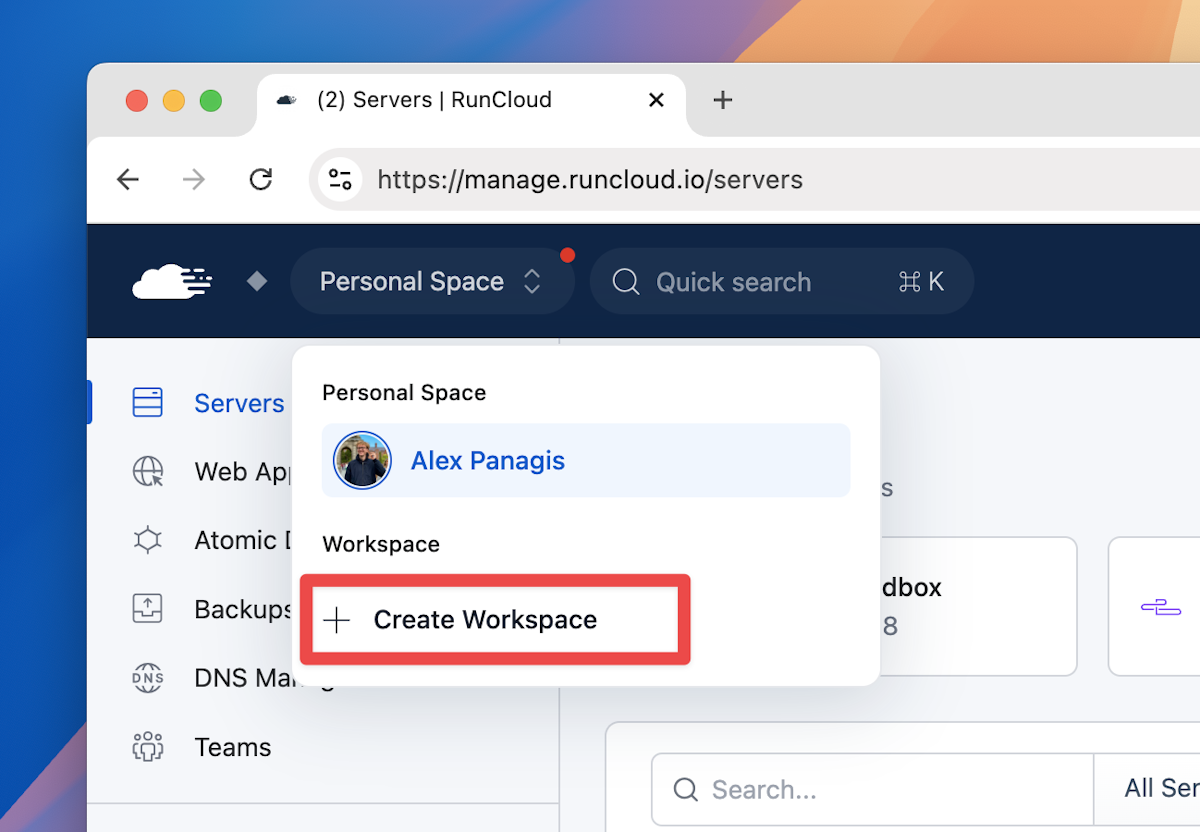
    Introducing The RunCloud Workspace

    Meet your all-new RunCloud Workspace. Bring your team into RunCloud with fine-grained control over what resources invited team members can see and what specific actions they can perform in your workspace.

    Note: To create a workspace, you’ll need to be on a RunCloud Business or Enterprise plan.

    Here are some guides to help you get up and running with your new workspace:

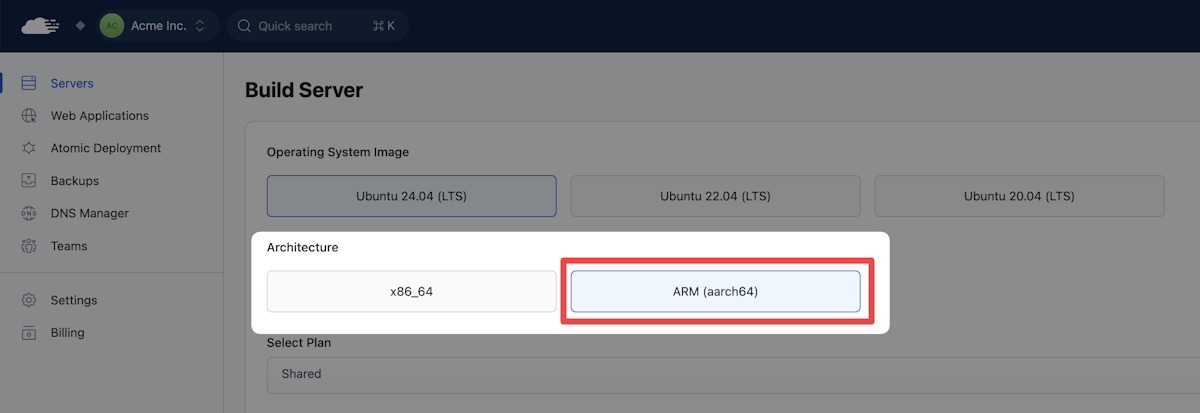
    Introducing Support for ARM Servers on RunCloud

    RunCloud now supports ARM servers – an alternative server architecture offering a more efficient solution with lower power consumption and reduced heat output – ideal for cost-effective, scalable data centers.

    Supported Configurations

    • Native NGINX server
    • Native OLS server
    • Containerized NGINX server

    Note: Containerized OLS servers are not supported with ARM

    The server providers that support direct deployments from your RunCloud dashboard that offer ARM server offerings are Hetzner, AWS EC2, Google Cloud Platform, and Azure.

    Introducing Server Storage & Web Application Monitoring

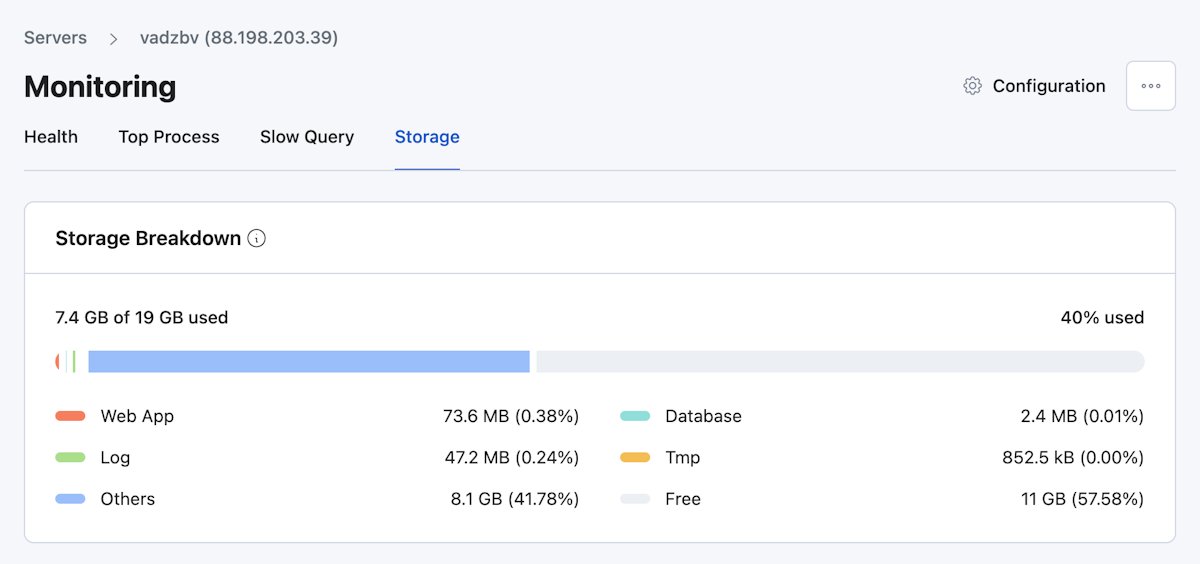
    We’re excited to announce that Storage Monitoring has landed!

    Today’s release includes a series of updates we know many of you have been waiting for. With RunCloud Monitoring, it’s never been easier to monitor the storage breakdown of your servers – based on web apps, databases, log files, and more.

    Learn more about Storage Monitoring on RunCloud here.

    And that’s not all! RunCloud Monitoring now also offers web application monitoring, including Slow Script Monitoring, IP Address Hit Monitoring, and Top Path Monitoring:

    Automatic Configuration of Access Control Lists for Redis

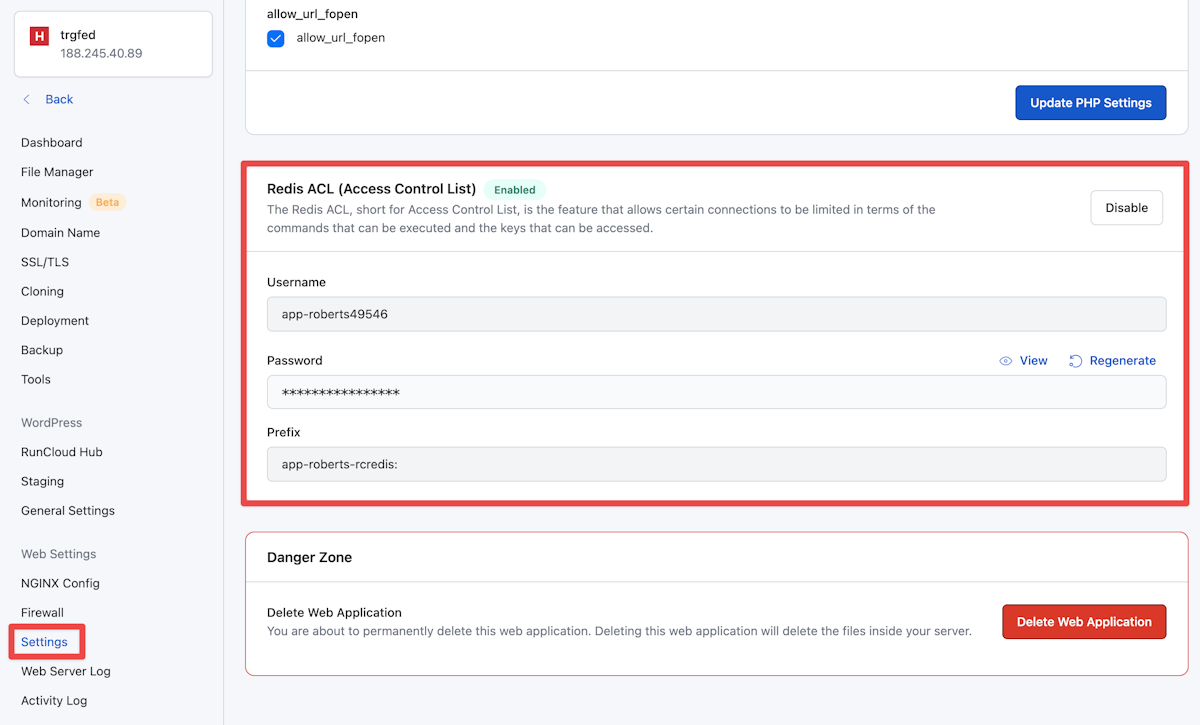
    We’re excited to introduce a new security feature that automatically safeguards your Redis instances using Access Control Lists (ACLs). With this update, RunCloud ensures that your Redis deployments are securely configured by default, providing an additional layer of protection for your data.

    This is particularly important if you host multiple web applications on a single server.

    Newly-deployed servers and web applications are secured by default.

    Note: The minimum agent version is 2.8.9+8.

    Learn more and refer to this guide on how to secure existing web applications.

    A big thank you goes out to the security researcher – Vladimir Smitka – who performed a series of tests and originally reported this proposed improvement to how Redis works by default on RunCloud.

    The setup process may vary slightly due to the individual/custom configurations of existing web apps. Please feel free to get in touch if you run into any issues.

    Working with Paddle as a Merchant of Record

    You can now pay for your RunCloud subscription using credit/debit cards, PayPal, and Google Pay.

    This has been made possible by partnering with Paddle (the complete payments, tax, and subscription solution for SaaS) to process payments and act as our Merchant of Record, allowing us to deliver the best subscription and payment experience for our users worldwide.

  • Bringing Containerization to RunCloud’s Cloud Architecture

    Bringing Containerization to RunCloud’s Cloud Architecture

    With a quarter of all businesses relying on Docker (according to this Datadog study) and over 20% of web hosts running it – Docker’s containerization architecture is tried, tested, and relied upon from startup to enterprise.

    At RunCloud, we’re pleased to announce that we are now rolling out support for Docker, making it easier for its users to deploy and manage their web applications (powered by Docker containerization architecture).

    In this article, we’re going to cover exactly what this means and what you will now be able to do with the combined power of RunCloud and Docker.

    Why Containerization – What Led Us Here

    Firstly, a very brief bit of history.

    What came before Docker, and why was Docker needed?

    Most enterprise companies, by default, usually treat all users as untrusted and try to limit their access to services even if they are performing just a simple action. One technology that is commonly used for this purpose is chroot jail. This is a way of isolating a single process and its children from the rest of the system. It’s often used within VMs, resulting in a Dedicated → VM → chroot structure.

    The problem with chroot jail is that it requires copying or mounting all necessary files from the host to the jail – which can be difficult to manage if multiple jails are needed.

    Additionally, many applications only support a single jail, making it difficult to provide each user with their own jail. Overall, jailing users can be messy and requires careful tracking of shared objects and binaries within the jail.

    When jailing users became difficult to manage, several major companies sought to create a new technology that would make it easier. This led to the development of Linux Containers (LXC), which offered a VM-like solution without the need to create a virtual machine. However, LXC was difficult for many people to use, as it required creating your own image rather than using pre-made solutions. This limited the adoption of LXC, despite its powerful capabilities.

    In contrast to VMs, container images are read-only and faster to start up. This led to the creation of Docker, which was developed by Docker Inc. with a focus on security, ease of use, and portability. Docker has become one of the most popular tools in the world of DevOps and allows for easy sandboxing of servers. In 2015, Docker launched the Open Container Initiative (OCI) to provide a standard for OS-level virtualization.

    The Benefits of Docker Containerization with RunCloud

    1. Enhanced Security

    If your web app gets hacked while running natively on RunCloud, hackers may well be able to gain access to the root shell if the server isn’t hardened properly. This is clearly bad news, as once the root user gets compromised, hackers gain access to everything on the server.

    But in Docker, if your site gets compromised, you just need to clean up your web app and then restart the Docker container to roll everything back to how it should be quickly, easily, and relatively painlessly.

    Using Docker allows us to better implement the rule of least privilege. Everyone with access to your server is treated as if you don’t know what their intention or capabilities are. Someone accessing your server may just want to do their job, perhaps they have bad intentions, or maybe they are a complete beginner who may inadvertently run a command that could make your server crash.

    With Docker running inside RunCloud, we have `rc-shell` (RunCloud Shell) that will jail users inside their own container. Anything they do will only affect their data and their container – leaving the rest of the server unscathed.

    2. Improved Performance

    Although Docker may look like a virtual machine, it’s actually very different from that concept. Deleting old Docker containers and launching a fresh one takes only a couple of seconds. By using Docker to run your server, you can expect near-native performance, with improved performance when used in production at scale (as a result of isolation).

    3. Better Server Management

    Using containers for your server makes it much easier to manage your servers.

    Firstly, since you are not installing services directly on the operating system, your server will be much cleaner, and you will encounter fewer problems in server management.

    Secondly, suppose you need to use an older version of PHP on your site in the future. It will be much easier to do so with a containerized server since the version of the operating system running on the server might drop support for older PHP versions in the future.

    Finally, upgrading your server will be much simpler because you won’t have to worry about compatibility issues with shared libraries or other potential causes of server crashes.

    4. Same Dashboard/No Learning Curve

    RunCloud aims to provide an easy-to-use interface for managing containerized servers – users migrating from native RunCloud installations will find the transition to using containers to be smooth and straightforward.

    Additionally, users don’t need to have any knowledge of Docker to use RunCloud, as they won’t need to use any Docker commands. The learning curve for using Docker with RunCloud is relatively shallow, with only a few new concepts for users to learn in order to get started. Overall, using Docker inside RunCloud offers a more user-friendly experience for managing your server.

    What’s New?

    There are a lot of new features coming to RunCloud. Here are some of the most exciting ones.

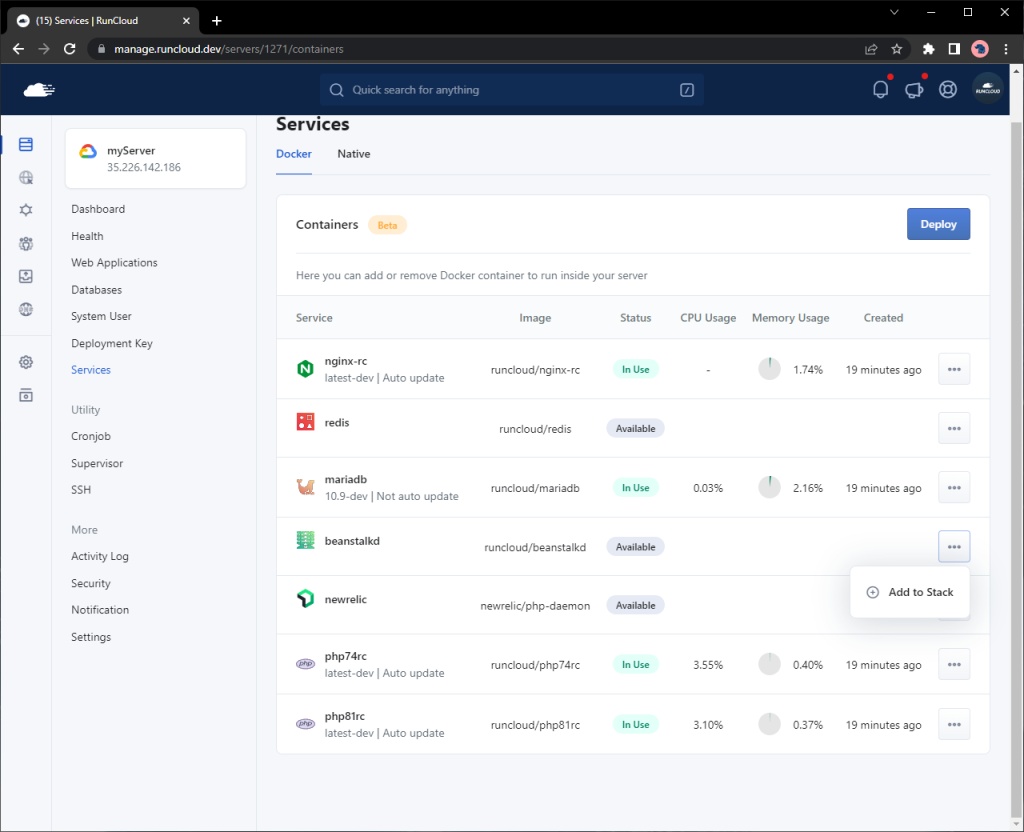
    Add Individual Services

    In a native installation of RunCloud, all necessary software such as NGINX, PHP, MariaDB, Redis, and Beanstalkd are installed and can be started or stopped as needed.

    In a containerized server, you now have the option to run each of these components individually – and can even choose not to run any of them if desired. Additionally, if a necessary image is not present on the server, it can automatically be downloaded from Docker Hub to ensure that everything is up to date and ready to run.

    adding individual services in runcloud

    Quick and Easy Upgrades

    With a native installation of RunCloud, some software, such as Redis and Beanstalkd may not be automatically updated after being installed. In order to enable automatic updates for these components, you may need to use third-party software, which can sometimes cause update failures and lead to issues such as agents not updating to the latest version.

    In contrast, a containerized server automatically checks for the latest versions of all necessary components every 3 hours, ensuring that your software is always up to date and avoiding potential update & security issues.

    Selectively Upgrade Services

    MariaDB and Beanstalkd use exclusive locks, which means that during an upgrade, they can each cause a few seconds of downtime, as the running container must be stopped in order to start a new one. While the process of starting a new container is instantaneous, the health check process may cause a delay in reporting the status of the running service. Because of this, we have provided the option to enable or disable automatic updates for MariaDB and Beanstalkd.

    However, it is generally recommended to avoid automatically updating critical software and instead has updates performed by a professional. With Docker, however, updates can be performed more easily and with minimal downtime. By default, MariaDB and Beanstalkd will not be automatically updated, but users can change this behavior if desired.

    With native installations of RunCloud, updates to the agent software can sometimes result in new versions of other software being automatically installed on the server, even if the user doesn’t need or want them. For example, if an update to the agent brings PHP 8.0 to the server, it will be automatically installed whether the user wants it or not.

    However, in a containerized server, the user has the ability to choose which versions of software they want to use and can easily remove any unnecessary components from the server stack. This allows for greater control over which software is installed and used on the server.

    Easily Restore Passwords

    In a native installation of RunCloud, the password for the MariaDB root user is stored in the /etc/mysql/conf.d/root.cnf file. If this password is accidentally changed, it must be updated in the file in order to access the MariaDB server, and it can be difficult to regain access to the server if the password isn’t known.

    In a containerized server, if the password in the /etc/mysql/conf.d/root.cnf file is changed, the MariaDB server will automatically reset the root password to match the new password specified in the file, allowing you to easily regain access to the server.

    Automatic Network Management

    In a containerized server, the values localhost and 127.0.0.1 no longer refer to the server itself but instead indicate the location of the current container. This can cause issues when installing software, such as WordPress, that expects these values to refer to the server.

    To address this, RunCloud uses the host to indicate the host machine rather than the current container. This can be used in the DB_HOST setting when installing WordPress, for example, to ensure that the database connection is established with the host machine rather than the PHP container. Additionally, the values mariadb and redis can be used to connect to the MariaDB and Redis containers, respectively, within your application.

    Isolate Users

    Docker is designed to run as a privileged user, such as the root, or a user with sudo access. In RunCloud, creating a system user does not automatically grant that user privileged access. Since PHP is not installed natively on the server, users will not be able to run PHP-related commands.

    To overcome this limitation, RunCloud is introducing rc-shell, a jailed shell that allows users to run commands within a Docker container. Whenever a user connects to the server via SSH or SFTP, a new container is created, and the user is logged in to that container. This provides a secure environment where the user can only access their own files and has access to all necessary commands.

    The only limitation is that each user can only choose one PHP version to use as their PHP command-line interface (CLI). However, users can choose whether to use the same PHP CLI version as the server or a different version for their own user account.

    Run Different Versions of The Same Command

    With a native installation of RunCloud, the php command refers to the PHP command-line interface (CLI) that is installed on the server. In a containerized server, this behavior is the same, and the php command refers to the default PHP CLI version that is installed on the server.

    If a user wants to use a different PHP CLI version, they can use the /RunCloud/Packages/<php version>/bin/php command, where <php version> is the version of PHP they want to use.

    In a containerized server, users can also use commands such as php72rc, php73rc, php74rc, etc., to run a specific PHP CLI version. However, the composer and wp commands will always use the default PHP CLI version and cannot be changed at this time. This applies to both native and containerized installations of RunCloud.

    When the root user runs the php, wp, or composer command within a user’s directory, such as /home/user/webapps/mysite, these commands will automatically be run as if they were being executed by the user. This means that the root user does not need to switch to the other user in order to run these commands.

    For example, if the root user runs the command composer install within /home/amir/webapps/mysite, it will be executed as if the amir user had run the command themselves. This provides a convenient and user-friendly way to manage these commands within a user’s directory.

    “Run as” / Emulate / Mock User

    Due to the limitations described above, cron and supervisor may not be able to run the php, composer, and wp commands as a specific user. To overcome this, RunCloud provides a feature called “fake run as” for use with cron and supervisor.

    When using this feature, the specified command will be run as the root user, but it will be executed as if it were being run by the user specified in the “fake run as” field. This only applies to the php, composer, and wp commands and should not be used for any other commands. Using this feature allows cron and supervisor to run these commands as if they were being executed by a specific user, even though they are actually being run by the root user.

    Restart Services Selectively

    In a native installation of RunCloud, the systemctl command can be used to reload PHP-FPM for a specific PHP version. For example, to reload PHP-FPM for PHP 7.4, you can use the command systemctl reload php74rc-fpm.

    In a containerized server, the <phpversion> reload command can be used instead, where <phpversion> is the specific PHP version you want to reload. For example, to reload PHP-FPM for PHP 7.4, you can use the command php74rc reload. The nginx-rc reload command can also be used to reload Nginx in a containerized server. This provides a convenient and user-friendly way to manage and reload PHP-FPM and Nginx on a containerized server.

    How To Use Docker On RunCloud

    It is fairly straightforward to use Docker on RunCloud.

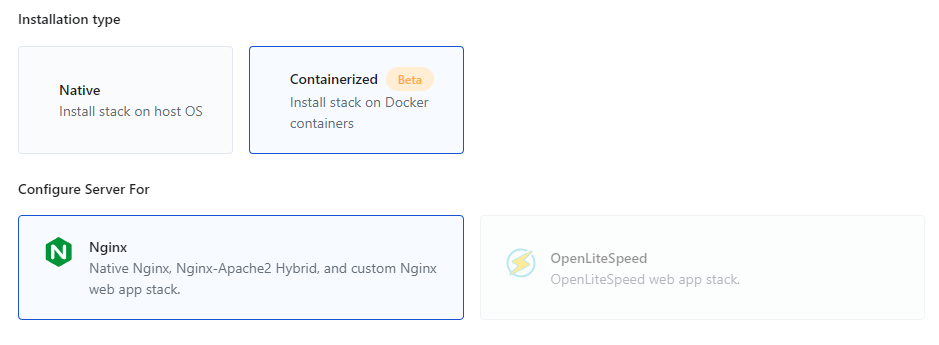
    1. Create a fresh Ubuntu server on your favorite public cloud, and click “Connect a New Server” in your RunCloud dashboard. Pick the “Containerized” option and complete the necessary fields.
    creating containerized server in runcloud
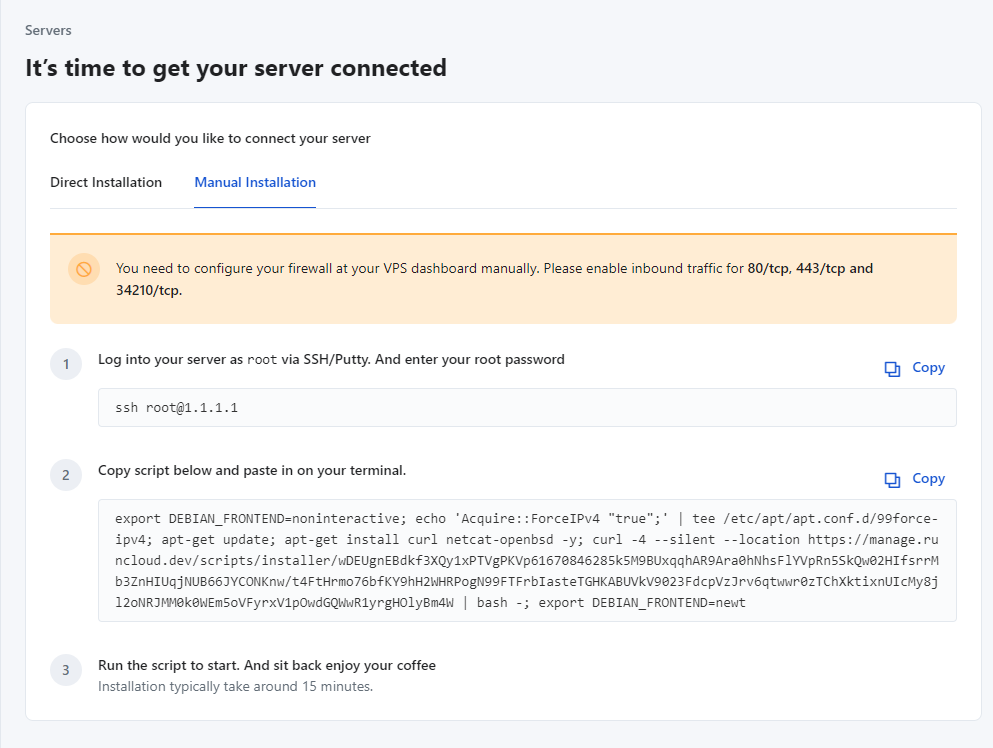
    1. Having done that, you can either continue via direct installation, or choose to install manually as you normally would.
    manual installation of containerized server on runcloud

    Summary

    The infrastructure improvements that Docker containerization allow us to deliver are incredibly powerful, and – in some ways – we’ve only really scratched the surface of what’s possible.

    By rolling out support for Docker, we’re making it easier for users to deploy and manage web applications, including testing in consistent, isolated environments – also playing a role in preparing our architecture for further improvements planned in 2023 and beyond. This is an important step for RunCloud and all of our users.

    With RunCloud, you don’t need to be a system administrator or Linux expert to manage your cloud infrastructure. With everything from backups, staging, cloning, atomic deployments, and more – RunCloud makes it truly enjoyable to manage your own production-grade infrastructure. Learn more & get started today.
  • RunCloud’s All-New Dashboard UI Is Now In Beta

    RunCloud’s All-New Dashboard UI Is Now In Beta

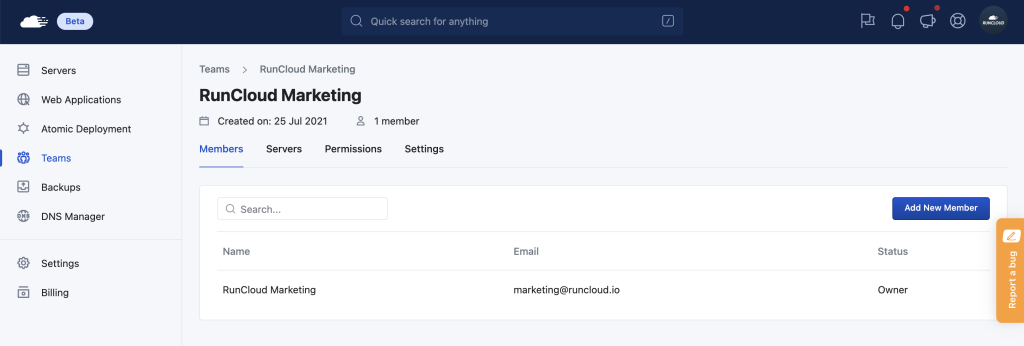
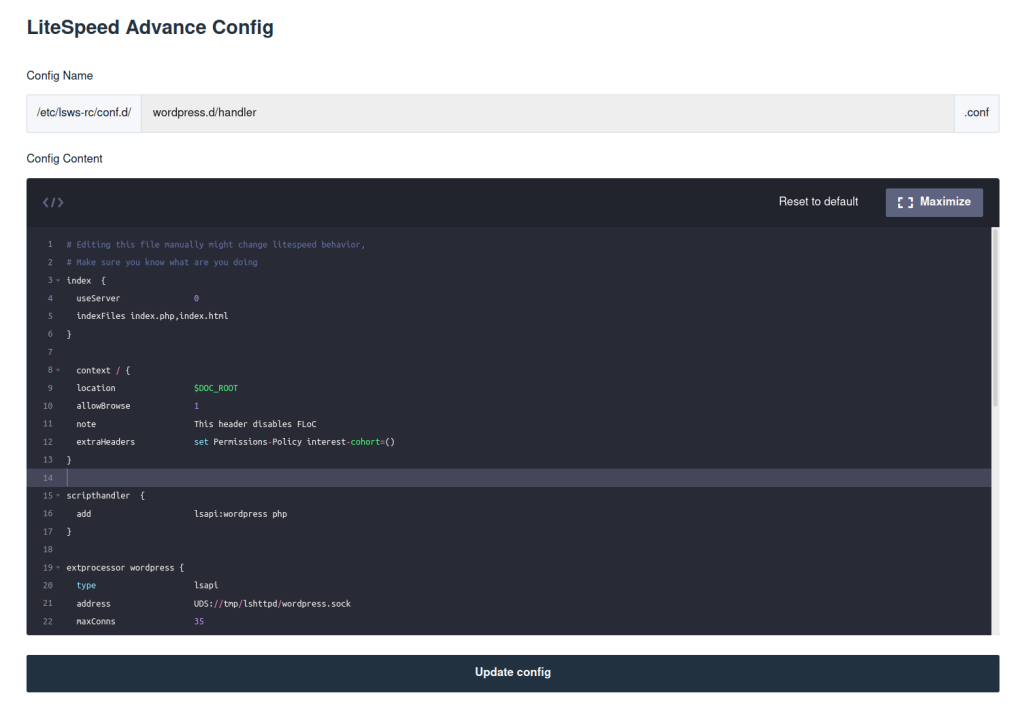
    Today, we’re proud to announce that our all-new interface with a fresh new look to make managing your servers not only effortless but also more enjoyable than ever is now in beta.

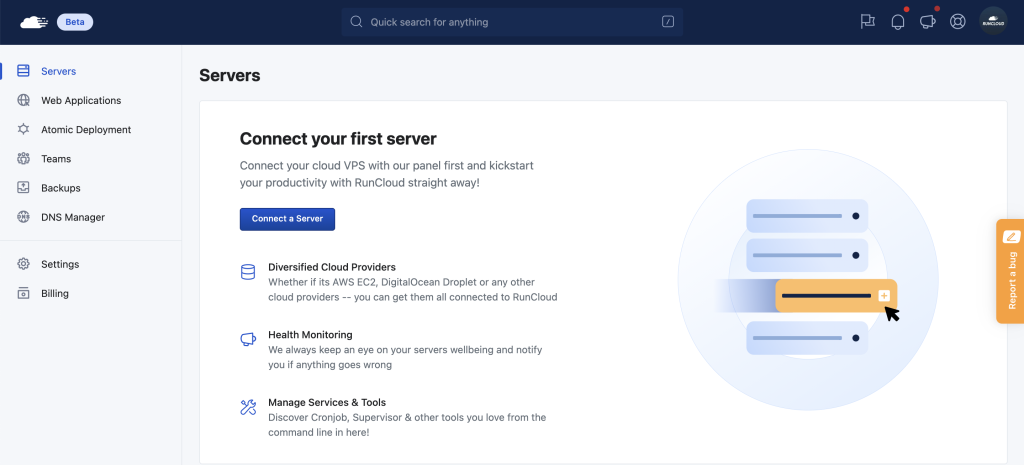
    We’re super excited to hear what you all think! Please note that this is an early-stage beta but that’s exactly why we’re inviting you to jump in, try it out and let us know what you think now already. You can switch from classic dashboard (manage.runcloud.io) to new dashboard (new.runcloud.io), and vice versa, anytime from the top-right profile dropdown menu. You can switch back to the classic RunCloud dashboard at any time and it will still be available during this beta.
    Let’s dive into some of the specific improvements this release includes:

    General Improvements

    • Our all-new dashboard that is fully accessible from any device, including your mobile device.
    • Global Search (beta) – you can quickly search anything in your RunCloud account (servers, web applications, database, etc.). We have a number of improvements planned to Global Search during this beta.
    • Server Tags – you can add tag(s) to your servers to help organize your servers and make managing them easy as you grow.
    • Web Applications top level menu. You can see the list of all web applications from all of your servers. This is extremely useful as you have a number of web applications across a growing number of servers that you manage.
    • Shortcut to edit .env file and deployment script
    • Better view for your activity logs, sorted by date
    • Recently viewed servers & web apps feature.
    • Improved Billing/Subscription flow.
    • Improved Team flow when creating team and invite team member with email notification
    • Improved activity logs, sorted by date.

    Server Management Improvements

    RunCloud New Server Management
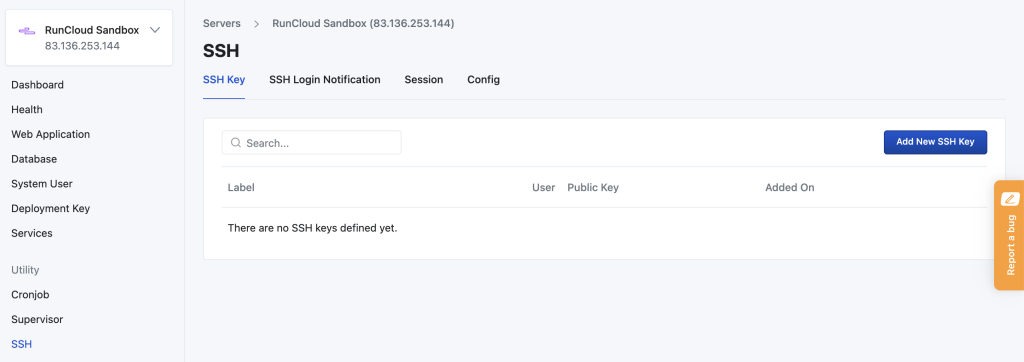
    • Central SSH utilities. SSH key, login notification, session and config are in page with tabs.
    • Laravel web app type. For Laravel users, you can edit web app settings and change web app type from Custom to Laravel to unlock some Laravel features.
    • Laravel Octane. Yes, you can run your web app with Laravel Octane in RunCloud with Nginx server easily.
    • Server settings have been simplified by moving other settings to respective group.

    Web Application Improvements

    RunCloud Web Application New
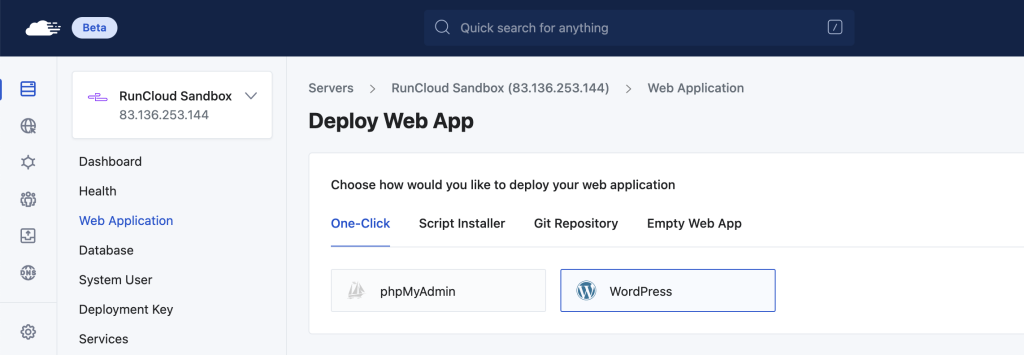
    • Improved flow for creating a web application to help users start deploying web applications smoothly.
    • Creating git web app are now more informative for easy integration.
    • New interface for managing databases.
    • New float for creating cron
    • Artisan Commands – you can run some common artisan commands directly from RunCloud dashboard

    Notable WordPress-related improvements include:

    • RunCloud Hub, WordPress Staging, Cloning, and General Settings (update home URL) is fully compatible with most WordPress web app types, including:
      • Regular Individual WordPress Installations
      • WordPress Multisite subdomain
      • WordPress Multisite subdirectory
      • WordPress Bedrock
      • Custom WordPress with WordPress files in a subdirectory but served from the website’s root
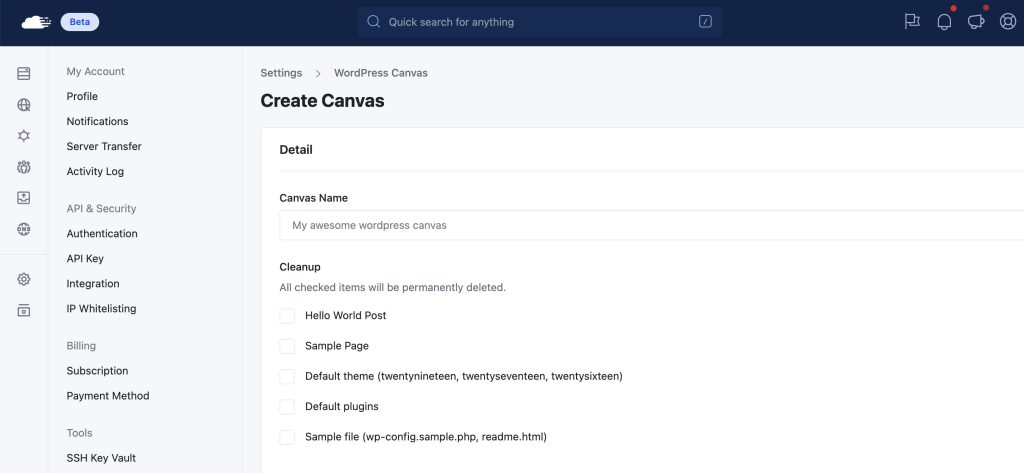
    • Improved WordPress Canvas flow, you can choose to activate plugin and also custom theme (ZIP).
    • Generate .htaccess automatically when cloning from Native NGIN to OpenLiteSpeed to prevent 404 issues.
    • Fulll support for Wordfence’s WAF during staging & cloning.
    • Regenerate Elementor CSS cache files during staging, cloning, and general settings update.

    Profile Improvements

    • Cleaner API key interface.
    • Rework on WordPress Canvas interface.
    • Simplified billing interface.

    Team Improvements

    RunCloud Teams
    • New flow for creating teams and team invitation now with email notification.

    Atomic Deployment Improvements

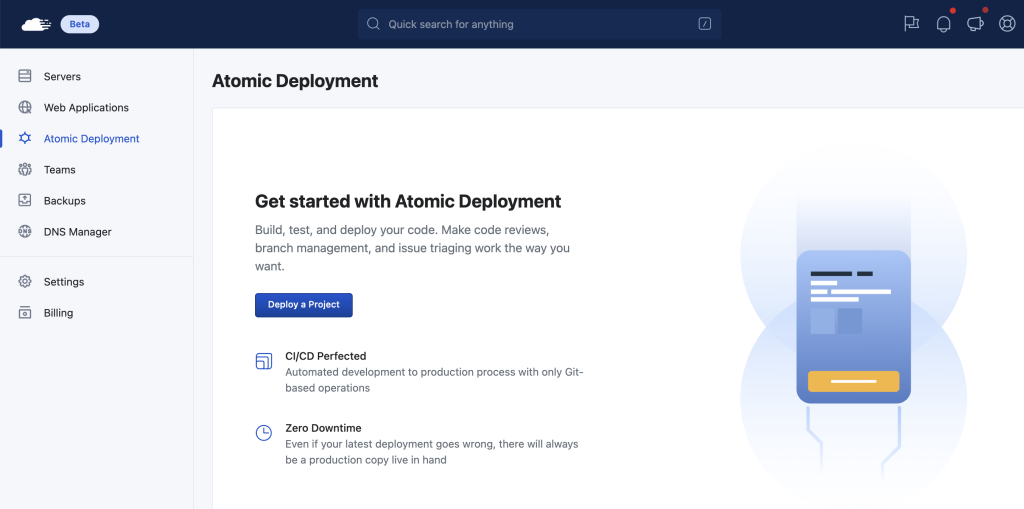
    • Various improvements to the atomic deployment interface.

    Other Miscellaneous Improvements & Bug Fixes

    • Added: File manager zip/unzip feature
    • Updated: RunCloud Agent version 2.4.8 iteration 7
    • Updated: WAF Modsec CRS version 3.3.2
    • Updated: NodeJS version 14 LTS for new server
    • Fixed: team member can not manage domain and ssl on shared team server
    • Fixed: invoice/receipt print issue

    Remember, this is a beta – but that’s exactly why we’re inviting you to try it out today! During the beta, you’ll be able to leave direct feedback by using the Report Bug option in the menu, as shown below:

  • Google FLoC – What You Need to Know & How To Opt Out

    Google FLoC – What You Need to Know & How To Opt Out

    There has been a lot of talk lately surrounding Google’s Federated Learning of Cohorts (FLoC) initiative, which is quickly becoming a hot-button topic both in the tech community and major mainstream publications.

    In this blog post, we’ll cover what Google FLoC is, why it matters, and how we’ve made it easy to disable it in RunCloud.

    What Is Google FLoC & Why It Matters

    FLoC is a proposed feature by Google that lets browsers collect, profile, and store usage patterns based on a user’s browsing habits over time.

    This new type of tracking, which is done directly within the browser, would then be used by Google and its advertising partners for widespread tracking and personalization of ads.

    FLoC is part of a larger response by Google to the slow decay (and increased blocking) of third-party cookies on the web. Why? Because as users become more privacy-aware, the ease of tracking and identifying them across multiple websites for the purposes of advertising and surveillance has become much more difficult in recent years.

    With the proposed FLoC feature enabled, the browser will create “cohorts” that group users with similar browsing habits together. This cohort ID will grow in size and relevance as it continually gathers information about the sites that users visit, the ads that they view, their behavioral patterns, how often they browse, etc.

    Each individual cohort is then combined with other cohort IDs when sent to Google, who will then display ads to individual users based on the relevancy of the data that has been collected within their shared cohort.

    Why FLoC Is Considered Premature

    In the acronym for FLoC, the word cohort was carefully chosen. A cohort is defined as a “group of individuals having a statistics factor in common”.

    Google’s promise is that FLoC cohort IDs will be anonymous data points in a larger network and that each cohort’s data will be sent to advertisers without them knowing the identity of individual users.

    The problem with FLoC however is two-fold, both in principle and in practice.

    Principally, the user’s browser is supposed to be sacred. It’s simply a tool to interact with the larger web. FLoC aims to turn the browser into a real-time tracking mechanism that collects the most sensitive information about an individual user’s browsing habits without the user being able to circumvent or opt out of this data collection.

    In practical terms, it’s not difficult for advertisers to understand and identify patterns once the FLoC data set becomes large enough. For example, cohorts comprised of users that share the same location data, shop in the same neighborhood, are active in the same time zone, etc. can be easily grouped together by demographic.

    To make matters worse,, if FLoC data is used in combination with other tracking mechanisms such as social media analytics, existing third-party cookies, or data sets purchased from data brokers, it becomes a trivial task to fingerprint users based on age, class, ethnicity, political parties, etc.

    Why FLoC Sets A Dangerous Precedent

    Google announced that in Chrome version 89 they will forcibly enable and trial their FLoC data-collection initiative without the consent of users or webmasters.

    The Electronic Frontier Foundation was one of the first privacy advocates to bring to light the dangers of this announcement. They correctly pointed out that instead of reducing the overreach of personalized tracking in the ad-tech industry, Google is now seeking to leverage it’s Chrome browser to do the data mining itself.

    Google Chrome’s market share is currently pegged at almost 70%. That represents more than two-thirds of the entire user base of the web. Once the FLoC rollout has exited it’s current beta stage and is mainlined into the Chrome codebase, it immediately begins profiling the majority of Internet users and sends that information straight to Google.

    Other browser vendors such as Mozilla Firefox, Brave, Microsoft Edge, Vivaldi, and Opera have recently weighed in on FLoC, some of them making broader statements as they wait to see how the situation unfolds, while others have already chosen not to support any such data aggregation efforts whatsoever.

    The most notable response is that of Brave, with an entire blog post that opens with this clear statement:

    Brave opposes FLoC, along with any other feature designed to share information about you and your interests without your fully informed consent. The privacy-affecting aspects of FLoC have never been enabled in Brave releases […] Brave is also disabling FLoC on our websites, to protect Chrome users learning about Brave.

    How to Opt Out of FLoC Data Collection

    For end-users, the easiest choice when it comes to opting out of FLoC’s data collection is simply not to use Chrome. However, a Chrome Extension was released by DuckDuckGo that disables FLoC tracking within the browser. If this extension will be disabled by Google or simply ignored by the browser itself is yet to be seen.

    The larger point of contention however lies with webmasters and web server administrators. FLoC requires that a website provide an explicit HTTP response header if it wants to opt out of the program. This suggests that Google is counting on webmasters to not be bothered with this task.

    The Easiest Way To Opt Out of FLoC (with RunCloud)

    Manually inserting the necessary FLoC header in your web server configuration, and then reproducing this for multiple applications is quite time-consuming. Fortunately, RunCloud makes this easier than ever – we’ve integrated the necessary pre-defined HTTP headers for all users so they can disable FLoC in less than a minute.

    Once logged in, navigate to your server, and under Web Applications > NGINX Config you’ll be able to select and add the required config rule. After adding the required headers, the next step is to clear your NGINX FastCGI cache (RunCache) and then test your website or web application to ensure the headers are being delivered.

    We’re currently implementing a similar feature to support websites and applications using the OpenLiteSpeed web server and will be rolling it out in the coming days.

    If you choose not to opt out of FLoC as a website owner, you are helping Google to add more profiling data on your visitors by leveraging your website as a data point that adds to the user’s fingerprint on the web. Opting out of Google’s new FLoC initiative & protect your users in a matter of less than a minute with the help of RunCloud – here’s how:

    So if you’re a RunCloud user and currently using a server that runs on NGINX, opting out couldn’t be easier – in just a few clicks.

    Alternatively, in order to opt your website out of the FLoC network, webmasters need to add a custom HTTP response header to their website to be served with each request. This comes in the form of a Permissions-Policy header, with the following syntax:

    Permissions-Policy: interest-cohort=()

    For the popular NGINX web server, this can be achieved with the add_header directive, which needs to be added to each website’s configuration file. The following code snippet shows the syntax that’s required:

    server {
        location / {
          add_header Permissions-Policy interest-cohort=();
        ...
        }
    }

    After adding the snippet to your configuration file, you’ll need to reload NGINX in order for the changes to take effect.

    NGINX has built-in syntax checking that should be used in combination with a reload or restart, the following command will do both:

    nginx -t && service nginx reload

    Once enabled in NGINX, the Permissions-Policy header will be respected by Chrome and disables FLoC data collection for users that visit your website — in other words, your website will not be used as a profiling data point for your users’ browsing habits.

    Opting Out of Google FLoC on OpenLiteSpeed (RunCLoud)

    If you’re using the similarly popular OpenLiteSpeed web server, you can add the necessary FLoC header by editing your vHost configuration file (vhost.conf) which is located in the /usr/local/lsws/conf/MY_VHOST/ directory.

    OpenLiteSpeed uses what are called Contexts for adding custom headers and other functionality to a web application. In the example below, we’ll be adding the following code to the root context in an example WordPress configuration located at /usr/local/lsws/conf/vhosts/wordpress/vhconf.conf:

    context / {
      location                $DOC_ROOT
      allowBrowse             1
      note                    This header disables FLoC
      extraHeaders            set Permissions-Policy interest-cohort=()
    }

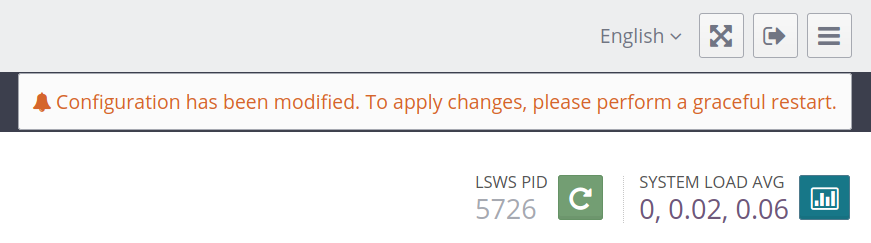
    If you use RunCloud to manage your OpenLiteSpeed servers, adding the above snippet to your configuration file is as easy as navigating to your server and under LiteSpeed Server Config:

    The Context snippet can be placed after your Index directive. And, fortunately – with RunCloud, there’s no need to manually restart OpenLiteSpeed. After you’ve inserted the snippet and click Update Config, we automatically enable the configuration changes under the hood.

    Otherwise, after saving the changes to your configuration file – you’ll need to do a graceful restart of OpenLiteSpeed in order for the changes to take effect. The following command will achieve that:

    systemctl restart lsws

    Opting Out of Google FLoC on OpenLiteSpeed (Non-RunCloud Method)

    If you prefer to use the graphical OpenLiteSpeed WebAdmin Console instead, you can achieve the same functionality with the following steps outlined in the screenshots below.

    The OpenLiteSpeed WebAdmin runs on port 7080, which would be closed by default in your firewall.

    To enable access to that port via UFW, use the following command:

    ufw allow 7080

    UFW stands for Uncomplicated Firewall and is an extremely popular and easy-to-use wrapper around IPTables firewall rules. Most Linux distributions come with it pre-installed, but you can manually install it for your distribution.

    For Debian/Ubuntu run the following command:

    sudo apt install ufw -y

    For servers using CentOS, run the following command:

    yum install ufw -y

    UFW will not be immediately active by default. But before activating it, it’s important to set the necessary default rules:

    ufw default deny incoming
    
    ufw default allow outgoing

    And then use UFW’s syntax to add common ports that you’ll need on your server:

    ufw allow ssh
    
    ufw allow http
    
    ufw allow https

    Those rules take care of SSH (else you’ll be locked out when you try to reconnect), as well as HTTP and HTTPS web traffic.

    You can now enable UFW by running:

    ufw enable

    You can check the status of your firewall by running ufw status

    Finally, add the custom rule for OpenLiteSpeed WebAdminwhich will be active immediately:

    ufw allow 7080

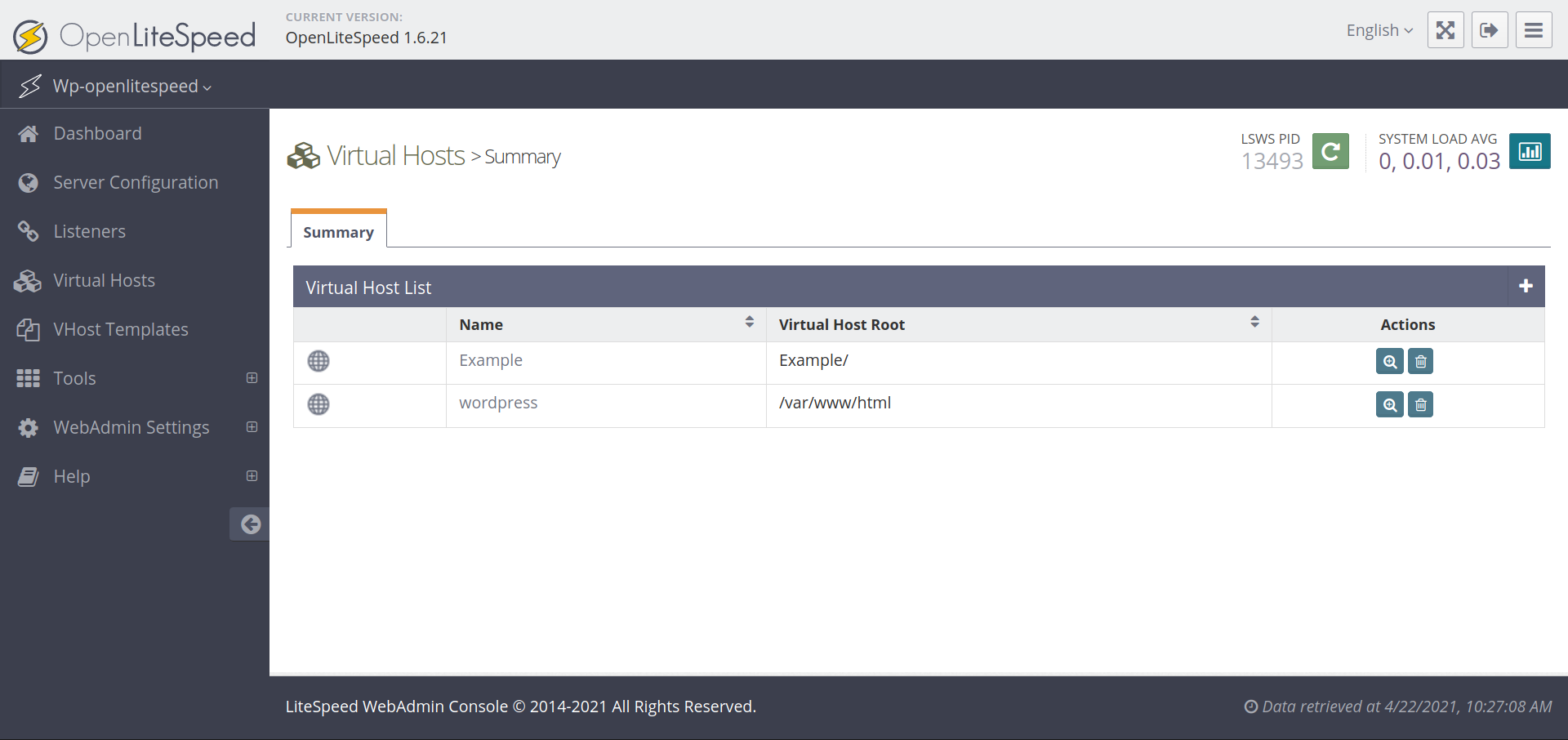
    Next, login to your WebAdmin Console which is located at http://YOUR_SERVER_IP:7080 and navigate to the list of Virtual Hosts:

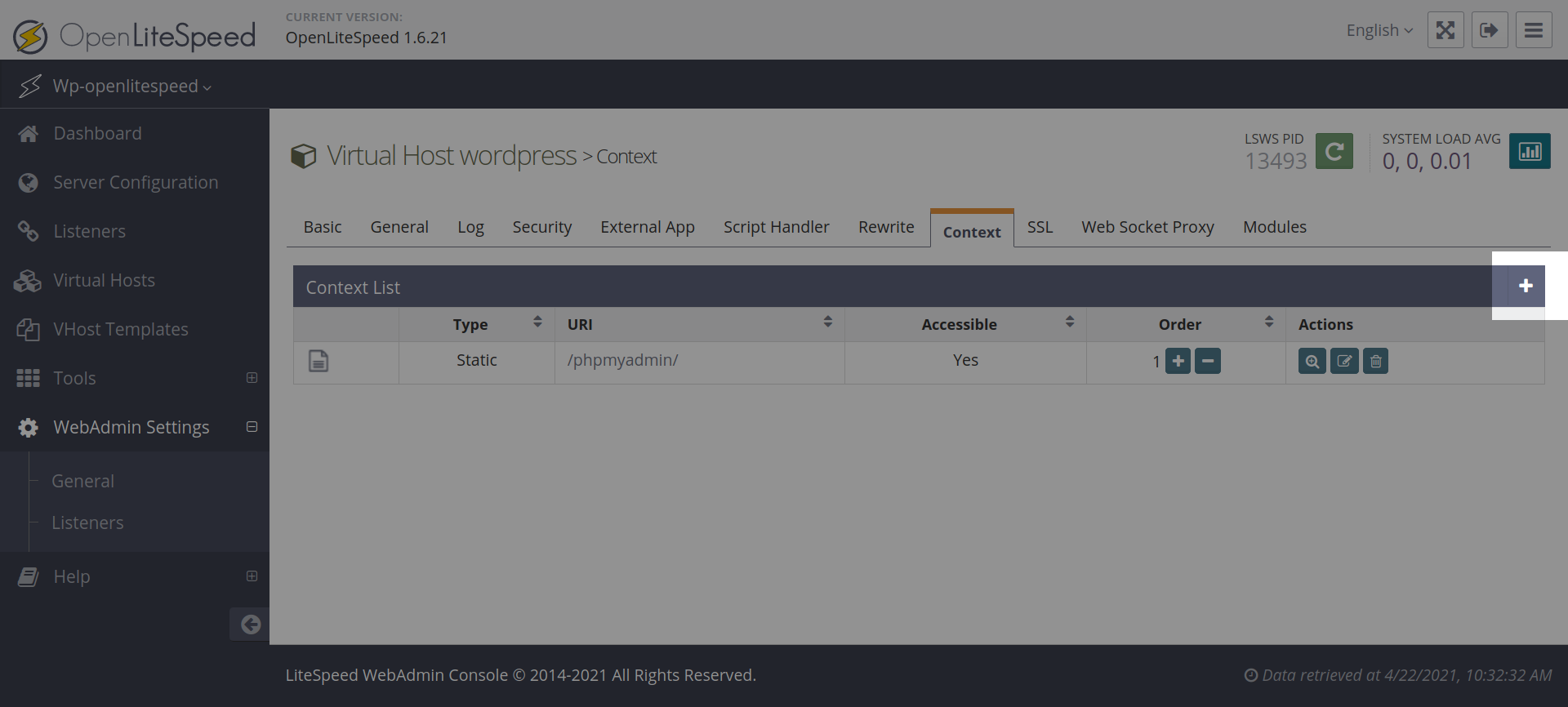
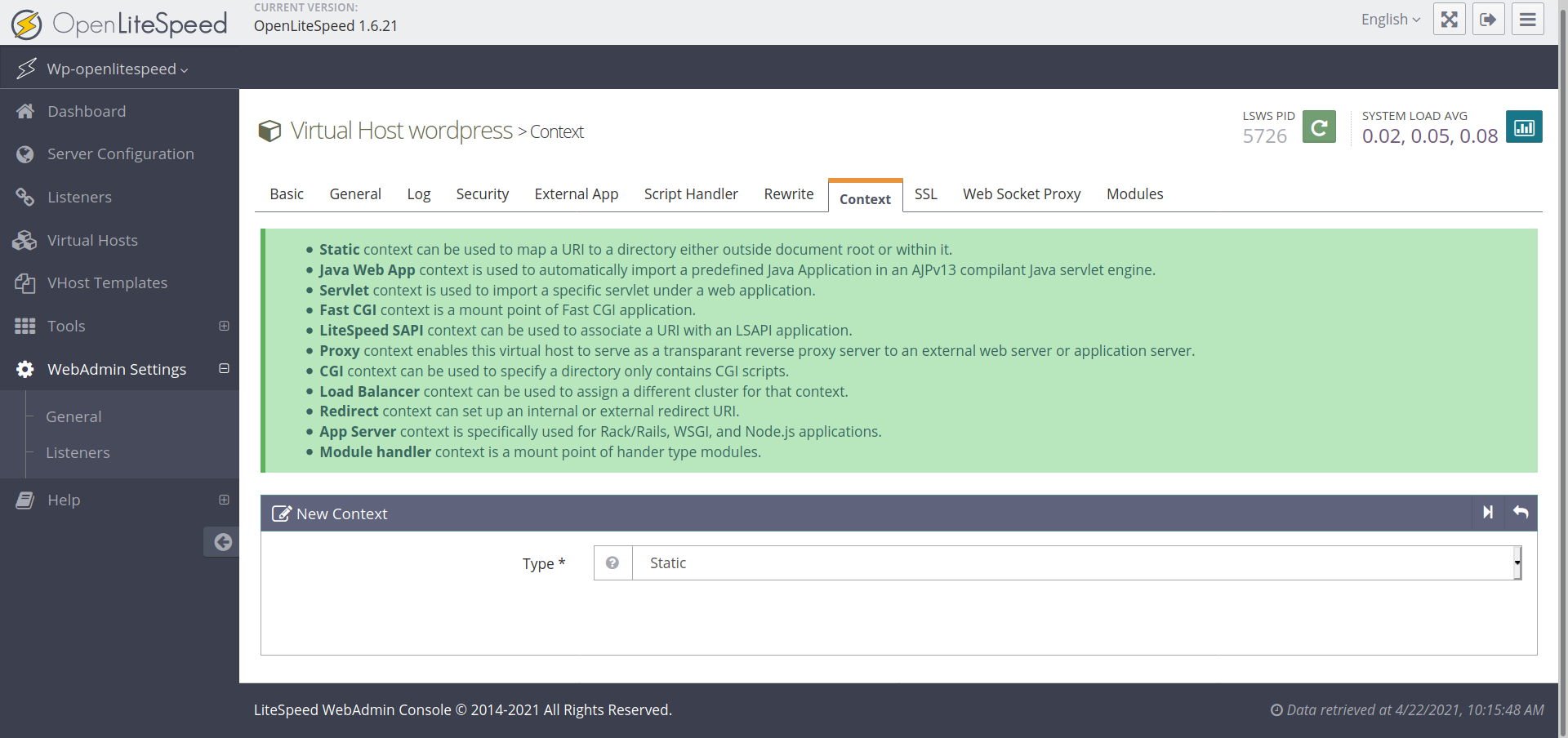
    Next, select the Virtual Host that you wish to edit. In this case we’ll be editing “wordpress”. Select the + icon to add a new Context:

    Choose Static as the context type and press the Next icon:

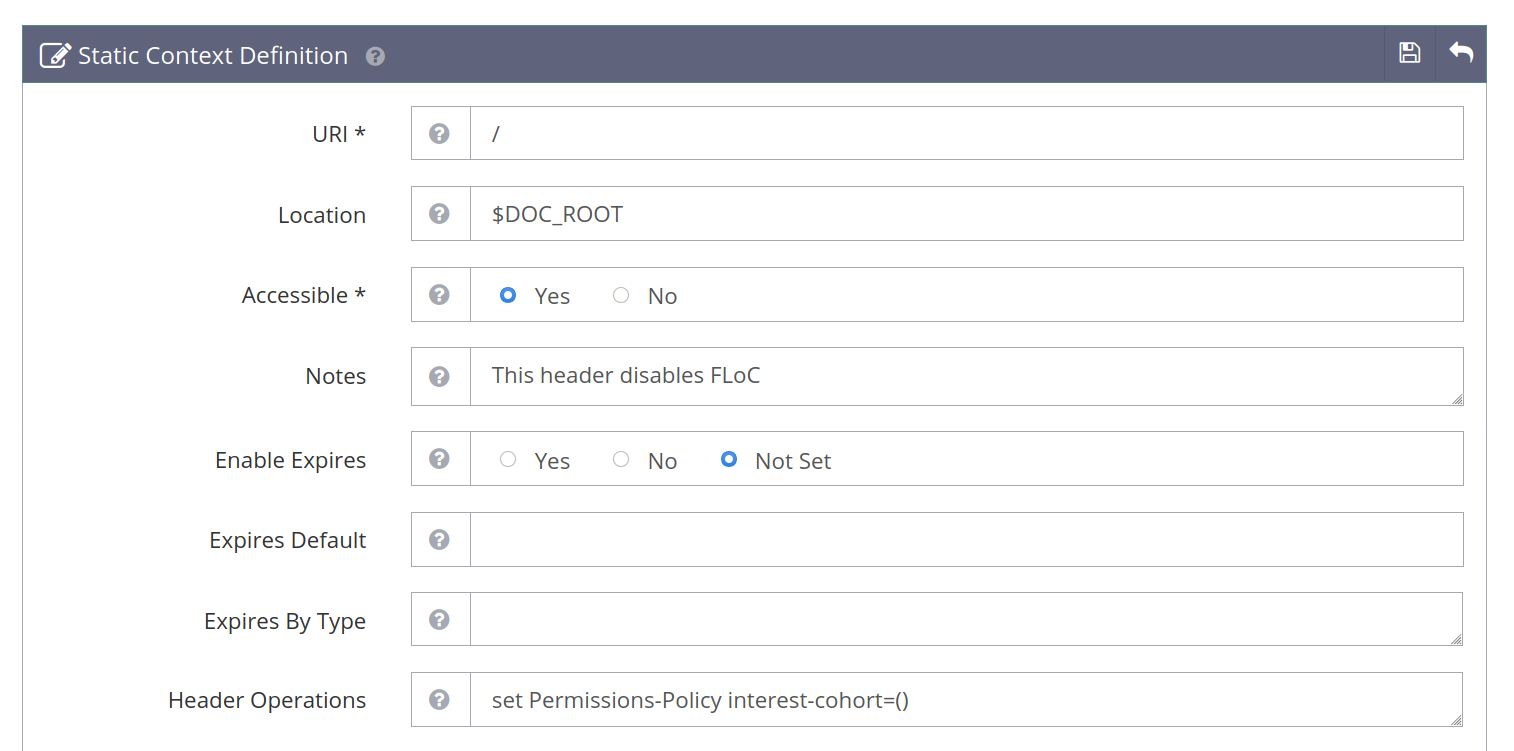
    There are a number of fields available when adding Contexts from within the WebAdmin console. For the purposes of disabling FLoC, only the following fields need to be populated:

    The URI scheme and whether it’s Accessible or not are mandatory fields.

    The $DOC_ROOT is not strictly needed, but it’s better to utilize this variable as OpenLiteSpeed uses it internally to match your website’s document root.

    The Notes field is optional as well but is useful for displaying what the rule does in the WebAdmin list of Contexts.

    Finally, the Header Operations is where we set the FLoC header.

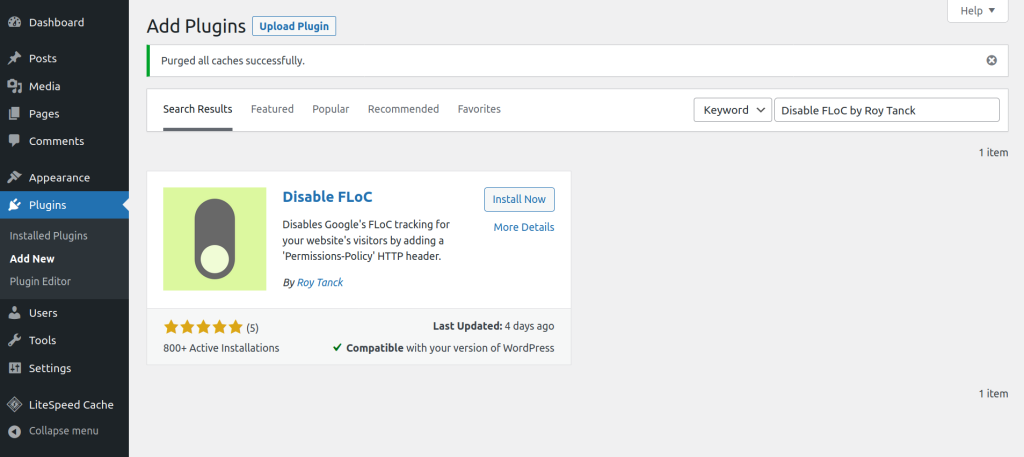
    As with the CLI, you’ll need to do a graceful restart of OpenLiteSpeed for these changes to take effect. You can do so by clicking on the green Restart button located next to the process ID (PID) of OpenLiteSpeed:

    When you’re finished in the WebAdmin Console, remember to restrict access to this port by denying connections in your firewall using UFW:

    ufw deny 7080

    How To Disable/Opt Out of Google FLoC (WordPress Plugin Method)

    If you use WordPress & wish to go the less technical route º there’s an open-source plugin that will add the necessary Permissions-Policy headers to your website.

    In your dashboard, head to Plugins > Add New and search for Disable FLoC by Roy Tanck. This plugin author has developed numerous plugins and is also a core contributor to WordPress.

    More importantly, this plugin will not overwrite or otherwise interfere with any existing Permissions-Policy or other security headers you’ve configured…

    Verifying FLoC protections in RunCloud

    After enabling your custom RunCloud headers to disable FLoC, you can verify the existence of the headers in a number of ways.

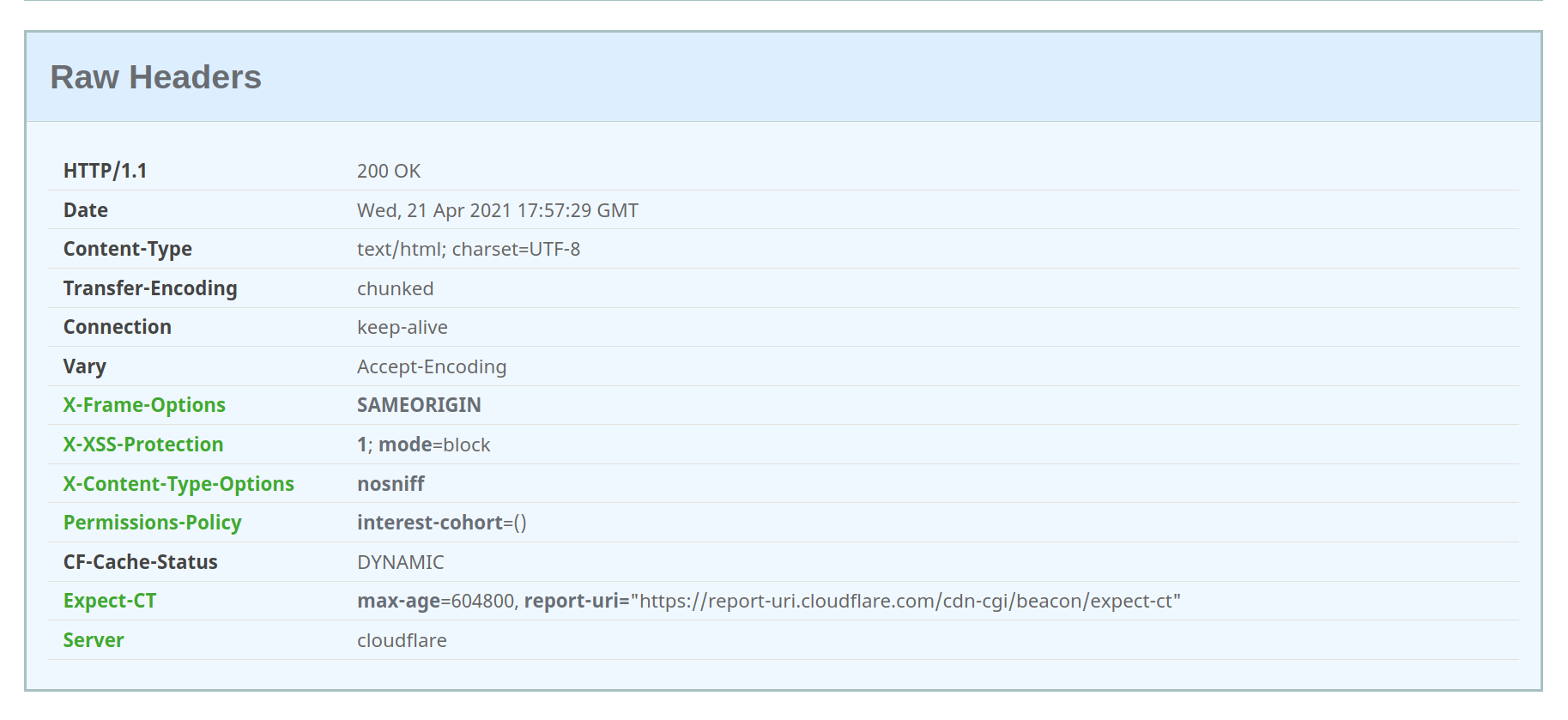
    The easiest method is to test your website online using securityheaders.com, which should display the Permissions-Policy interest-cohort=() string in the list of headers.

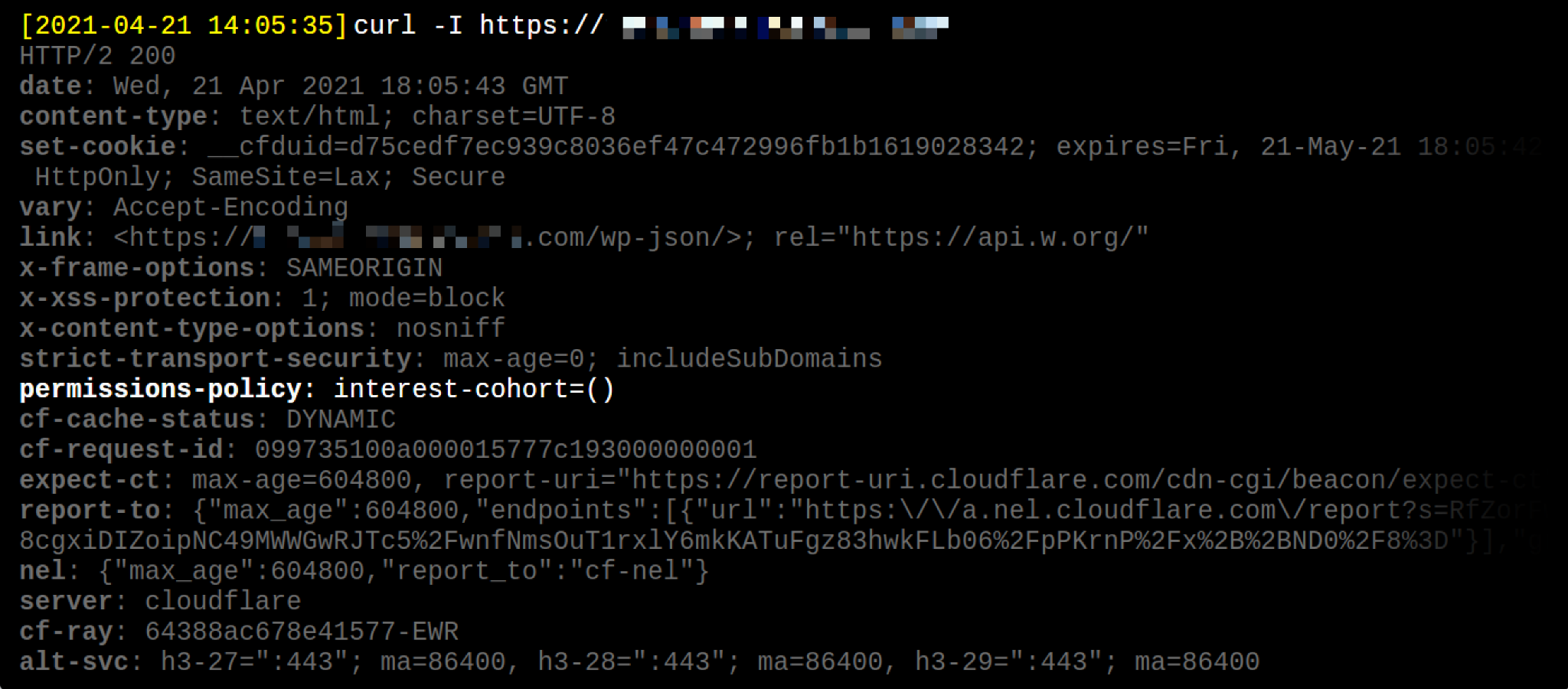
    If you’re comfortable on the command line, you can use the curl utility to inspect your website’s headers, with the following command:

    curl -I https://mywebsite.com

    The output should contain the string permissions-policy: interest-cohort=()

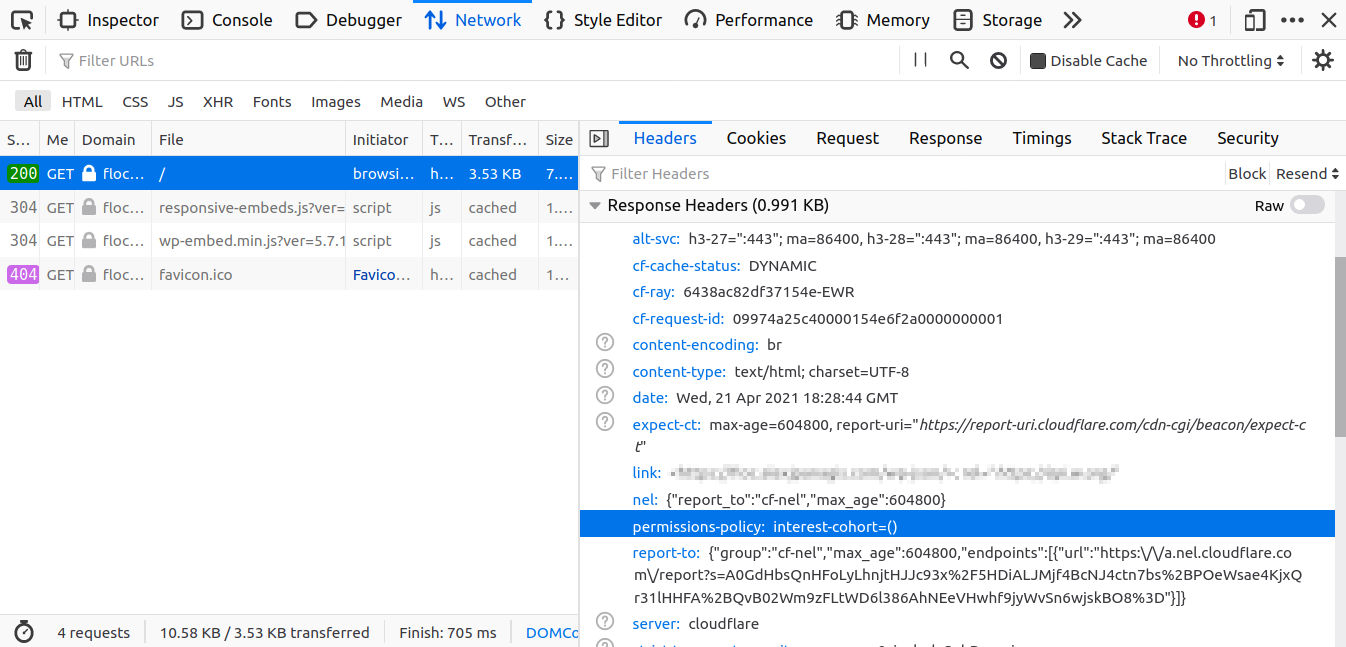
    Lastly, you can use your browser’s DevTools to inspect headers. Visit your website and open your browser’s DevTools with the shortcut CTRL + Shift + C. Navigate to the Network tab and you’ll be prompted to Reload your page to inspect the requests and responses.

    Once you’ve reloaded your page the first item in the list is the HTML of the page itself (with a GET/200 request/response code). Click on that entry, and on the right-side panel under the Headers tab you’ll be able to view all the response headers; of which permissions-policy: interest-cohort=() should be there.

    Summary – Say No To FLoC, Protect Your Users

    Following the announcement of Google FLoC, our team was excited to be able to provide our users an effortless opt-out process because we believe privacy should always be an option, control should belong to the website owner – if not the users themselves…

    Want to share your thoughts on Google’s FLoC intiative or have any other questions about opting out? Let us know & join the conversation by leaving a comment below. 💬

  • PHP 8.0 Now Available On RunCloud

    PHP 8.0 Now Available On RunCloud

    Introducing The Latest Version Of PHP 8.x

    PHP 8.x was released on December 23, 2020 and RunCloud has been working hard to ensure compatibility with its servers. Several weeks later, today, RunCloud is ready to introduce to its users that PHP 8.x which is now available to all accounts located in the web application settings, existing and new. While we highly encourage you keep your PHP version up to date, we do not yet recommend you upgrade to PHP 8.x on your live production servers, especially if you are using WordPress. If you are creating a new web app without WordPress, you may freely give PHP 8.x a try.

    There are still many WordPress plugins that are not yet compatible with PHP 8.x and will cause your server or website to error. While PHP 8.x does have good backwards-compatibility with PHP 7.x, we do recommend slowly updating your web applications over time. Currently, RunCloud Support can only offer technical support for errors and bugs that are directly related to the RunCloud dashboard and your web application. If you still choose to update your RunCloud’s PHP version to 8.x, here are some of the latest fixes, bugs, and new features, as well as features that may have been removed.

    PHP 8.0.1 is now available with more bug fixes and updates in RunCloud

    RunCloud always runs after new updates of PHP and always has been forward to embrace all the most recent updates of PHP. Recently, PHP has officially released the most updated version, 8.0.1 on the 7th January of 2021. So we always look forward to providing you with the most details of PHP, while you have the choice to upgrade or continue with your current version of PHP 7.x. We always recommend the latest version of PHP 7.x to you, as the latest versions are the fastest and most secure.

    There is no doubt, PHP is one of the most popular and dominant languages on the Internet. And we need to learn and cope up with the new features to get most out of this language. Lets get started on a review of the latest features.

    What’s new in Version 8.0?

    PHP Version 8.0 has come up with some great new features like the following:

    • Named Parameters: PHP 8.0 allows named parameters during function or method calls in addition to traditional positional parameters, which helps a lot for new and experienced programmers. This will certainly make the function or method parameter names part of the public API. The non-standardized DocBlock @no-named-arguments expresses that the library does not provide backwards-compatibility for named parameters.
    • Attributes: In PHP 8.0,  Attributes allows declaring meta-data for functions, classes, properties, and parameters. Attributes map to PHP class names (declared with an Attribute itself), and they can be fetched programmatically with PHP Reflection API, which is a great feature of PHP 8.0.
    • Constructor Properties:  In the constructor, PHP 8.0 enables declaring the visibility (public, private, or protected) and type. Those properties will be registered as class properties with the same visibility and type they are declared in the constructor.This backwards-incompatible feature can help reduce boilerplate code when declaring value-object classes.
    • Just-in-Time Compilation: The Just-in-time (JIT) Compilation is a great feature of PHP. PHP Opcache supports JIT. It’s been disabled by default, and if you enable it, JIT compiles and caches native instructions. It does not make a noticeable difference in IO-bound web applications, but provides a performance boost for CPU-heavy applications.
    • Union Types: Union Types extend type declarations (return types, parameters, and class properties) to declare more than one type.
    • Null-safe Operator: Null-safe operator provides safety in method or property chaining when the return value or property can be null.

    • Matching expressions: Match expressions are similar to switch blocks, but match blocks provide type-safe comparisons, supporting a return value that does not require break statements to break-out, and supports multiple matching values. Also it guarantees that at least one branch is matched, ensuring all cases are accounted for.

    • Weak-Maps: A WeakMap is another new feature of PHP 8.0, which allows to store and associate arbitrary values for object keys, but without preventing the garbage collector from clearing it the object falls out of scope everywhere else. A WeakMap is similar to SplObjectStorage, as in both WeakMap and splObjectStorage use objects as the key, and allows storage of arbitrary values. However, a WeakMap does not prevent the object from collecting the garbage.

    New Functions and Classes of version 8.0:

    PHP 8.0 introduces a few new functions to ease string inspections which contain or starts with substring, or ends with substring to replace the meticulous strpos() !== false calls that are less readable, and error-prone due to weak type comparisons.

    PHP 8.0 also brings functions such as fdiv, get_resource_id, get_debug_type, and preg_last_error_msg

    Apart from that, the new Stringable interface has been added and the new PhpToken class has been included which provides a more fluent Object-Oriented interface as an alternative to the legacy array-based to token_get_all function.

    Deprecations: The following deprecations are being occurred in 8.0

    • PostgreSQL: Several aliased functions 
    • Deprecate required parameters after optional parameters in function/method signatures
    • `ReflectionParameter::getClass())`, `::isArray()`, and `::isCallable()` methods 
    • Disabled functions: Reflection and `get_defined_functions()` 
    • `libxml_disable_entity_loader` function 

    Apart from that  two functionality or features have been adjusted. They are-

    • XMLRPC extension is moved to PECL and 
    • `FILTER_FLAG_SCHEME_REQUIRED` and `FILTER_FLAG_HOST_REQUIRED` flags are removed

    Functionality or Syntax Changes in PHP 8.0: 

    There have been some changes in 8.0 with previous versions and they are mentioned below-

    • Default error reporting is set to `E_ALL`
    • Inheritance rules are not applied to `private` class methods
    • Calling non-static class methods statically result in a fatal error
    • Apache Handler: Module name and file path changes
    • Locale-independent `float` to `string` casting
    • Class magic method signatures are strictly enforced
    • `substr`, `iconv_substr`, `grapheme_substr` return empty string on out-of-bound offsets
    • PHP Startup Errors are displayed by default
    • GD Extension: Windows DLL file name changed from `php_gd2.dll` to `php_gd.dll`
    • `crypt()` function requires `$salt` parameter
    • PDO: Default error mode set to exceptions
    • `@` Error Suppression operator does not silent fatal errors
    • Trailing commas are allowed in parameter lists and closure `use` lists
    • Implicit negative array key increments do not skip negative numbers
    • `XMLWriter` objects replace `xmlwriter` resources
    • OpenSSL: `resource` to object migration
    • `XMLParser` objects replace `xml` resources
    • String to number comparisons no longer coerce string to a number
    • Strict type checks on arithmetic operators
    • Sorting functions maintain positions of equal value items
    • Internal function warnings now throw `TypeError` and `ValueError` exceptions
    • Expressions can now `throw` Exceptions
    • JSON extension is always available
    • `catch` exceptions only by type
    • `+`/`-` operators take higher precedence when used with concat (`.`) operator
    • `CurlHandle` class objects replace curl handlers
    • Fatal errors on incompatible method signatures
    • Disabled functions behave as if they do not exist
    • `GdImage` class objects replace GD image resources
    • Assertions throw exceptions by default
    • Sockets extension resources (`Socket` and `AddressInfo`) are class objects

    The difference between version 8.0 and 8.0.1: 

    In version 8.0.1 some of the bugs of version 8.0 have been fixed, which makes the newer version more capable and flexible for the users. Some of the major bug fixings are -White space not unfolded for CC/BCC headers, Iterable not co-variant to mixed, Build of PHP extension fails due to configuration gap with libtool, stream filter loses final block of data, and so on.

    Last, but not the least, RunCloud support can assist you in the update should you need any additional help, although RunCloud cannot offer any support for individual plugins that may be experiencing a conflict with the new PHP 8.0 or 8.0.1 version.

    Switching PHP versions on RunCloud:

    Located within your Web Application, scroll down the Navigation menu and click on Settings. Right at the very top is the setting for PHP version which you can switch from PHP 7.x to PHP 7.8. If you encounter any errors, you may switch it back immediately. It is highly recommended that if you are running a WordPress website or a live website, you do not upgrade at this time. If you are starting a new web application without WordPress or running a website that is not running on WordPress, you should be okay to upgrade, but please proceed with caution.

    After selecting your PHP version, click the Update button and you will be on the new PHP version! Please check your website to make sure there are no errors. Should you encounter any issues with your upgrading to PHP 8.0 from your dashboard, do not hesitate to open a ticket to RunCloud support! If you have any suggestions or ideas for RunCloud, we are always happy to hear from you!

  • RunCloud One-Click Droplet is Now Available on DigitalOcean Marketplace

    RunCloud One-Click Droplet is Now Available on DigitalOcean Marketplace

    We are happy to announce that RunCloud One-Click Droplet is available on DigitalOcean Marketplace.

    RunCloud One-Click Droplet allows you to spin your new DigitalOcean servers with RunCloud images and straightly manage your servers inside RunCloud Panel afterward.

    No need to connect your droplet through IP Address or spin the server inside our panel again.

    Step 1. Create Your RunCloud One-Click Droplet

    Login to your DigitalOcean account and create your droplet.

    Instead of choosing Ubuntu 16.04/18.04/20.04, you can click Marketplace tab and search for RunCloud.

    There is a RunCloud image in DigitalOcean Marketplace, RunCloud-20.04 with Ubuntu 20.04 LTS. Select it then continue the process to create a droplet.

    For authentication, you can choose to use root password or SSH keys. For this example, we will create root password for our new droplet.

    Once the droplet is created, you will see your new droplet with RunCloud logo.

    Step 2. Connect Your DigitalOcean Server To RunCloud Account

    RunCloud generate a verification link that is accessible via SSH. It allows you to claim the server and add it to your RunCloud account.

    Login to server via SSH

    Please login to your server as the root user using Terminal (Mac OSX / Linux) or Powershell / Putty (Windows). Please change “youripaddress” with the IP Address of your server.

    ssh root@youripaddress

    Get or copy the verification URL

    After you have logged in to your server, you can see the verification URL to claim your server.

    This verification URL will be valid only for 24 hours.

    Register / login to RunCloud

    It is recommended that you have a RunCloud account before using RunCloud One-Click Droplet.

    If you did not have an account yet, you can register here for free.

    Open the verification URL to claim your server

    After you have logged in to your server, you can open the verification URL in your browser.

    Add the server name and click “Claim This Server” button to claim your ownership of the server.

    After few moments, you will redirected to your Droplet/Server summary page.

    Congratulations! Claim process was successful and you can start manage your droplet via RunCloud Panel.

    Walkthrough Video

    Summary

    RunCloud is a cloud server management tool that allows you to maintain full control of your server and host multiple web applications with fast and easy configuration. With RunCloud, you don’t need to be a Linux expert to host your website, powered by DigitalOcean.

    With this RunCloud One-Click Droplet release, you can have 4 different ways to setup your DigitalOcean servers using RunCloud.

    1. RunCloud One-Click Droplet, spin your RunCloud servers directly from your DigitalOcean dashboard.
    2. Direct Server Provisioning using DigitalOcean API, spin your DigitalOcean servers directly from RunCloud dashboard.
    3. Direct Server Installation via IP Address and root password
    4. Manual Server Installation via IP Address

    RunCloud One-Click Droplet is the fastest one because no need to do an extra step to setup your server with RunCloud.

  • RunCloud Education To Equip Graduates with Cloud Computing Skills

    RunCloud Education To Equip Graduates with Cloud Computing Skills

    RunCloud Education will conduct Train-the-Trainer (TTT) programme to lecturers from 9 Premier Universities this year.

    PUTRAJAYA, 8 APRIL 2019 – In efforts to reduce the knowledge gap in cloud computing and cloud deployment among Computer Science students in universities, RunCloud Sdn Bhd in collaboration with Malaysia Digital Economy Corporation (MDEC) and the Department of Industrial Relations, Ministry of Education organized a briefing on RunCloud Education at the Ministry of Education, Putrajaya. The briefing was attended by lecturers from the Computer Science Faculty of 9 Premier Universities.

    Muhammad Arif Tukiman, Chief Executive Officer of RunCloud Sdn Bhd, led the briefing session and highlighted that the rapid growth of cloud computing around the world has made cloud technology an important tool in everyday businesses; and thus technical skills, especially in cloud computing, is increasingly being sought after by employers. “In today’s business, the demand for this skill is increasing as many businesses in Malaysia have started implementing cloud computing in their business processes. Graduates with skills and knowledge in cloud computing will have an advantage when competing with others in securing jobs.”

    As part of RunCloud Education, there will be a “Train-the-Trainer” (TTT) programme for the lecturers conducted by a professional trainer: Mr Iszuddin Ismail, President of Persatuan Usahawan Dan Industri ICT Bumiputera Malaysia (NEF) and Chief Technology Officer of Taming Tech Sdn Bhd. The lecturers, upon attending the programme, will be transferring this knowledge on cloud management/deployment to their students which they will use for their final year project and as additional skills on top of what they have learned during their studies.

    Arif emphasized that the best student in this programme will be officially selected as ‘RunCloud Campus Ambassador’ where the student will receive exclusive opportunities from RunCloud which will benefit the student’s future career path. The student will also be given the opportunity for early exposure to real-world working experience through community engagements and attending networking events with partners of RunCloud.

    “The 4th Industrial Revolution is a rapidly re-inventing the job landscape and RunCloud’s efforts are very much in line with MDEC’s strategy to catalyse public-private collaboration in developing local tech talents.” commented Sumitra Nair, MDEC’s Vice President for Talent and Digital Entrepreneurship, who was also present during the briefing session. “We looking forward to working with more industry players to jointly future proof our upcoming talent pool”.

    RunCloud Education will be officially launched during the MDEC Tech Week from 17th to 21st June 2019. RunCloud is targeting to launch their education programme in the 4th quarter of 2019 to the US and Europe markets. Arif positively stated that RunCloud is aiming to empower 10,000 students globally by the end of 2019.

    RunCloud Education

    RunCloud Education

    RunCloud Education