Tag: laravel

  • How to Check Laravel Project Version Installed in CMD?

    How to Check Laravel Project Version Installed in CMD?

    Do you develop Laravel projects regularly? If so, you might eventually forget what version you used while developing the application.

    Whether you’re a seasoned developer or just starting with Laravel, knowing how to quickly and accurately determine your project’s version is essential.

    This comprehensive guide will walk you through various methods to check your Laravel version using the command line interface (CLI). We’ll cover several applicable techniques across different operating systems and environments to ensure you can access this vital information regardless of your development setup.

    By the end of this article, you’ll be equipped with multiple reliable ways to find your Laravel version, enabling you to make informed decisions about updates and troubleshooting.

    Let’s dive in!

    What is Laravel?

    Laravel is a powerful, open-source PHP web application framework designed to make web development more efficient and enjoyable. It offers a wide range of built-in tools and libraries that simplify common tasks such as routing, authentication, caching, and database management.

    Suggested read: Laravel Octane – What It Is, Why It Matters & Getting Started

    Understanding Laravel’s Version Numbering

    Laravel follows semantic versioning (SemVer), which uses a three-part version number: MAJOR.MINOR.PATCH.

    1. MAJOR version changes indicate incompatible API changes
    2. MINOR version changes add functionality in a backward-compatible manner
    3. PATCH version changes make backwards-compatible bug fixes

    Suggested read: Laravel With Git Deployment The Right Way

    Importance of Knowing Your Laravel Version

    Understanding which version of Laravel you’re using is crucial for several reasons:

    1. Security updates: Older versions may have security vulnerabilities.
    2. Feature availability: Newer versions introduce new features and improvements.
    3. Compatibility: Some packages or dependencies may require specific Laravel versions.
    4. Upgrade planning: Knowing your current version helps in planning upgrades.

    Suggested read: How To Optimize Laravel for Performance (8 Expert Tips)

    How to Check the Laravel Version

    Laravel provides several methods to check its version. Here are five different approaches you can use:

    Method 1: How to Check Laravel Version Using Artisan Commands

    1. Open Your Command Line Interface (CLI)

    Open your preferred terminal or command prompt application. If your application is hosted on a server, you must connect to it via SSH.

    2. Navigate to Your Laravel Project Directory

    Use the cd command to navigate to your Laravel project’s root directory. For example:

    cd /path/to/your/laravel/project

    3. Run the Laravel Version Command

    Execute the following Artisan command in your terminal:

    php artisan --version

    This command will display the current Laravel version installed in your project.
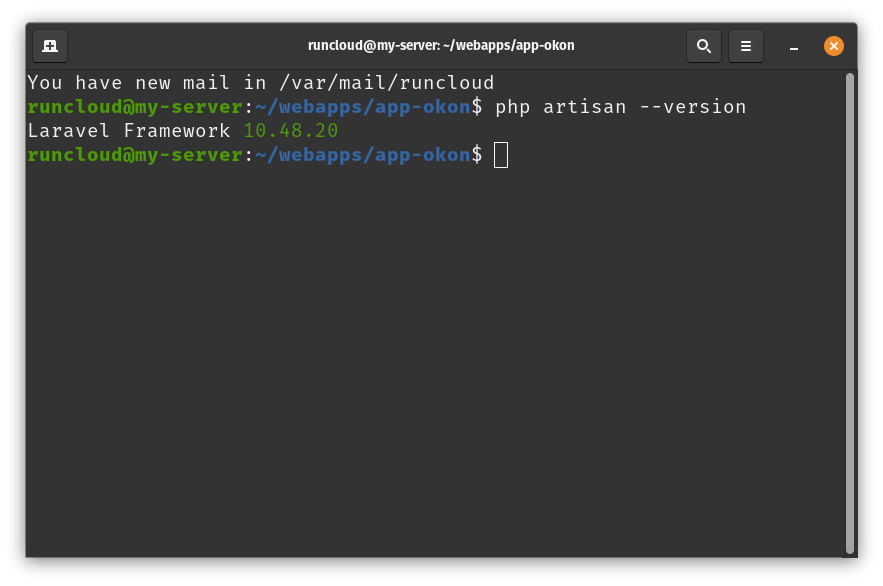
    Laravel Project Version via CLI

    Suggested read: How To Configure LSCache for Laravel (Configuration Guide)

    Method 2: How to Check the Laravel Framework Application File

    1. Locate the composer.json File

    Find the composer.json file in your Laravel project’s root directory. RunCloud users can access the source code of their web applications directly from the RunCloud dashboard using a user-friendly interface. Click “File Manager” on the left menu and select the file you want to open.
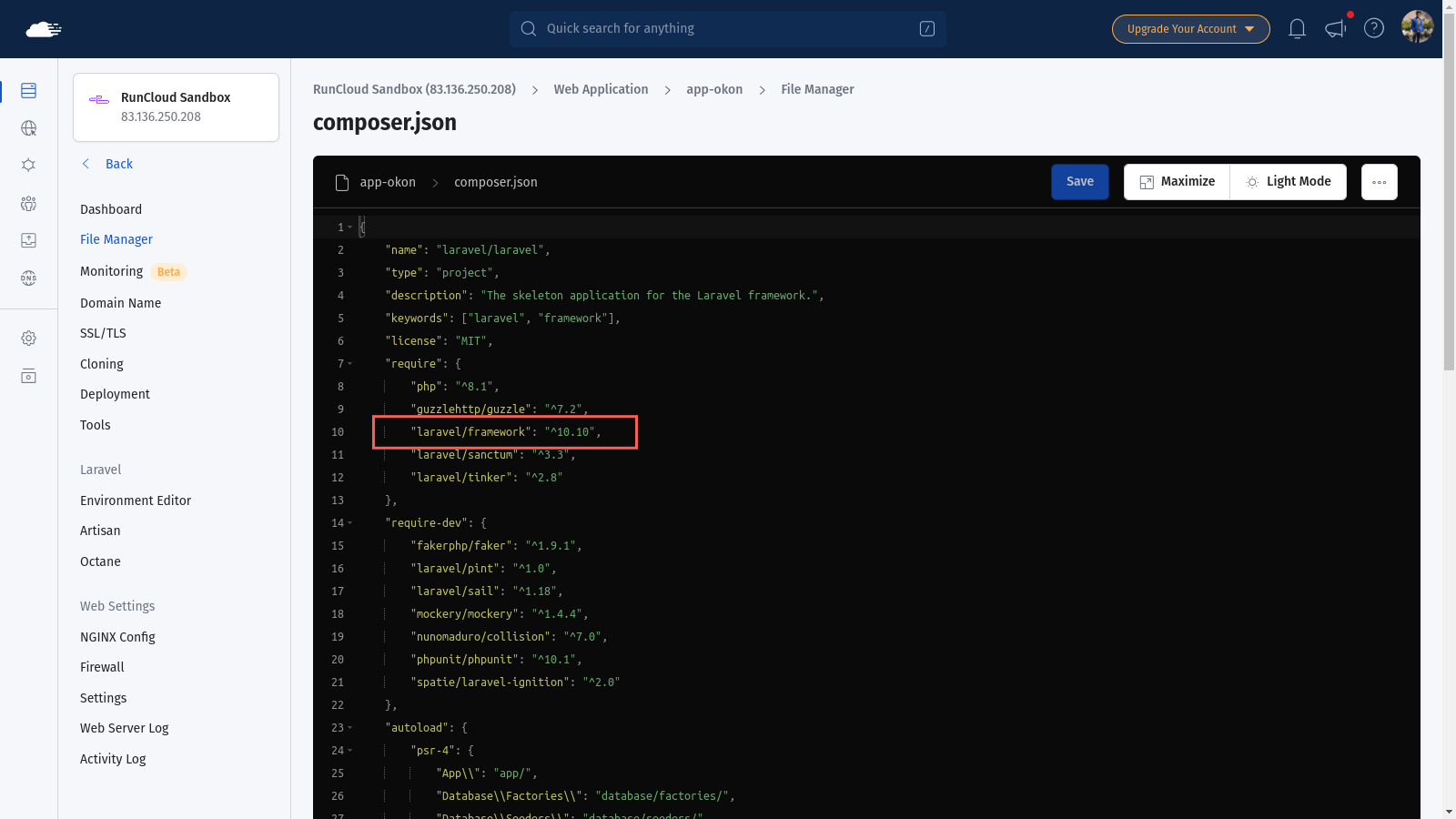
    Laravel Project Version in composer.json

    2. Open the composer.json File

    Open the composer.json file using a text editor of your choice.

    3. Find the Laravel Version Information

    Look for the “require” section in the composer.json file. You’ll find the Laravel framework version listed there like this:

    "require": {
        "laravel/framework": "^8.0"
    }

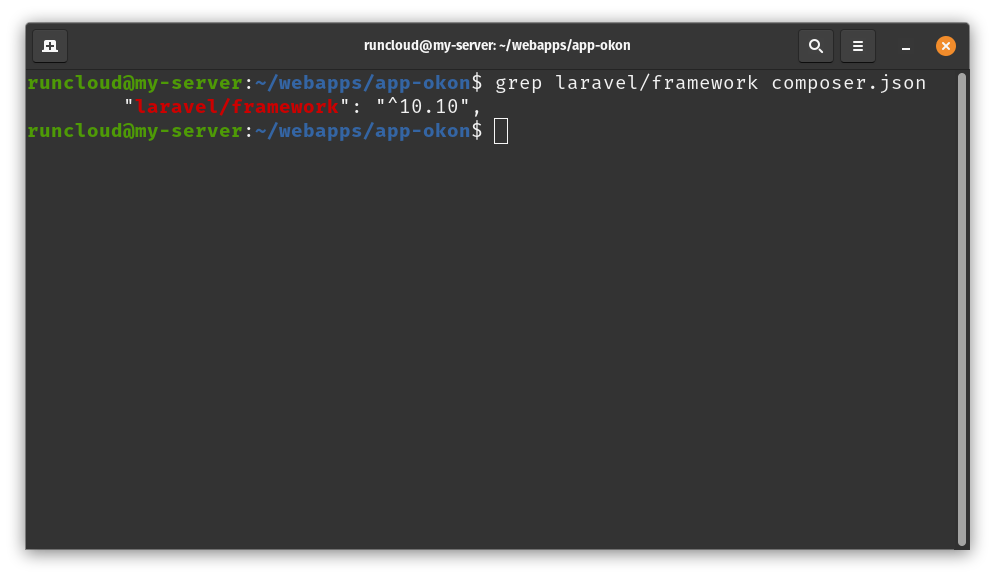
    Alternatively, you can use command line utilities such as grep to filter and view the file’s contents. For example, you can run the following command to view the Laravel version:

    grep laravel/framework composer.json
    Suggested read: How To Configure LSCache for Laravel (Configuration Guide)

    Method 3: How to Check Laravel Version Using Composer

    1. Open Your Command Line Interface (CLI)

    Open your terminal or command prompt. Once again, if your web application is hosted on a server, you must log in via SSH.

    2. Navigate to Your Laravel Project Directory

    Use the cd command to navigate to your Laravel project’s root directory.

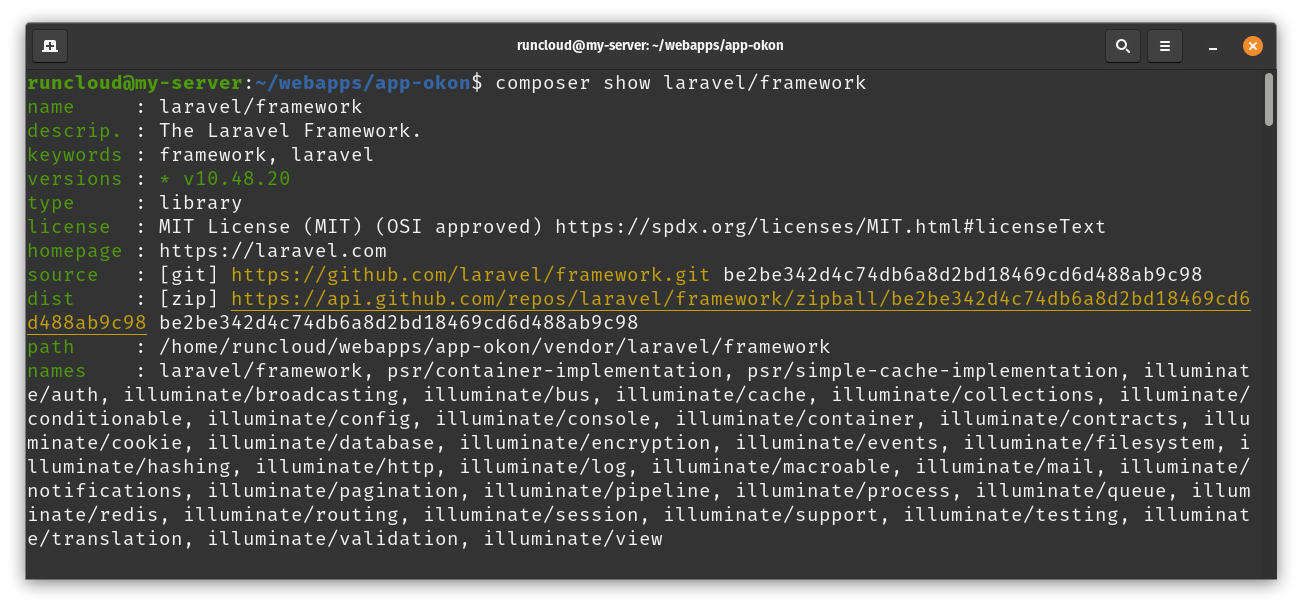
    3. Run the Composer Show Command

    Execute the following Composer command:

    composer show laravel/framework

    This command will display detailed information about the Laravel framework, including its version.
    Method 4: How to Check Laravel Version in a Web Browser

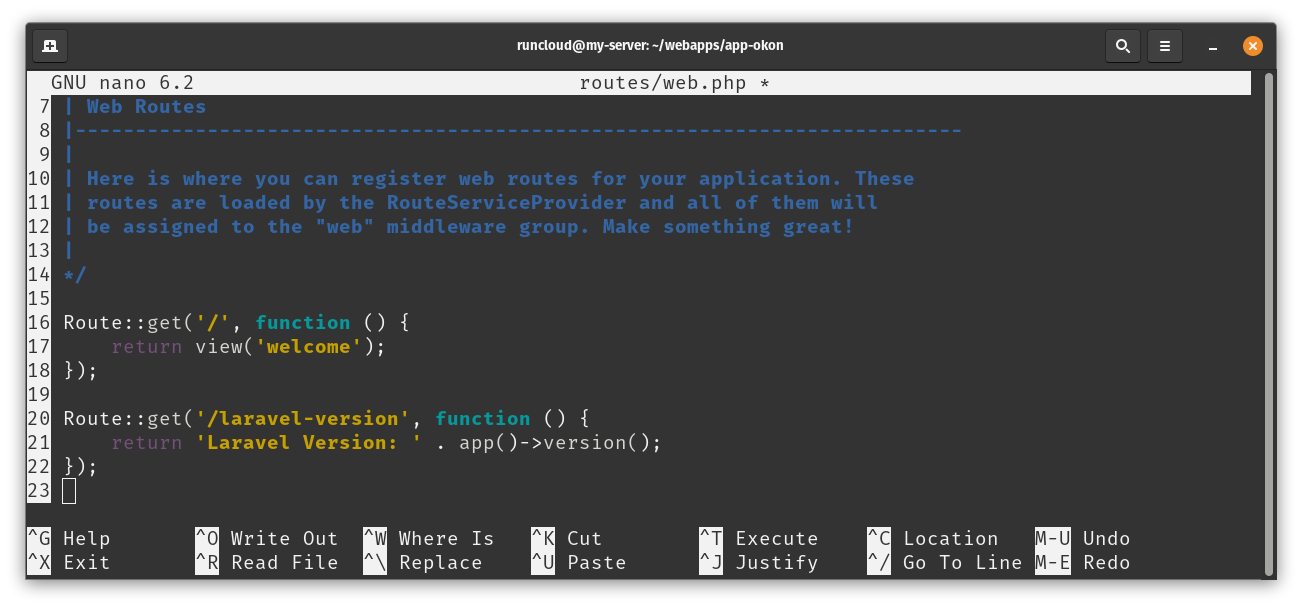
    1. Create a Route to Display Version

    Open your routes/web.php file and add the following code snippet at the bottom of the file:

    Route::get('/laravel-version', function () {
        return 'Laravel Version: ' . app()->version();
    });

    After adding the above code snippet, save and close the file. Remember, if you are using RunCloud, you can easily edit your website’s source code via the dashboard.

    2. Access the Route in a Browser

    Visit http://your-app-url/laravel-version in your web browser. You’ll see the Laravel version displayed.
    3. Remove the Route After Use

    For security reasons, remember to remove this route after checking the version.

    Suggested read: The 10 Best PHP Frameworks (Complete Guide)

    Method 5: How to Check Laravel Version Using Laravel Tinker

    1. Open Your Command Line Interface (CLI)

    Open your terminal or command prompt. As we mentioned earlier, if your application is hosted on a server, you must connect to it via SSH.

    2. Navigate to Your Laravel Project Directory

    Use the cd command to navigate to your Laravel project’s root directory.

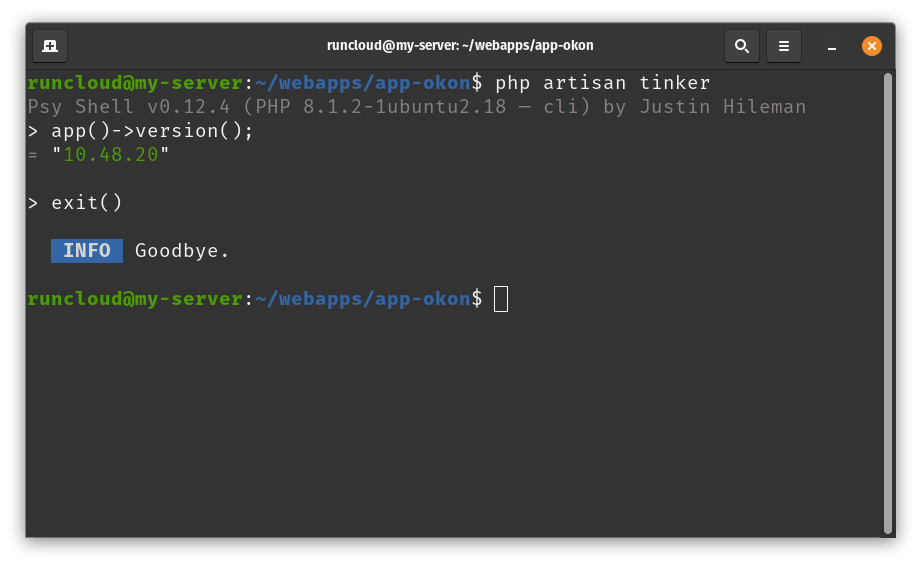
    3. Start Laravel Tinker

    Run the following command to start Laravel Tinker:

    php artisan tinker

    4. Check the Version

    In the Tinker console, enter the following command:

    app()->version();

    This will display the current Laravel version.
    Suggested read: Setting Up Local WordPress Dev in Minutes Using Laravel Valet

    Wrapping Up

    As we’ve explored throughout this guide, Laravel is a powerful and versatile framework that offers numerous methods to check and manage its version. While Laravel provides excellent tools for development, managing Laravel applications in production environments can sometimes be challenging.

    This is where RunCloud comes in to simplify your Laravel deployment and management processes.

    RunCloud is a powerful web server control panel that makes it incredibly easy to deploy, manage, and scale Laravel applications.

    With RunCloud, you can:

    1. Quickly deploy Laravel applications with just a few clicks.
    2. Automatically configure your server for optimal Laravel performance.
    3. Manage multiple Laravel versions across different projects.
    4. Automate Laravel updates and maintenance tasks.
    5. Monitor your Laravel applications’ health and performance.
    6. Implement robust security measures to protect your Laravel sites.

    Using RunCloud, you can focus more on developing your Laravel applications and less on server management and deployment intricacies.

    Whether you’re a solo developer or part of a larger team, RunCloud streamlines your workflow and enhances your productivity.

    Ready to Simplify Your Laravel Management?

    Don’t let server management complexities slow down your Laravel development. Sign up for RunCloud today and experience the ease of managing your Laravel applications in a user-friendly, efficient environment.

    FAQs on Laravel

    Which Laravel version is best?

    The best Laravel version depends on your project’s specific needs, but generally:
    For new projects: Use the latest stable version for the most up-to-date features and security updates.
    For long-term projects: Consider using the latest LTS (Long Term Support) version for extended support and stability.

    Is Laravel outdated?

    Actually, Laravel is still relevant. It’s actively maintained and regularly updated, and follows a consistent release schedule:
    Major versions are released annually.
    Frequent minor releases and patches throughout the year.
    The framework evolves with modern PHP practices and web development trends.

    Is Laravel frontend or backend?

    Laravel is primarily a backend framework, but it offers tools for frontend development as well:
    Backend: Laravel is a PHP framework for server-side logic, database interactions, and API development.
    Frontend support:
    Blade templating engine for server-side rendering
    Laravel Mix for asset compilation
    Inertia.js integration for building single-page apps
    Vue.js and React support out-of-the-box
    While Laravel excels in backend development, it provides seamless integration with various front-end technologies, making it a versatile choice for full-stack development.

    Which framework is better than Laravel?

    The “best” framework depends on specific project needs, team expertise, and personal preferences. Some frameworks often compared to Laravel include:
    Symfony: More modular, suitable for large, complex applications.
    CodeIgniter: Lighter and faster for smaller projects.
    Yii: Known for its performance and security features.
    Zend/Laminas: Enterprise-level framework with a steep learning curve.
    Lumen: Laravel’s micro-framework for microservices and APIs.
    Laravel stands out for its elegant syntax, robust features, and excellent documentation. It’s particularly strong in rapid application development and developer-friendly features.

    How do I install a new version of Laravel?

    To install a new version of Laravel, use Composer to create a new Laravel project:
    composer create-project –prefer-dist laravel/laravel project-name
    After installation, navigate to your project directory and set up your environment.

    What is Laravel’s latest version?

    Laravel 11, released in March 2024, is the latest version as of September 2024. Laravel typically releases major versions annually, so it’s always a good idea to check the official Laravel website or GitHub repository for the most current information.

    Do I need to install PHP before Laravel?

    Laravel is a PHP framework, so PHP is a prerequisite and must therefore be installed first.
    Install PHP on your system before installing Laravel.
    Ensure your PHP version meets Laravel’s requirements. For Laravel 11, PHP 8.2+ is required.
    Additional PHP extensions (such as  OpenSSL, PDO, Mbstring, Tokenizer, XML, Ctype, JSON) may be needed.
    Install Composer, the PHP dependency manager used to install Laravel.
    After setting up PHP and Composer, you can proceed with Laravel installation.

  • The 10 Best PHP Frameworks (Complete Guide)

    The 10 Best PHP Frameworks (Complete Guide)

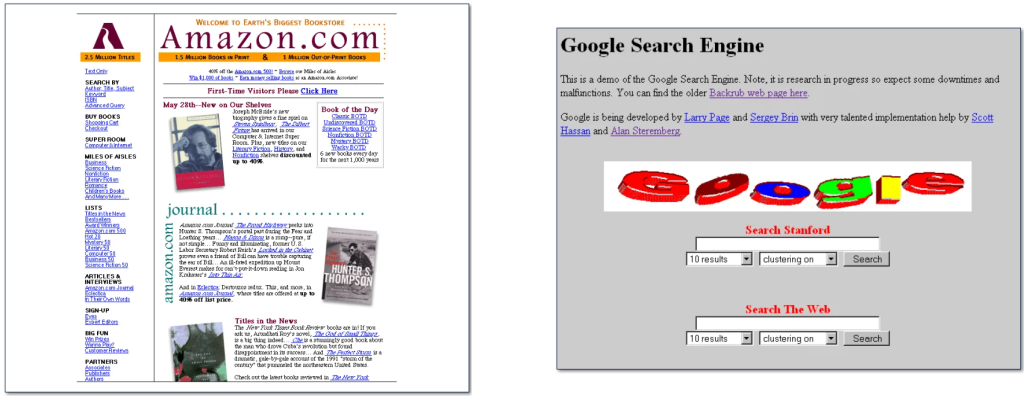
    Are you old enough to remember these early website designs of Amazon and Google from 1997?

    You don’t have to go anywhere near that far back in time, though, to notice that websites today have become increasingly complex, demanding far more functionality and accessibility.

    Today, professionally designed websites are able to deliver powerful, robust experiences, with much greater levels of security and accessibility, whilst looking cleaner and easier to navigate.

    One of the reasons for this increased functionality and power is PHP (which stands for PHP: Hypertext Preprocessor – yes, the first ‘P’ of ‘PHP’ really does stand for ‘PHP’!).

    Today, over three quarters of all web pages on the internet are powered by PHP, an open-source, server-side scripting language that is used to build dynamic web pages and web applications.

    PHP has been around since 1995, and since then it has had plenty of time to flourish, giving the PHP community a great opportunity to build many frameworks for the PHP ecosystem.

    In this article we’ve covered some of the best PHP frameworks available for you to use right now. But before we get started, let’s first answer the question – what exactly is a framework?

    What is a PHP Framework?

    A framework is a repository of pre-built components which provides a structured approach to development. The components also lend a hand in faster project completion, along with a more streamlined process and enhanced productivity.

    PHP frameworks offer a myriad of unique benefits that make developing applications easier for all developers – beginners and professionals alike.

    The ready-to-use elements and built-in features of frameworks in PHP contribute massively to cost savings.

    Developers can save the trouble of rewriting excess code and reduce development efforts by making use of the pre-built elements in PHP. Along with saving developmental costs, this also makes the process more time-efficient.

    The scalability and ease of maintenance that comes with PHP frameworks make it a compelling choice for many developers and organizations.

    Things To Keep In Mind When Choosing A PHP Framework

    There are a few pointers that you should keep in mind when picking a PHP Framework:

    • Popularity and community size: Most frameworks are community-driven; having a vibrant community to support and enhance a framework is a massive advantage for support and discussion.
    • Principle and Aims: You should properly research what the framework is meant to accomplish. Keep an open mind and look for a different solution if it doesn’t seem to fit your demands and objectives as a framework.
    • Sustainability: Will the framework continue to support your technology stack in the future, and is it regularly maintained? Sustainability is a significant factor to consider if you want long-term project support.
    • Support: If you have any queries or worries, who can you contact? This issue frequently relates to the requirements for community size and popularity. You should have access to online tools and documentation to guide you through any issues that might pop up.

    Testing the frameworks out before adding them to your tech stack is, nevertheless, the best way to decide. Try to narrow it down to two or three frameworks, and just play around with them instead of testing every single one.

    The 10 Best PHP Frameworks For Web Development

    It’s easy to convince yourself that PHP is the language you need to use for your next project. And there is no denying that PHP is a useful tool for any web development project – especially when you consider the vast number of quality websites that use it worldwide.

    However, this doesn’t really address which particular PHP framework will work best for your project. Here are 10 PHP frameworks that are great for development:

    Laravel

    If you’re even remotely familiar with PHP, it’s highly likely that you’ve already heard of Laravel. This framework sits at the top of all PHP framework lists, and is widely regarded as the first choice for web developers.

    Pricing: The Laravel framework is open-source software licensed under the MIT license.

    Key benefits:

    • Easy to learn and master
    • An active and thriving community
    • Wide availability of tutorials and documentation
    • Intuitive database manipulation
    • Insightful reporting enabled by Laravel Horizon and Telescope
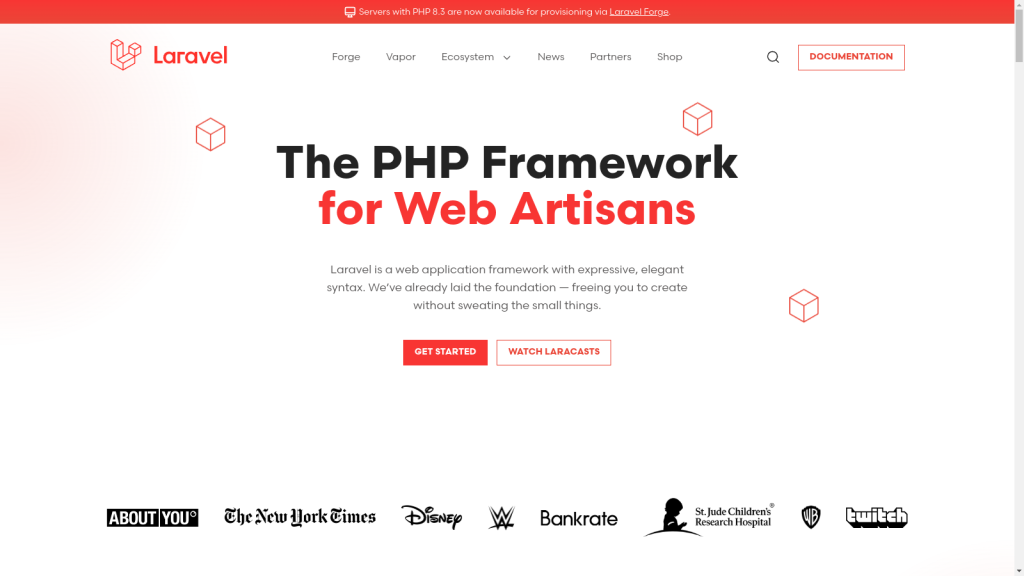
    The Laravel php framework

    Laravel is popular because of its ease of use, combined with its accessibility. But its simplicity and easy usage doesn’t stop Laravel from being implemented in the most complex of projects.

    Along with many other capabilities, it has the platform’s own Blade templating engine, a local development environment, Homestead, a powerful RESTful routing system, and much more.

    CodeIgniter

    CodeIgniter, although our second recommendation, is no less powerful than Laravel. It even surpasses Laravel in some aspects. It’s a powerful and versatile PHP framework with support for an array of high-level features and rapid project development.

    Pricing: It is freely available under the MIT license.

    Key Benefits:

    • Built-in protection against CSRF and XSS attacks
    • Clear and detailed documentation
    • Extremely lightweight
    • Reduces the need for tedious configuration
    • Great performance
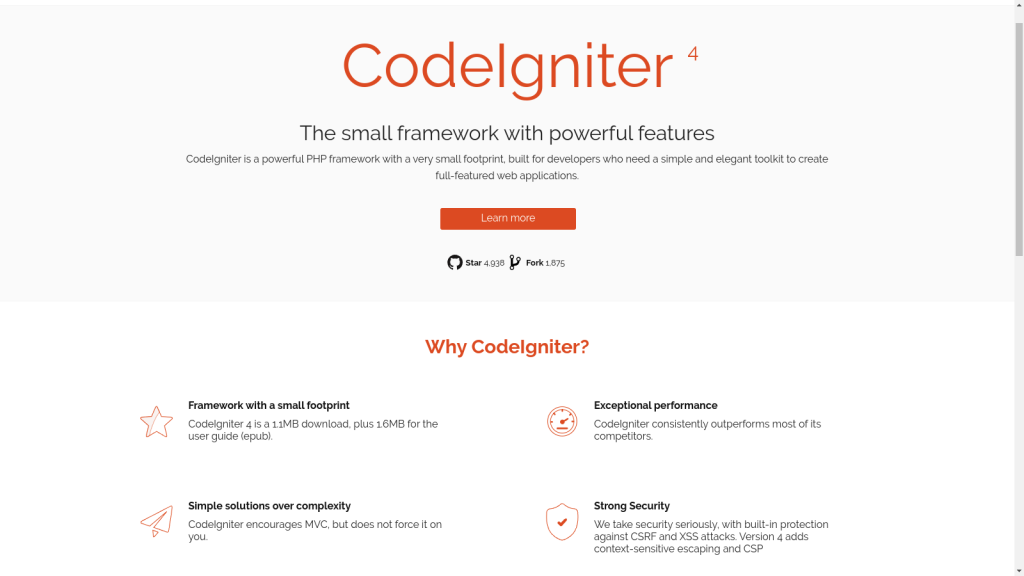
    CodeIgniter one of the most powerful and versatile PHP frameworks

    CodeIgniter is surprisingly lightweight, clocking in at just a single megabyte – and it’s fast too. It follows the Model-View-Controller (MVC) pattern. This means that it separates the application logic from the presentation and the data. MVC is a good thing because it makes the code more organized, modular, and reusable. It also makes it easier to test, debug, and maintain the application.

    We like CodeIgniter because its user-friendly library and helpful structure lets developers express their creativity – without being constrained by a tonne of tedious coding work.

    Symfony

    Symfony is an incredible framework, made by the renowned developers at SensioLabs. It has a massive community of over 300,000 developers from around the globe.

    Pricing: It is released under MIT license and you can use it for free.

    Key benefits:

    • Stability makes Symfony suitable for large enterprises
    • Thriving, robust ecosystem with an enormous community of devs
    • More than 50 stand-alone components available for your own applications
    • Excellent and up-to-date documentation
    • Feature-rich and dependable

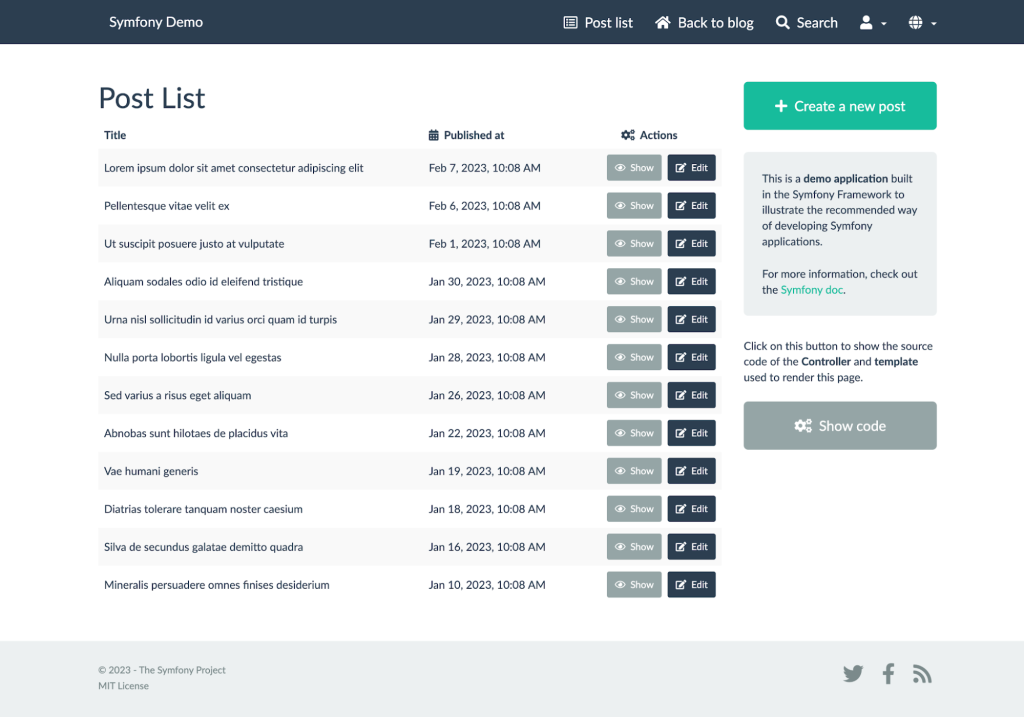
    Symfony has emerged as a developer’s favorite framework thanks to its advanced features, coupled with the intuitive environment. The community is growing quickly despite the fact that Symfony’s large feature set presents a steeper learning curve. There are a lot of unofficial support groups available which will make development easier.

    Symfony makes repetitive tasks such as creating forms, routing authentication, configuring objects, and templating much easier.

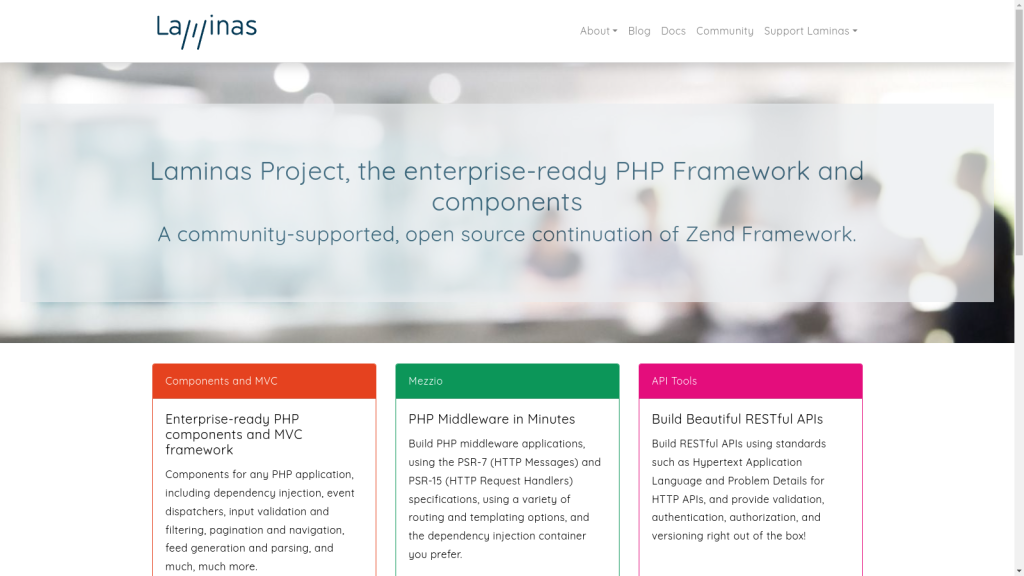
    Laminas

    Laminas, formerly known as Zend Framework, is an object-oriented PHP framework that is open-source and is renowned for its scalability and excellent selection of reusable components.

    Pricing: The code is licensed under BSD 3-Clause, so you can use it for free.

    Key benefits:

    • Suitable for complex and large-scale projects
    • Easy integration with third-party PHP libraries
    • Intuitive session management features
    • Extensive documentation
    • Large and active community base

    Developers are able to optimize efficiency and cut down on superfluous overheads by choosing only the components that are actually needed, thanks to Laminas’ exceptionally large component library.

    It also places a high priority on security, and offers strong capabilities to guarantee the development of secure applications.

    Laminas Project is very adaptable and follows PHP best practices, which is crucial for developers who wish to incorporate features unique to their projects.

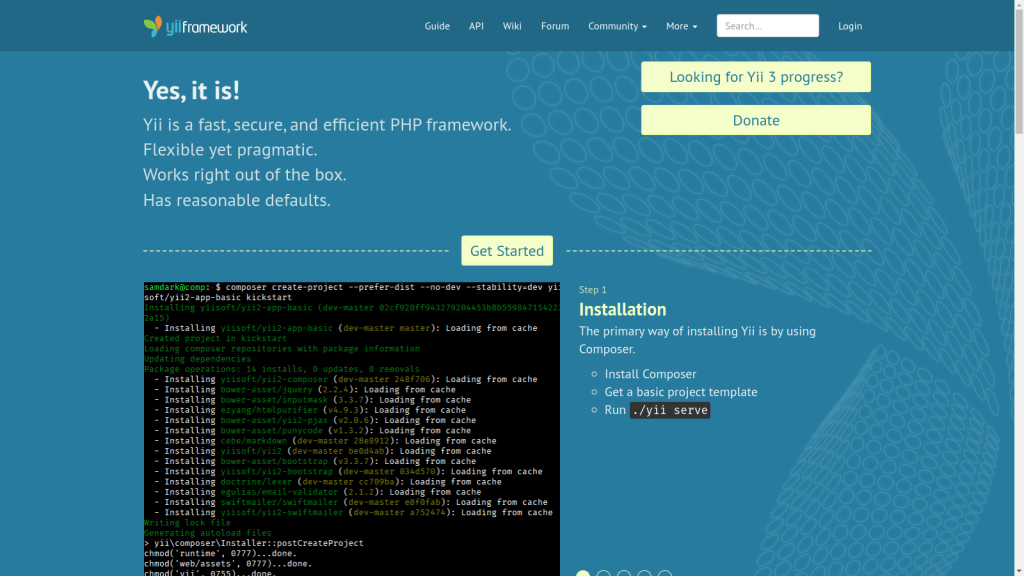
    Yii

    Yii framework (which stands for Yes, it is!) is straightforward and progressive. It’s a component-based PHP framework with outstanding performance in creating modern web applications. Although Yii is a web programming framework that can be used for any type of PHP project, it’s particularly suited for the rapid building of large-scale web applications.

    Pricing: The Yii Framework is published under BSD License and gives you the flexibility to use it freely for commercial purposes.

    Key benefits:

    • Simplified database management allows devs to model database data right into objects, and eliminates SQL queries
    • Particularly adept in working with AJAX
    • Strong caching support
    • Easy learning curve

    Yii is easy to install and has robust security features, making it ideal for highly secure projects such as forums, CMSs (content management systems), e-commerce sites, and portals. It is one of the oldest PHP frameworks to still be in active use. Naturally, community support is excellent and it still remains very popular among developers.

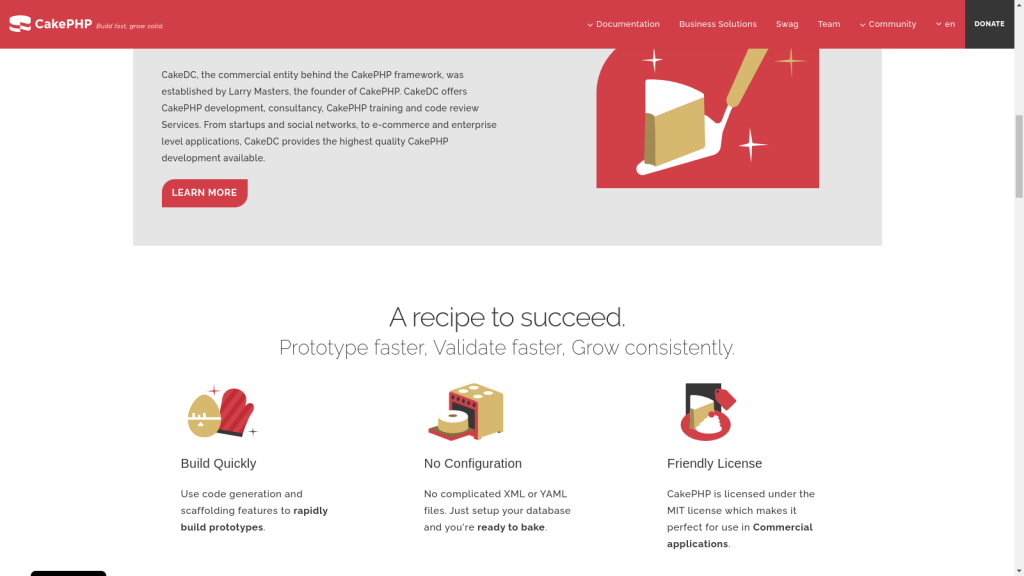
    CakePHP

    Released in April 2005, CakePHP is a reliable PHP framework for web development licensed under the MIT Licence. It uses ORM (Object Relational Mapping) techniques and is built on the MVC (Model View Controller) architecture. Being so widely used and implemented, CakePHP is incredibly reliable, secure, and fast.

    Pricing: The Cake Software Foundation has released this framework under the MIT license.

    Key Benefits:

    • CakePHP makes it easy to implement CRUD operations by providing a set of conventions and tools that simplify the interaction with the database.
    • Simple debugging and testing process of applications
    • Strong built-in security features
    • Plug-in support
    • Allows the creation of reusable code

    Don’t judge this framework by its age, as almost all modern features are available with CakePHP, including protection against SQL injection, validation against form tampering, protection against Cross-Site Request Forgery (CSRF), and prevention against Cross-Scripting Platform (XSS).

    It powers the websites of global brands such as Hyundai, BMW, and Express. That says a lot about CakePHP!

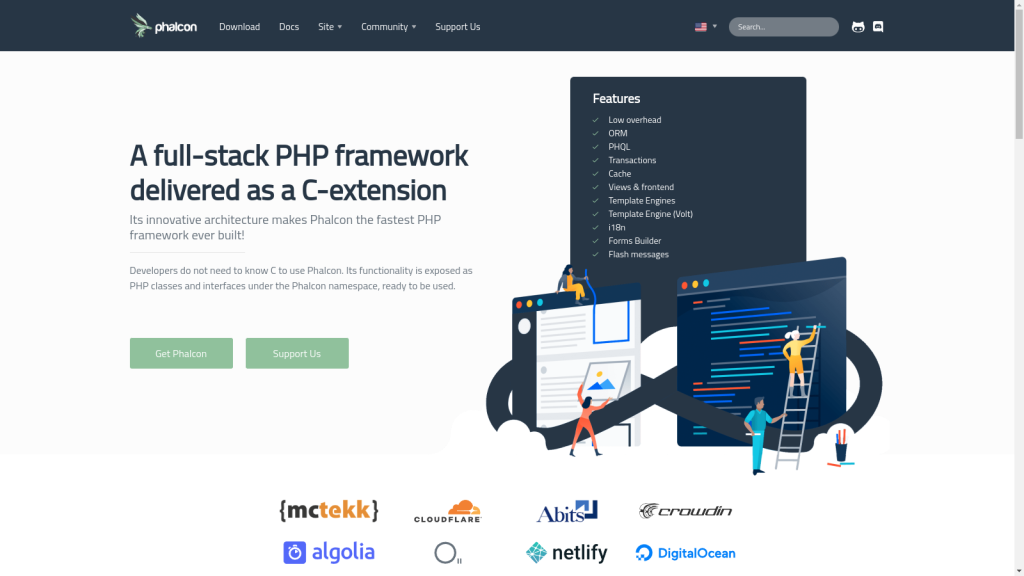
    Phalcon

    Phalcon, a play on the words “PHP” and “falcon”, is a full stack framework with the objective of demonstrating an unconventional approach to developing web apps because it is written as a C-extension. This means that it is implemented in C and directly integrated into PHP for enhanced performance. Most PHP frameworks are written in PHP itself, which requires more memory and CPU resources to run.

    Phalcon stands out for its low-level architecture, code compilation, memory management, security measures, and the absence of file reads, which leads to better speed.

    Pricing: It is freely available under BSD 3-Clause License.

    Key Benefits:

    • Advanced features such as a universal autoloader and powerful asset management
    • Robust caching
    • Low server-side resource requirements
    • Effortless integration with most other PHP libraries
    • Small and lightweight, and exceptionally performant

    One interesting feature about Phalcon is that, even though it is written in C, you don’t need to know C to use it. Its functionality is exposed as PHP classes and interfaces under the Phalcon namespace, ready to be used.

    With its unique coding style hinting at elements from C and C++, Phalcon is geared towards simplifying PHP development and enhancing the overall development experience.

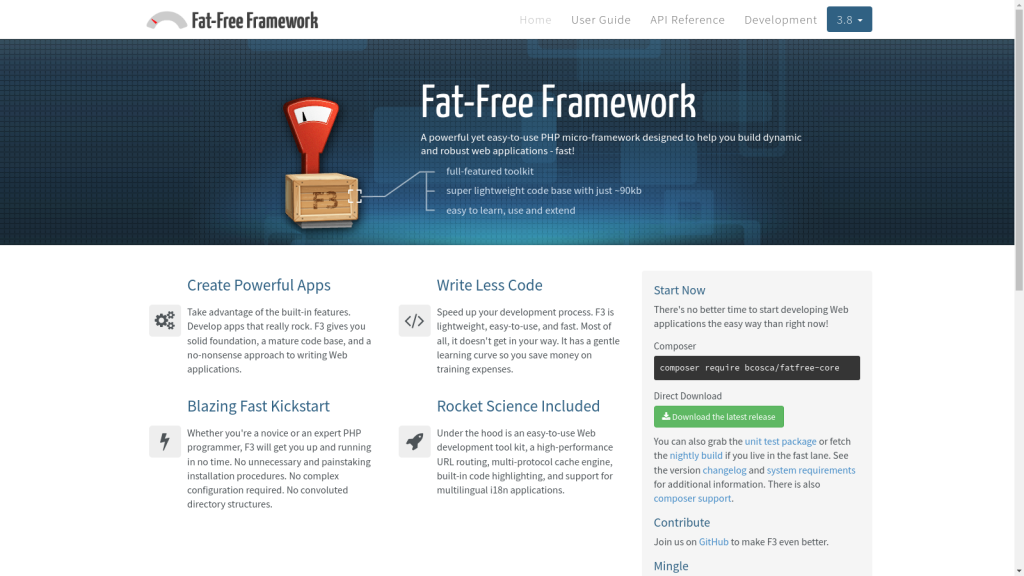
    Fat-Free Framework (F3)

    Simple to use and designed with minimalism in mind, Fat-Free Framework (F3) is a PHP micro-framework that gets the job done. It is easy to learn and is beginner-friendly. It is also one of the most lightweight frameworks out there, clocking in at a tiny 90 KB.

    Pricing: Fat-Free Framework is free and released as open source software under the GNU Public License (GPL v3).

    Key benefits:

    • Lightweight footprint
    • Modular and scalable structure
    • Supports both SQL and NoSQL databases
    • Powerful ORM features enabled by ‘Axon’
    • Does not require complex configuration

    Since F3 was established in 2009, it has gained a vibrant and mature community, as well as more than 2,600 stars on GitHub.

    Because MVC is enabled but not required, F3 is adaptable – and compatible with classes from other sources. This framework focuses on developing PHP apps that are fast to load, and have a straightforward setup procedure that increases developer productivity, all while avoiding application complexity.

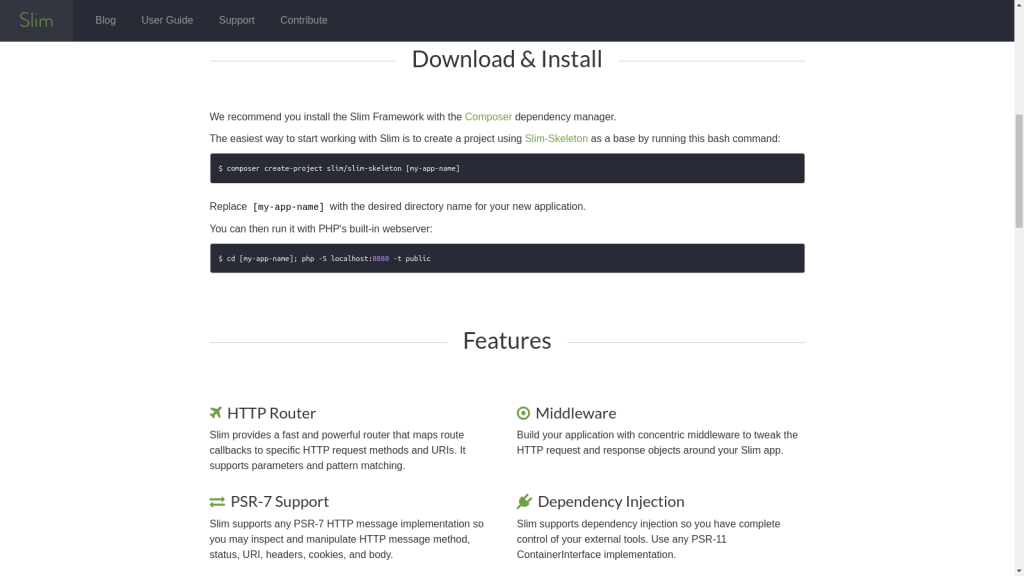
    Slim

    Slim is a barebones micro-PHP framework that follows the Agile methodology. It features a stripped-down codebase without the support for third-party dependencies. That works in Slim’s favor as the lack of dependencies makes the framework remarkably fast.

    Pricing: The Slim framework is freely available under the MIT license.

    Key benefits:

    • Features all important features such as URL routing, session, cookie encryption, and client-side HTTP caching
    • Great for rapid prototyping purposes
    • Active maintenance and responsive devs
    • Suited for the development of RESTful APIs and microservices

    Slim has a flat learning curve and is pretty easy to understand. In fact, you can have a simple app running in just a few minutes without any prior experience. Building compact apps and APIs is an excellent match for Slim, and the fact that it offers both first-party and third-party components makes it ideal if you demand more functionality from the framework.

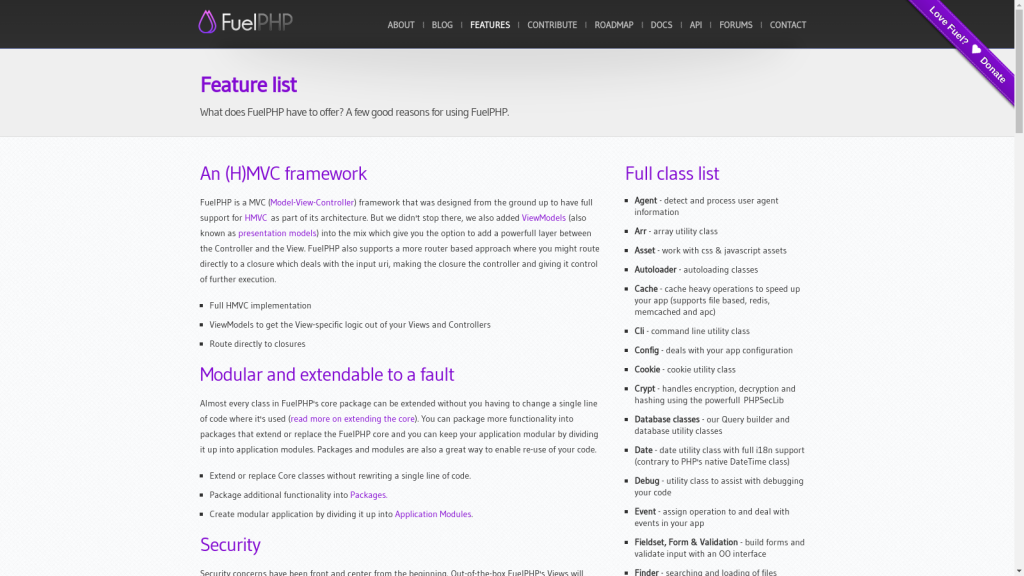
    FuelPHP

    With more than 300 contributors, FuelPHP is a community-driven PHP framework that supports HMVC (Hierarchical Model View Controller). HMVC creates an additional layer between the Controller and the View – a design pattern that brings several benefits, such as improved organizability of the code, increased modularity, greater flexibility, and support for code reuse.

    Pricing: It is freely available under the MIT license.

    Key benefits:

    • FuelPHP ORM is both lightweight and powerful
    • HMVC support
    • Great modularity
    • Ability to choose the folder and file structure for your projects
    • Useful command-line utility tool

    FuelPHP takes security seriously, and implements features such as output encoding and CSRF defense, URI, XSS, input filtering, and escaping data entered by the user and sent to SQL queries. Moreover, you can use Oil, FuelPHP’s command-line tool, to run scripts, debug code, and create common components.

    Conclusion

    Although it is not absolutely necessary, using PHP in your development framework is worth considering given the language’s widespread use and features. We hope our recommendations help you with a decision to select a framework that ideally fits your needs.

    No matter what PHP framework you are using, deploying and managing your applications on the internet is always used to be a hassle. We have built RunCloud to solve this exact problem, now you can focus on developing your applications and leave the heavy-lifting of managing your servers to us.

    RunCloud supports all things PHP and provides a quick and easy way to perform complicated tasks such as deploying new applications, performing backups, running cron jobs, etc. with only a couple of clicks. Start using RunCloud and see for yourself!

  • Laravel Octane – What It Is, Why It Matters & How To Take Advantage Of It

    Laravel Octane – What It Is, Why It Matters & How To Take Advantage Of It

    Laravel Octane is the latest Laravel open-source package, introduced by Taylor Otwell during his Laracon Online Talk last May 12th, 2021.

    The new Laravel package is a bigger and better version of Laravel. It’s powered by Roadrunner and Swoole, where you can store your Laravel server and website to let it handle all requests and boot-up processes. It’s faster, has a bunch of new features, and might be the future of Laravel web development.

    This guide will go over everything you need to know about Laravel Octane. What it is, why it matters, and how you can get started.

    What is Laravel Octane?

    Laravel Octane is an open-source package that boosts your Laravel application performance through stateful PHP programming.

    The package itself comes with dependencies and libraries for new features (mentioned below) and compatibility with high-performance servers such as RoadRunner and Swoole.

    Laravel VS Laravel Octane

    Laravel Octane runs on top of Laravel and PHP version 8.0 and above. It’s an addition to standard Laravel and is not a separate language.

    When comparing performance, standard Laravel apps can process up to 500 requests per second at best, while Laravel Octane easily passes 2,000 requests alone. While the data across numerous sources for this will vary somewhat, the consensus is that Laravel Octane performs at least 10x better than traditional Laravel – and that’s based on conservative estimates.

    Laravel Octane operates differently from traditional Laravel apps when it comes to servers as well. Octane has its own server through Swoole and RoadRunner, which Nginx and Apache should redirect to for incoming traffic.

    However, another key difference between standard Laravel and Laravel Octane is in PHP usage. Laravel Octane changes your PHP stack into a semi-stateful PHP framework.

    NOTE: Some sources will outright say that Laravel Octane uses a stateful PHP framework. But, since PHP is naturally stateless and most PHP developers are used to programming stateless frameworks, the Laravel Team made Laravel Octane only partially stateful. PHP libraries are also not ready to program Laravel in a completely stateful framework.

    Before proceeding with the article, one of the biggest factors you’ll need to consider before trying out Laravel Octane is the fact that you’ll have to learn stateful programming.

    Stateful PHP vs Stateless PHP

    Let’s try to break down the difference between stateful and stateless PHP without being too technical.

    Stateless PHP has servers that can act independently from a user or client’s request. The servers store user information and open the info file, send the requested query to the user or server, and then close the info file. This simplifies the design process because the info files are only opened when needed and will always be up to date for every new request.

    On the other hand, Stateful PHP utilizes servers that act together with a client or user. The servers store user information and actively remembers this data as if the info file is open throughout the entire session. This makes the user-side process faster since operations like opening and closing information files no longer need to happen.

    Real-life Example of Stateful vs Stateless PHP

    It’s easier to understand the differences between these two with a real-life example. So, here’s a simple analogy:

    You’re logging into your RunCloud account to access your personal dashboard. This dashboard contains personal information that only your account has access to. How does RunCloud know that you have access to the dashboard?

    Stateless ServersStateful Servers
    The server stores a record signifying that you just logged into your RunCloud account. When you open your dashboard, the RunCloud server opens the record and sees that you logged in with the correct credentials, then closes the record again. This process repeats every time you go from page to page.The server recognizes that you just logged into your RunCloud account and will keep this information open until you logout or end your session. During your entire session, even as you move from page to page, the RunCloud server will remember that you logged in correctly and won’t have to open and close the records to verify this.

    Aside from the contrasts in how these two work, the way of coding and thinking of stateful vs stateless PHP is also different. If you’re thinking of picking up Laravel Octane, you’ll have to dedicate some time to adapting and learning this new framework.

    Why is Laravel Octane Stateful and Why Is It Faster?

    Laravel Octane needed to adapt a stateful framework because it’s faster. Traditionally, the standard Laravel process creates a PHP worker for every incoming request (like opening a page). This means starting up an individual PHP process that needs to boot and prepare the framework before serving that one request.

    To put that into context, that PHP worker would need to boot the framework and all of the service providers it uses. It would have to register those services within that container and then boot the providers. After that, the request goes through a list of middleware classes, hitting your controller, then finally rendering a view that opens up on your computer (opening a page).

    With Laravel Octane, all the HTTP requests share the same booted framework. This means that once the framework is booted (when the website is opened for the first time), any request after that will make use of the framework that’s already been booted. Laravel Octane will not have to boot a new framework for every request, thereby decreasing the workload. This is why Laravel Octane is so much faster than traditional Laravel.

    The reason why Laravel Octane can do this effectively is because of high-performance servers like Swoole and RoadRunner.

    Swoole VS RoadRunner

    Swoole and RoadRunner are two high-performance PHP servers that can manage PHP processes across strenuous and large-traffic scenarios.

    Laravel Octane lets you choose between running Swoole or RoadRunner for your website.

    Swoole is firstly a PHP extension, which means you’ll need to compile it on top of your PHP build during the setup. If you can get past that, Swoole is faster than RoadRunner and adds some custom PHP Laravel-related features for development. On the downside though, Swoole does not work with Xdebug, the most popular debugging tool for PHP. There are also cases where monitoring tools like New Relic and Datadog don’t work reliably with Swoole because it’s incompatible with Swoole’s co-routine and CLI environment.

    RoadRunner, alternatively, works as a replacement for PHP-FPM. It doesn’t need to be compiled with your PHP files, making it easier to deploy and install on your Laravel website from the start. The only downside to RoadRunner is that it’s not as fast as Swoole and doesn’t come with Swoole’s PHP features. Other than that, it works right out of the box, and really well, if you want immediate performance improvements without modifying your PHP files.

    Should You Use Laravel Octane?

    So, since speed is the number one key metric for a better-performing website, should you update your PHP version and start installing Laravel Octane?

    The short answer is that it will depend on your needs. ‘Yes’ if your website is struggling with performance, and ‘No’ if you can help it.

    Laravel Octane requires PHP version 8.0 and the adoption of a stateful programming convention.

    • There are tons of websites that run on older versions of PHP that will have to update their system just to use Laravel Octane.
    • If your development team isn’t familiar with using a stateful framework, they will also have to dedicate some time to figuring that out before adopting Laravel Octane.

    If these two issues are not a problem, then we can wholeheartedly recommend the improvement. Outside of that, unless your site is crawling and struggling from the magnitude of processes your server is handling, you may not need to upgrade to Laravel Octane.

    Laravel Octane Key Features

    To help you weigh your choices better, we’ve listed some key features from Laravel Octane, besides the obvious performance benefits. Most of these features will only apply to Laravel Octane that’s running with Swoole, so keep that in mind while reading through the list.

    Octane Workers

    PHP workers are traditionally created every time an incoming request is received. With Laravel Octane, multiple workers are created from the start making it faster for the server to immediately service requests as they are received.

    You can even specify how many workers you want to begin with, as well as the number of workers you want to initialize per CPU core. Having multiple workers helps because if one worker is busy with a task, the other worker can start servicing other requests from the user without any delays. This is how Swoole and RoadRunner increase performance by large margins.

    Here’s the code for that through Artisan:

    php artisan octane:start --workers=4

    If you’re using Swoole, you can also specify the number of task workers with this command. We’ll talk more about task workers below.

    php artisan octane:start --workers=4 --task-workers=6

    Be careful about how many workers you’ll initialize per CPU core though. The use case for this will vary from site to site and will depend on how intensive your processes are. We don’t recommend reconfiguring the Octane worker settings unless you know what you’re doing.

    Concurrent Tasks

    Laravel Octane also allows you to perform concurrent tasks, meaning these tasks will be done at the same time and not after each other. You can do this through task workers, which will only be available depending on the number you set with the octane:start command.

    php artisan octane:start --workers=4 --task-workers=6

    These task workers are separate from the web workers that receive web requests. If you want to process a task and keep a web worker busy, you can defer the task to a task worker instead.

    This feature is only available for Swoole.

    Ticks or Intervals

    Ticks make operations execute repeatedly after a specific number of seconds. These are also referred to as internals just like the setInterval method in JavaScript. Here’s what the command looks like.

    Octane::tick('simple-ticker', fn () => ray('Ticking...'))
           ->seconds(10);

    Where:

    • ‘simple-ticker’ represents the name of the ticker as a string
    • fn () => ray(‘Ticking…’) is the callable that is executed after every interval

    As of writing, there is no command to stop these ticks from running, so keep that in mind when using this feature.

    This feature is only available for Swoole.

    Octane Cache

    The Laravel Octane cache driver is powered by Swoole tables, which we’ll also talk about below.

    The cache driver reads and writes up to 2 million operations per second, making it a fast and excellent upgrade from your current caching system. It’s an in-memory cache, meaning the data will flush out when the server is restarted, so keep that in mind. This is the command you’ll need to activate the cache:

    Cache::store('octane')->put('framework', 'Laravel', 30);

    Another feature that’s related to Octane caching is being able to set a cache interval. This means you can refresh the data in the octane cache at given intervals. Here’s how you can do that.

    use Illuminate\Support\Str;
     
    Cache::store('octane')->interval('random', function () {
       return Str::random(10);
    }, seconds: 5);

    This feature is only available for Swoole.

    Octane Tables

    Swoole tables are extremely fast and provide a huge boost of performance to your server. This is because Swoole tables can be accessed by all the workers on the server, making operations and data retrieval all the faster. The only caveat to this is that all the data in the tables will be lost when the server restarts.

    Tables are defined within the table configuration array inside your application’s octane config file. The file will have a default table of 1,000 rows, but you can reconfigure that to your needs. It should look something like this:

    'tables' => [
       'example:1000' => [
           'name' => 'string:1000',
           'votes' => 'int',
       ],
    ],

    The code for accessing a table goes through the Octane::table method.

    use Laravel\Octane\Facades\Octane;
     
    Octane::table('example')->set('uuid', [
       'name' => 'Nuno Maduro',
       'votes' => 1000,
    ]);
     
    return Octane::table('example')->get('uuid');

    The Swoole table only supports string, int, and float for the column types.

    This feature is only available for Swoole.

    How to Install Laravel Octane

    Now that you know the benefits of using Laravel Octane as well as its key features, it’s time to teach you how to install it. Thankfully, since Laravel Octane is just a package, the installation process is the same as installing a dependency.

    NOTE: Laravel Octane needs PHP version 8.0+ to work.

    You can install Laravel Octane using the following command through the Composer package manager:

    composer require Laravel/octane

    This will download the Laravel Octane package. Once that’s done, install it with the help of the following command.

    php artisan octane:install

    The command will generate a configuration file config/octane.php. When you’re done installing Octane, it’s time to choose between RoadRunner and Swoole. Remember, RoadRunner is the easiest one to install as it works on top of your Laravel site, but it’s less powerful than Swoole. On the other hand, Swoole is a PHP extension which means you’ll have to compile it together with your PHP files and have it run with them.

    RoadRunner

    You can choose Roadrunner if you don’t want to install any other application packages and don’t need the extra features that come with Swoole.

    1. To start with RoadRunner, open up the config file that was generated when we installed Laravel Octane.
    2. In the file, replace the ‘server’ key into ‘roadrunner’.

    After that, run this command through composer:

    composer require spiral/roadrunner

    This will install RoadRunner to your server.

    Swoole

    As mentioned before, Swoole is much more powerful than RoadRunner and comes with some extra PHP features. Here’s how you can install Swoole:

    1. Open your PECL and run the command: pecl install swoole
    2. While the installation is happening, you’ll be asked if you have support for certain technologies within Swoole. You can safely stick to default values here and proceed.

    Once Swoole is done installing, we can proceed with the next step and run the server.

    Running Laravel Octane

    With either Swoole and RoadRunner installed, you can now launch Laravel Octane with the following command:

    php artisan octane:start

    After Action Report — Install Laravel Octane on RunCloud

    Laravel Octane can be a game changer for your website, or it can be completely unnecessary — in the end, it all depends on your needs.

    There is a learning curve to mastering Laravel Octane, but the benefits of implementing Laravel Octane can be tremendous.

    Thinking about installing Laravel Octane on your RunCloud server? Follow our full step-by-step guide here!

    What are your thoughts on Laravel Octane? Did you try to implement it? Let’s talk in the comments below! 💬