According to StatCounter, Google dominates the search engine market with an overwhelming 93.37% share, leaving its closest competitor, Bing, with just 2.81%. This market dominance highlights the critical importance for developers to optimize their sites for Google’s ranking algorithms.
To rank websites Google employs a variety of methods, including the most recent and crucial method – Core Web Vitals, which began rolling out in June 2021.
It is therefore vital for any website developer to understand how these web vitals are measured, and what they can do to optimize their site to boost both their performance, and their position in the SERPs. In this article, we will identify exactly what Google’s Web Vitals are, how they impact your site, and how you can improve your site’s score.
Let’s get started!
Table of Contents
Understanding Google’s Core Web Vitals
Google’s Core Web Vitals consists of a set of specific website performance metrics that are used to determine the overall user experience of a website.
It is a combination of three main parameters that measure specific aspects of page speed and responsiveness. These metrics include:
Visual load, measured by largest contentful paint (LCP)
Visual stability of web pages, measured by Cumulative Layout Shift (CLS)
Interactivity, which is measured by First Input Delay (FID)
The Core Web Vitals are part of Google’s Page Experience Ranking Signals, which also include factors such as mobile friendliness, browsing safety, HTTPS, and Intrusive Interstitials (or popups).
A study from Google found that when a site meets the optimal thresholds for the three Core Web Vitals metrics, users were 24% less likely to abandon page loads. On top of that, they found a 22% decrease in news site abandonments and 24% fewer abandonments of shopping sites.
The Two Types Of Data Used For Core Web Vitals
Before we get into the optimization of sites, it is necessary to understand the kinds of data processed for measuring Core Web Vitals metrics. The two main types of data are:
Field Data
Field Data is generated from the Chrome User Experience Report (CrUX) and includes real user metrics. Google collects information from Chrome users who have opted to share information, such as browsing history, and uses the data to compute the three Core Web Vitals metrics. The aim is to understand how real-world Chrome users experience the web.
You can see a summarized view of your site’s Core Web Vitals under the Google Search Console, and your page-level metrics in PageSpeed Insights under the Field Data category. However, you should note that this data is based on a rolling 28-day average, which means that any change in your site won’t be reflected in your Field Data report for around 28 days. This is where Lab Test Data comes to the rescue.
Lab Test Data
Lab Test Data is generated by tools that are designed to run tests consistently under the same conditions. Because of factors such as internet speed and geographical location this data does not reflect real-world data. You can view your site’s Lab data with the Lighthouse Chrome extension.
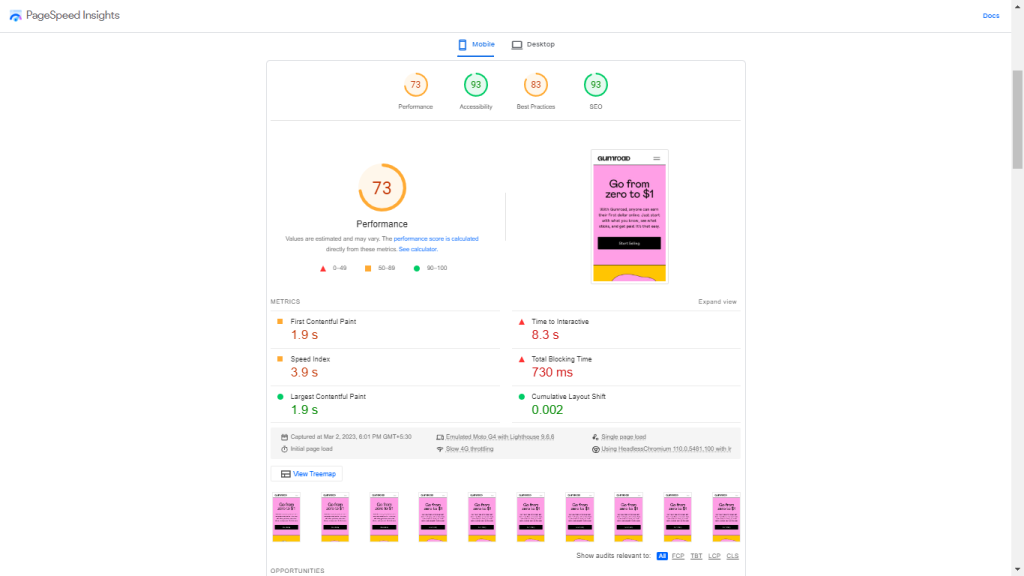
The metrics are assessed at the 75th percentile of users. For example, if we look at the Page Speed Insights for the Gumroad site we will see that all Core Web Vitals metrics have greater than 75% results, so the site passes the Core Web Vitals assessment. If one or more metrics have less than 75% positive loads, it does not pass the Core Web Vitals assessment.
Another thing to note is that metrics are measured by device type, meaning that mobile Core Web Vitals will be assessed separately from desktop ones.
Before analyzing and optimizing the Core Web Vitals, it’s essential to assess the other basics of Google’s page experience signals, such as mobile friendliness and the use of HTTPS. We must remember that the Core Web Vitals are just a part of Google’s page experience signals.
You need to take care of basic optimizations for page speed, such as having good hosting, compressing your images, caching your content, and setting up a Content Delivery Network (CDN). All of these things will inevitably contribute to improving your site’s Core Web Vitals.
Core Web Vitals Metrics
Largest Contentful Paint (LCP)
Largest Contentful Paint tells us about the visual loading performance of a website. It measures the time it takes for the web page’s main content to load. LCP is simply the single largest visible element loaded in the viewport, which is the area of a web page visible to a user. You should aim to minimize this metric as much as possible – the recommended target is to have your LCP under 2.5 seconds.
Cumulative Layout Shift (CLS)
Cumulative Layout Shift measures the visual stability of a web page. CLS looks at how much visible elements have shifted in the viewport as remaining elements are loaded, and measures the distance the affected elements were shifted. In some web pages pop-up ads and videos appear out of nowhere and shift the content, which is annoying and results in a bad user experience.
Previously, CLS was recorded continually to measure stability even after the page had loaded. But recently Google has revised the way CLS is measured; it is now calculated in terms of 5-second sessions. The metric that is reported is the 5-second timeframe in which the most shifting occurred. The recommended threshold by Google is to have a score of less than 0.1.
First Input Delay (FID)
First Input Delay measures interactivity. The purpose of this metric is to gain an understanding of a user’s first impression of a site’s interactivity and responsiveness. It measures the time from when a user first interacts with a page to the time when the browser is able to respond to that interaction.
Different types of interaction will include clicking a link or a button, inputting text into a blank Field, selecting a drop-down menu, etc. The recommended speed for First Input Delay is anything under 100 milliseconds.
Measuring Your Website’s Core Web Vitals
A variety of browser extensions, tests, and reports are avaiLable that will help you analyze your site’s Core Web Vitals. Here are some of the most important ones.
Core Web Vitals Assessment in Google’s PageSpeed Insights
PageSpeed Insights is a tool developed by Google that reports on the user experience of a page on both mobile and desktop devices, and provides suggestions on how that page may be improved. It has two sections:
Core Web Vitals assessment lets you discover what your real-world users are experiencing
PageSpeed Insights score helps you diagnose performance issues with the help of Lab data
This Core Web Vitals assessment is part of the Field Data report. The Diagnostics section in PageSpeed Insights also provides useful information about elements that affect each of the three Core Web Vitals metrics.
PageSpeed Insights uses Lab data in addition to real user metrics to calculate the overall optimization score, and also provides suggestions for improvements.
You should note that in some cases PageSpeed Insights doesn’t provide a Field summary. This usually happens for small websites because the Chrome User Experience Report cannot collect enough Field data. Fortunately there are other sources that will provide you with Field data.
Core Web Vitals Report In Google’s Search Console
Google’s Search Console Tools is a web service by Google that allows users to measure a site’s traffic and performance, fix common issues, and make the page perform better in Google search results.
Google Search Console has two Core Web Vitals reports, tailored for both mobile and desktop versions. Each of these reports provides you with the Field data for a group of URLs, and offers insight into their performance. These reports are beneficial for finding common issues and similar errors across a group of URLs. This ensures you get information about the entire site – instead of just information on one page at a time.
For example, if you have many product pages where the largest element is an image or a banner, the Largest Contentful Paint (LCP) metric will be similar for all of them. In such a case, Google Search Console finds LCP issues across all of these identical product pages.
In the console you can alert Google after resolving any Core Web Vitals problem by clicking on Validate Fix.
Using the Core Web Vitals Chrome Extension
Chrome’s Core Web Vitals extension offers a quick way to check your Core Web Vitals. This extension automatically gives you a brief audit of Largest Contentful Paint, Cumulative Layout Shift, and First Input Delay. It can audit the website’s performance for other users compared with its performance on your own device.
Using Chrome User Experience Report For Extracting Field Data
Gaining access to the Chrome User Experience Report (CrUX) requires more time and effort than simply running your site through PageSpeed Insights or Google Search Console. However, going through this report also provides more ways to organize and visualize your site’s Field data.
There are two main ways to directly access the CrUX dataset:
BigQuery: This method requires a Google Cloud project and SQL expertise
The Chrome UX Report API: This method requires some developer experience with both JavaScript and JSON
If you can afford the time and possess the technical expertise, it is worth experimenting with both methods above.
Optimizing Your Site For Core Web Vitals
After measuring your site’s Core Web Vitals, the next step is to optimize it for them. You need to keep in mind that every website is built differently, and we can’t possibly fix every potential problem. Below we’ll discuss several tried and tested techniques for improving web performance.
It is important to keep in mind that your site’s performance can also be affected by factors that aren’t discussed here. You always need to examine your specific problems before implementing any optimizations.
Analyzing and Optimizing Largest Contentful Paint (LCP)
As discussed above, Largest Contentful Paint (LCP) measures the time it takes for the largest element in the viewport to load. Anything below 2.5s is considered to be a good LCP score. If the largest viewport element loads faster than that for 75% of all recorded page loads, the web page passes the LCP assessment.
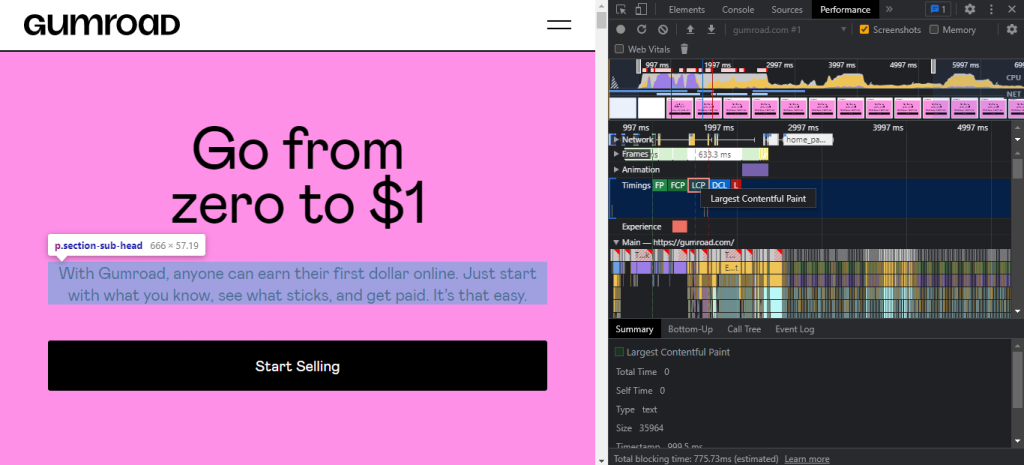
A quick and easy way to check which element triggers the LCP metric is to run the page through PageSpeed Insights. In the dashboard, scroll down to the Diagnostics section and click on the Largest Contentful Paint element.
The same can be done with Chrome’s DevTools. For this, open the page you want to inspect in Chrome, right-click and select Inspect, then go to Performance. Now, click on the Reload button, and wait for the browser to examine the page.
You’ll be able to locate a small LCP icon in the Timings section. When you hover your cursor over it, the largest element of the page will be highlighted with a blue shade.
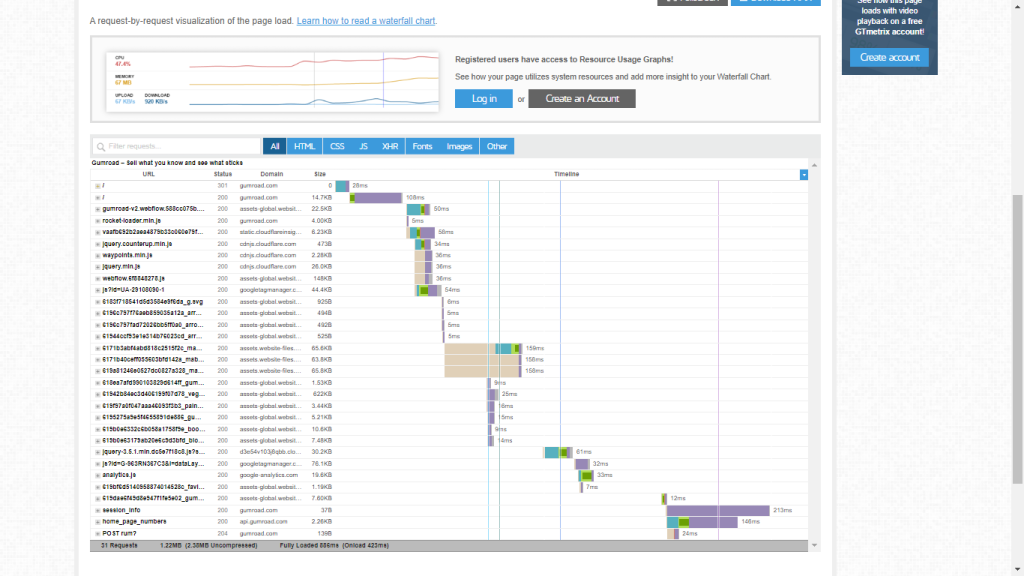
For additional insight you can use a waterfall chart to see how many resources were loaded before the LCP. Here’s how the waterfall chart looks for our example website, Gumroad, created using GTmetrix:
Tips To Improve LCP Time
Here are a few measures you can take to improve your LCP load time:
Optimize your images: Inefficiently formatted and very large images are often the biggest reason for slow websites. For faster loading, images must be properly converted to the right format, compressed, and resized. Lossless compression maintains roughly the same image quality while reducing the size of the image file.
Preload hero images: Hero images are usually the most prominent above-the-fold elements, so loading them quicker is crucial for a fast and responsive user experience. This tells the browser to prioritize the specific hero images when rendering the web page.
Preloading significantly improves LCP, especially on pages where hero images are loaded with JavaScript and the background-image property in CSS. Browsers usually discover these images later, so using link rel=preload helps improve both actual and perceived performance.
Find a better hosting plan: Using a cheap, shared hosting plan will always lead to slow execution times because of the slow host server. Upgrade your hosting plan to have a fast server response time, and both stabilize and speed up your site.
If you are looking for a new hosting solution, consider using RunCloud for managing your servers.
Implement Critical CSS:Critical CSS is a technique that extracts the viewport content in order to render content to the user as quickly as possible. Critical CSS finds the CSS necessary to load above-the-fold content and inline it in the <head> tag. Doing so improves both actual and perceived performance.
Use a Content Delivery Network (CDN): Using a CDN splits the load by hosting assets on servers that are geographically closer to the users, thus greatly improving a site’s performance.
Analyzing And Optimizing Cumulative Layout Shift (CLS)
We already know that Cumulative Layout Shift measures the effect of unexpected layout alterations in a web page that occurs when content moves around the page without user input. A visually stable page maintains a CLS score of 0.1, and if that’s true for the 75th percentile of recorded page loads, the web page passes the CLS assessment.
Google computes the CLS score by measuring how much of the viewport the layout shift affected, and how far the elements moved from their original position during the shift. The final CLS score is calculated as the total of all individual unexpected layout shift scores.
Chrome’s DevTools can help detect unexpected layout shifts. You need to right-click on the page you want to analyze and select Inspect. Navigate to More Tools and click on Rendering. At the bottom of the Inspect console you’ll see a Layout Shift Regions option with a checkbox on the left. Click on the checkbox to ensure it’s selected.
Now every time the layout of the page shifts, the shifted area will be highlighted in blue.
This CLS generator tool is also great for discovering layout shifts. it computes your overall CLS score and shows shifting areas.
Fixing Common CLS Issues
Here are a few tips for improving your layout shifts.
Add width and height attributes to images and videos: Adding attributes of height and width in the HTML markup enables the browser to allocate the correct amount of space for each element in advance. This renders a blank element in place of the image, and replaces the element with the actual image when it is loaded. This drastically reduces layout shift issues.
Optimize Font Delivery: Unoptimized web font delivery can cause huge layout shifts. Using font-display: optional in combination with link rel: “preload” for the site’s most prominent fonts is typically considered the best practice. The optional value avoids causing a re-layout when the web font is ready, and this ensures a layout shift does not happen.
Don’t insert ads and pop-ups on top of other content: Adding intrusive ads and pop-ups are the most common ways to ruin your CLS score. Many elements can cause this issue, including ads, promotional banners, search bars, etc. If you must place such elements on your page, implement them in a way such that it does not negatively impact the user experience.
Reserve space for iFrames, ads, and dynamic content: These elements can cause significant layout shifts if they don’t have reserved space, just like images and videos. You need to use containers with proper dimensions and use the overflow: hidden property to make sure larger content doesn’t overflow its container.
Make interactions faster: Make sure user interactions are completely executed within 500 milliseconds of the input trigger. Lightening up page loads by using OS fonts, compressing and preloading visual content, and using proper containers all prove to be helpful in making interactions faster.
Analyzing and Optimizing First Input Delay (FID)
We have already discussed that First Input Delay measures the time it takes for the browser to begin processing the first user interaction on a web page. However, scrolls and zooms don’t affect FID; this metric only keeps track of distinct actions such as clicks or taps. A low FID is crucial because first impressions leave a mark on the users, and most users instantly leave and, in most cases, never return if a website irritates them on their first visit.
A web page’s FID should be less than 100 milliseconds for 75% of all recorded page loads for it to pass the FID test.
The main culprit of FID issues is usually JavaScript. Excessive usage of JavaScript leads to Long Tasks. These are periods of time when the UI is unresponsive to user interaction. If the main thread is blocked for more than 50 milliseconds it is considered a Long Task.
To find Long Tasks on your web page, open the page, right-click, and select Inspect. From the Inspect console, open the Performance panel and reload the web page. Now, you must click Main and select the Bottom-up analysis button.
You will find the Long Tasks in the Main section. These tasks are usually painted in gray with a red overlay. The Bottom-Up analysis also lets you group files by URL, and helps you pinpoint what causes delays. In the above example, the first script alone takes more than 400 milliseconds, which is far too long.
As you dive deeper into the Bottom-Up analysis, you’ll find that a few longer functions contribute to most of the delay. In some other cases, functions might be running quickly – but adding too many of them together in a single task converts into a Long Task.
WebPageTest is another useful tool that provides an in-depth processing breakdown, helping you to find problem areas. It provides a detailed page summary which provides insight into the site’s performance, and helps you by providing information that allows you to tweak your site for a better Core Web VItals ranking.
Fixing Common FID Issues
There are multiple ways to minimize your First Input Delay. Some of the most popular ones include:
Compress or minify code files: Removing unnecessary parts from the code such as whitespaces and line breaks (minification), and modifying and compressing code files to make them smaller helps significantly reduce FID.
Minimizing third-party JavaScript requests for analytics, social media widgets, discussion forums, etc., that quickly mount up to several megabytes of JavaScript also helps with FID issues. There are some hosting services and CDN providers that implement these features by default, making the process easier for users.
Break up Long Tasks: This is arguably the most effective way to reduce FID, as Long Tasks block the main thread from responding to user interactions quickly. By dividing them into smaller parts you can significantly improve the performance of your website. You can take advantage of JavaScript features such as requestCallback, setTimeout, and requestAnimationFrame to break long-running JavaScript tasks into a series of smaller tasks.
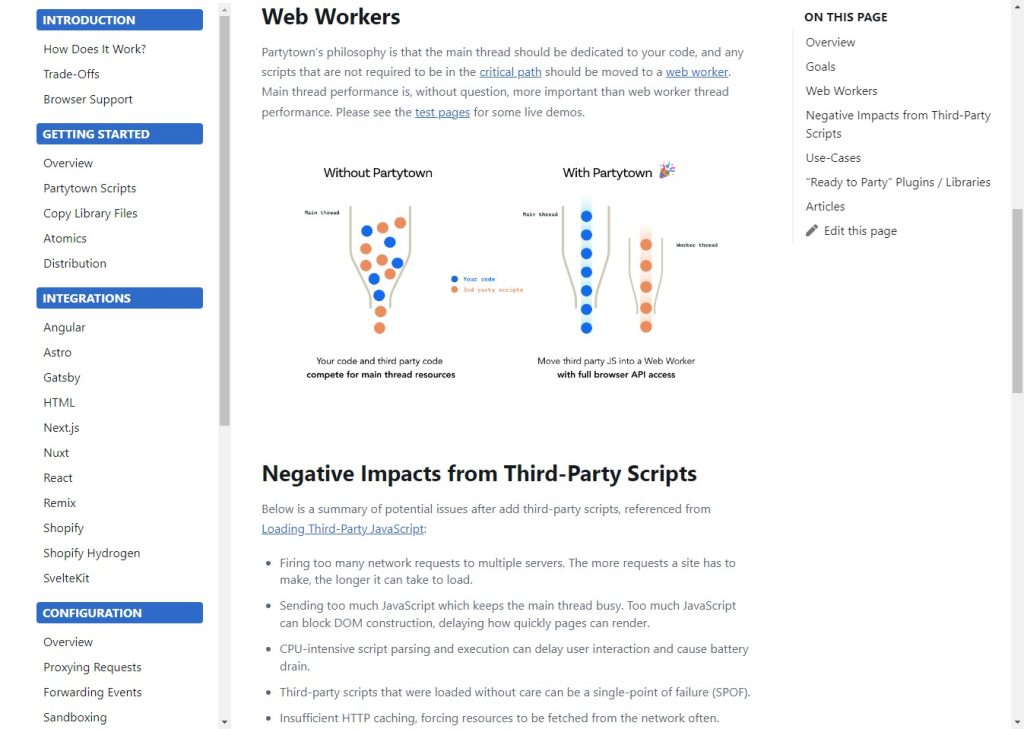
Use web workers:Web workers enable web content to run scripts in background threads without affecting the main thread. It is generally considered a good practice to move non-UI operations to a background thread. Additionally, you can use asynchronous, deferred, or ESS module JavaScript to run some scripts later.
Remove or delay non-critical third-party scripts: Sometimes third-party scripts can prevent your own scripts from executing on time. You need to prioritize the scripts according to their importance and rearrange their execution pattern. For example, if you are showing ads on your website, or if you are tracking user interactions, you should defer executing those scripts until the website is loaded.
Optimize CSS: While JavaScript is the root cause of most FID issues, CSS is also render-blocking by default. Excessive CSS hurts the user experience, and you need to make sure you avoid expensive CSS properties such as box-shadow and filter. Besides implementing Critical CSS and minifying and compressing CSS files, it is also important to get rid of all unnecessary CSS on your site.
After Action Report
Google’s introduction of the Core Web Vitals was a major step in the right direction toward making the web better for everyone. The Core Web Vitals are important for all websites as part of Google’s page ranking algorithm.
That is why it has become necessary to continuously monitor these metrics, even if you don’t notice any major issues right now.
Going forward, here is a quick checklist of things that you need to remember:
You should run a test at least once a month.
Prioritize Field data over Lab test data, as the former accurately represents how actual users experience your site.
Make use of Google’s Search Console to find issues across a set of web pages.
Use PageSpeed Insights to understand and monitor how your site performs.
For a deeper understanding of your site’s performance and for further customization, extract data from the CrUX and gain additional control over your Field data.
If you are looking for an easy and painless way to manage your web servers then you should start using RunCloud. RunCloud makes it easy to deploy new servers, update DNS records, deploy new WordPress sites, manage database users, monitor NGINX logs, and more. Start using RunCloud today!
It’s also how many helpful results Google offers in response to a search for “web development tool”.
The sheer number and range of tools available for web development is staggering.
What most of us are looking for are developer tools that you can use to optimize your workflow and improve performance, and they may be any piece of software or programming language that helps you perform better.
Web development tools can be invaluable during discovery, planning, and even the execution stage. There are various front-end and back-end technologies that developers can use to simplify their work.
Others, such as frameworks, libraries, and certain code editors, can also improve performance.
In this post, we’re going to discuss some of the most popular web development tools that you can use to level up your stack.
But before we start, let’s talk about what a web development stack is.
What Is a Web Development Stack?
A web development stack is a collection of software tools used to create a web application. The stack typically includes a programming language, a database, a web server, and a web framework.
Of course, this is generally a flexible description, and you can create different stacks based on your requirements. For instance, one of the popular web development stacks is the LAMP stack. It is short for Linux, Apache, MySQL, and PHP. Here’s how it works:
Linux is the operating system that powers the server on which a website or web application is hosted.
Apache is the web server software that serves files to visitors’ browsers.
MySQL is the database management system that stores data used by a website or web application.
PHP is the programming language used to build a website or web application.
How Web Development Tools Can Streamline Your Workflow
The right web development tools can significantly impact on your workflow, especially if you use agile project frameworks like Scrum.
The tools you use can do the heavy lifting for you, automating repetitive tasks and freeing you up to focus on more high-impact work. Tools such as JSFiddle, for example, can help you share code snippets with your team as one sprint comes to a close, helping you prepare for the next one.
Here are just some of the benefits that web development tools offer:
Improved Productivity
Web development tools can help you be more productive by automating repetitive tasks. For example, if you’re constantly formatting code or updating CSS stylesheets, you can use specific tools. This will free up your time to focus on more important tasks.
Better Collaboration
Another benefit of web development tools is improved collaboration. If you’re working in a team, web development tools can help everyone stay on the same page by sharing task lists, code snippets, and more.
Increased Efficiency
In addition to improved productivity and collaboration, web development tools can help you work more efficiently. For example, many IDEs (integrated development environments) now offer features such as code completion and real-time error checking. This means you can spend less time debugging your code and more time coding.
How to Choose the Right Development Stack For Your Project
This is a relatively subjective question since every developer has their own preferences. Here are a few key factors that can help you choose the right development stack for your project.
1. Define Your Project’s Requirements
The first step in choosing a development stack is to define your project’s requirements. What does your project need to do? What features does it need to have? Answering these questions will help you narrow down the technology options available.
2. Consider Your Team’s Skill Set
Once you’ve defined your project’s requirements, you must consider your team’s skill set. What technologies are they comfortable working with? It doesn’t make sense to choose a stack that includes technologies your team is unfamiliar with; they’ll just spend more time trying to learn the new technology than actually developing the application.
3. Determine Which Technologies Work Well Together
Not all technologies play well together. For example, if you’re using a relational database (such as MySQL), you’ll want to use a web development framework that supports model-view-controller (MVC) architecture (such as Laravel). If you’re using a non-relational database (like MongoDB), you can use any number of MVC frameworks (including Laravel).
4. Consider Your Hosting Environment
Your hosting environment – i.e., where your application will be hosted – can also influence your choice of development stack. For example, if you’re planning on hosting your application on a Linux server, you’ll want to use technologies that can run on Linux (such as Apache, PHP, and MySQL).
If you’re planning on hosting your application on a Windows server instead, you’ll want to use technologies that can run on Windows (such as IIS, ASP.NET, and SQL Server).
Alternatively, you can also consider serverless hosting. Serverless hosting can reduce costs and increase scalability by only charging for actual usage and automatically scaling resources. It can also simplify development and reduce maintenance by abstracting away server management. This lets developers focus on writing code and deploying features rather than managing servers.
Web Development Tools to Use in 2023
Here are the most popular web development tools to use in 2023.
Text Editors
VS Code
VS Code is a popular, open-source code editor that is particularly well-suited for web development. It features an intuitive, easy-to-use interface, and comes with a wide array of built-in tools and extensions for debugging, linting, and optimizing code.
One of the biggest benefits of using VS Code for web development is its wide range of extensions, which can help streamline your workflow and improve productivity. It is also available on all major platforms like Windows, Mac, and Linux, and it’s lightweight and fast.
JetBrains IDE
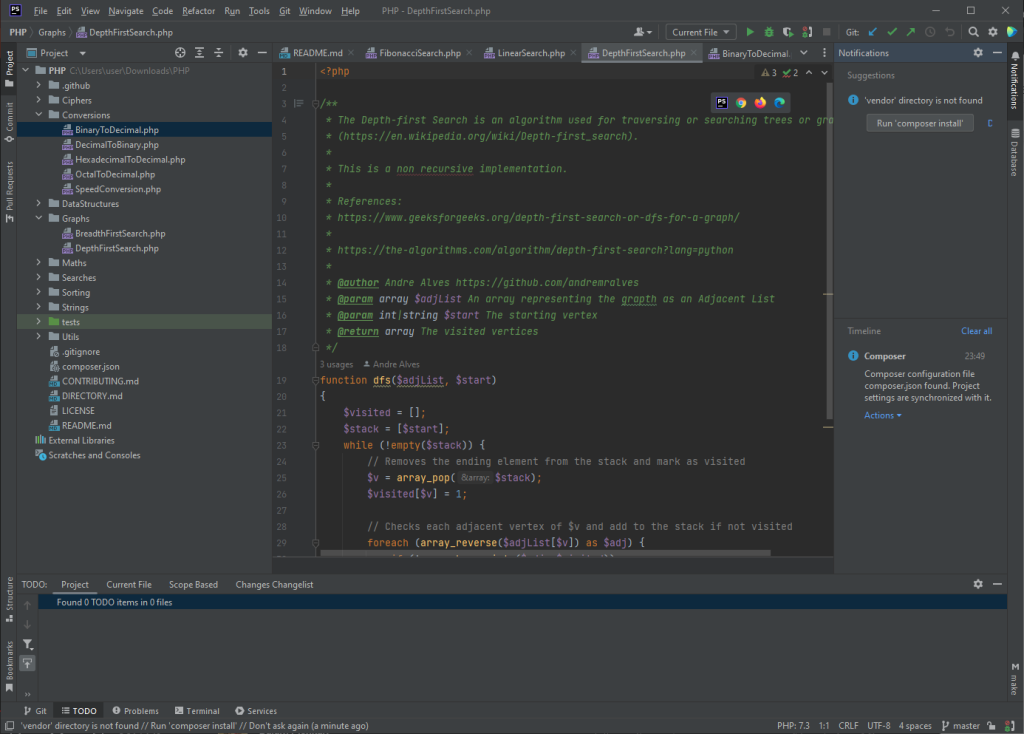
JetBrains IDEs (Integrated Development Environments) is a suite of developer tools widely used for web development. They include IDEs for several programming languages, such as IntelliJ IDEA for Java, PhpStorm for PHP, and WebStorm for JavaScript. JetBrains IDEs are known for their powerful code editing and debugging capabilities, as well as their ease of use and customization.
One of the advantages of using a JetBrains IDE is its advanced code navigation, refactoring, and code suggestion capabilities. They also provide smart Code completion and error prevention. They are widely used by many professional software developers and are continuously updated to support the latest development trends and technologies.
Sublime Text
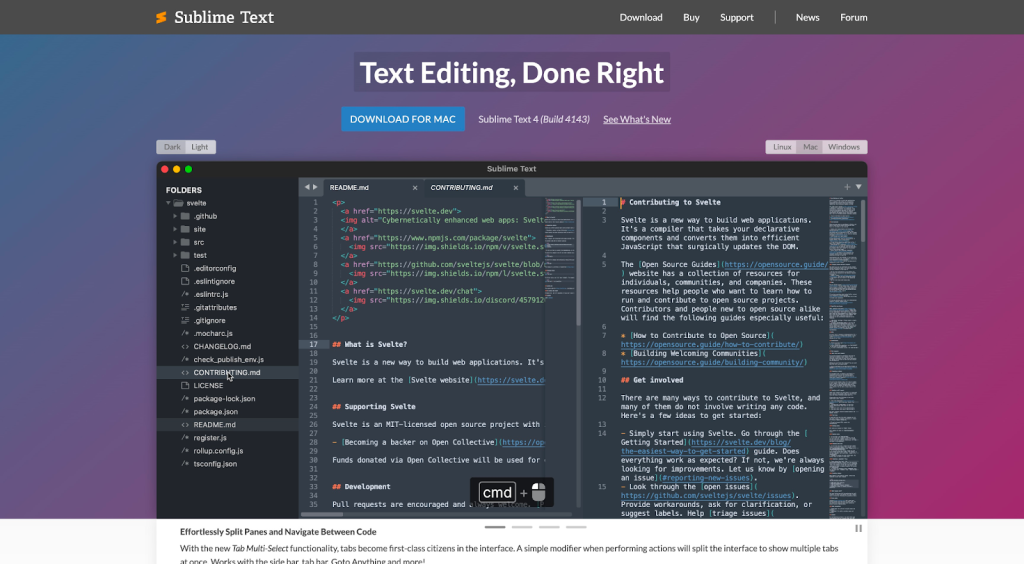
Sublime Text is one of the most loved text editors of its time. It has many features that make it easier for developers to write code, including syntax highlighting and autocomplete. Additionally, Sublime Text can be customized to the developer’s preferences, making it an extremely versatile tool.
Lapce
Lapce is a relatively new, open-source code editor written in Rust that aims to provide fast performance by utilizing native GUI and GPU rendering. It has a unique feature called Code Lens, which combines folding, minimap, and code outline functionality to make navigating and understanding your code easier.
Additionally, it has a remote development feature that allows you to connect to a remote machine via SSH, which enables you to work on a remote workspace with the same experience as a local one. However, since it’s a relatively new and custom code editor, its popularity and user base may not be as large as more established editors like VS Code or JetBrains IDEs.
Neovim
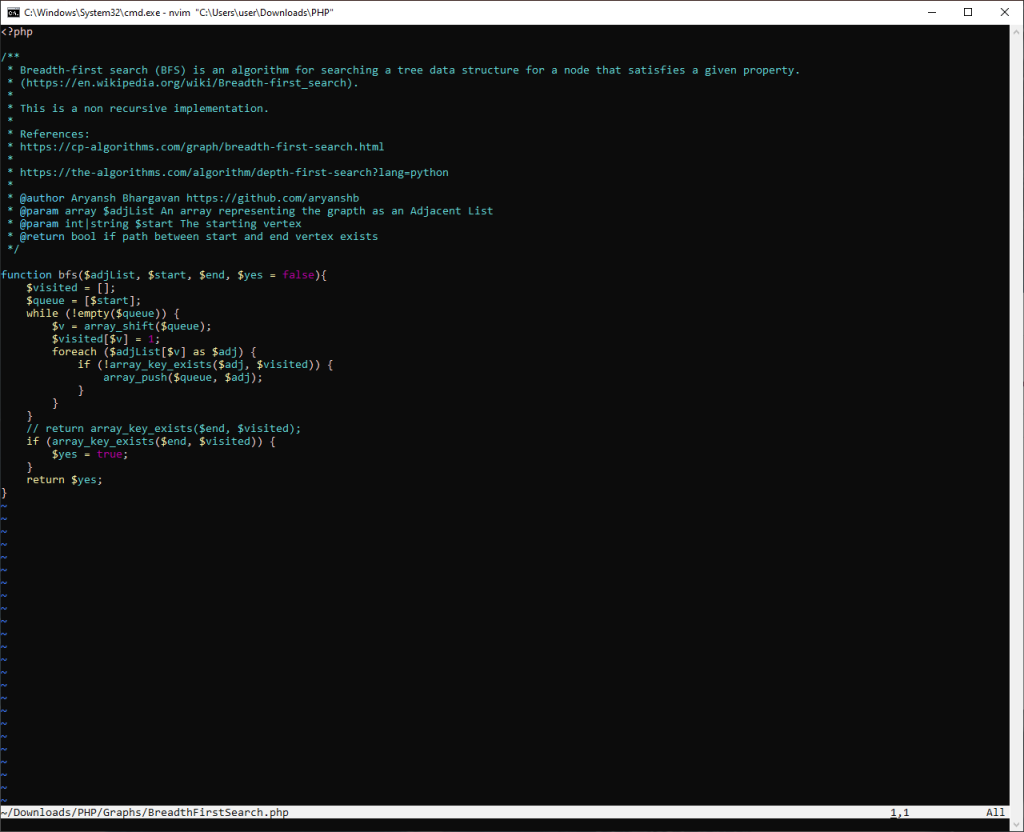
Neovim is a free, open-source text editor designed to be a drop-in replacement for Vim. It is a fork of Vim, which aims to address some of the original editor’s shortcomings and provide a better user experience. It has a modular architecture and a new, more powerful plugin system.
It features a built-in terminal emulator, support for multiple cursors, and a built-in LSP(Language Server Protocol) client. It also has support for asynchronous job control, which allows for faster background tasks such as code completion and syntax checking. Neovim is popular among Vim users looking for more advanced functionalities and better performance.
We would recommend you to use Neovim only if you are working on a machine that does not have a desktop environment as it requires you to have a good understanding of command line interfaces.
Front-End Development Frameworks
React
React is many things – a library, a framework, and more. But at its heart, React is all about making web development faster and easier. It’s a JavaScript-based UI development library commonly used for web development. There are numerous extensions available that can be used for architecture support too, such as Flux. You can use it with libraries like Tamagui to ship cross-platform React apps faster.
Svelte
Svelte is a popular, open-source JavaScript framework for building web applications. It uses a unique approach to building user interfaces by compiling your code at build time rather than using runtime libraries. This allows for faster performance and smaller bundle sizes.
One of the biggest benefits of using Svelte is that it provides a simple and easy-to-learn syntax, making it a great choice for developers new to building web applications. Additionally, it does not require any additional tools like a virtual DOM, making it lightweight and fast; it also uses a reactive programming paradigm. Svelte also provides a powerful set of developer tools, such as a rich set of directives and a built-in animation library, that makes creating complex, interactive user interfaces easy.
Vue.js
Vue.js is another fantastic JavaScript framework popular amongst UI/UX designers. It’s incredibly easy to use, and closely resembles several CSS frameworks. It offers support for JSX declarations, though many prefer using Vue.js outside of JavaScript, thanks to its support for conventional web technologies.
Note: We’re big supporters of Vue.js and use it at RunCloud.
Vue.js makes it easy to collaborate on large projects. It is fast, lightweight, and can be easily integrated with existing tools and libraries making it a popular choice for developers with all skill levels. Vue.js is a great addition to any web developer’s toolkit and it should not be a surprise that we at RunCloud use Vue.js ourselves to build our platform.
Tailwind CSS
Tailwind CSS is a front-end CSS framework designed to help developers create applications. It offers utility classes, allowing developers to control the layout, spacing, typography, shadows, and spacing, all without ever leaving their HTML environment.
Tailwind CSS offers various benefits. For instance, you generally won’t have to write as much CSS since you can style classes using HTML only. This ensures that your CSS files remain small, and you won’t have to worry about things breaking if you make widespread changes to your site.
Bulma
Just like Tailwind CSS, Bulma lets you focus on the HTML, giving you utility classes to work with. Bulma is built using Flexbox, and is highly customizable.
Since it’s CSS only, you won’t need to worry about JavaScript. It’s an open-source, simplistic framework that lets you trim your code and introduce more productivity in your workflow.
Programming Languages
PHP
PHP is a popular scripting language widely used for developing web applications. PHP code can be embedded into HTML code, or it can be used in conjunction with various web template systems, web content management systems, and web frameworks.
PHP code is usually processed by a PHP interpreter implemented as a module in the web server or as a Common Gateway Interface (CGI) executable.
The web server combines the results of the interpreted and executed PHP code, which may be any type of data (e.g., Images, XML), with the generated web page.
PHP has been widely ported, and can be deployed on most web servers on almost every operating system and platform, free of charge.
Python
Python is an incredibly popular programming language that uses dynamic semantics. Python has been around for 30 years and continues to be one of the most popular programming languages in the world because it is powerful yet easy to learn and use.
It is also versatile enough to be used in various applications such as web development, scientific computing, data analysis, artificial intelligence, and more.
Elixir
Elixir is a modern functional language that provides an excellent toolkit for building scalable, reliable applications. Elixir runs on the BEAM virtual machine, the same virtual machine that Erlang uses.
Elixir is also a very productive language. That’s because it was designed with developer productivity in mind. For example, Elixir has excellent support for metaprogramming. Metaprogramming is a way of writing code that generates code.
TypeScript
TypeScript is a typed superset of JavaScript that compiles to plain JavaScript. It introduces support for common programming constructs such as classes and modules, and an optional type system that can help catch errors at compile time.
Since TypeScript is not a stand alone programming language, it can not be used directly in the browsers – we need to transpile TypeScript code to JavaScript before it can be executed in a browser. One great thing about this is that it will not impact the bundle size of the final Javascript code as all the extra TypeScript code is removed during the compilation.
Ruby
Ruby is a programming language created in the mid-1990s by Japanese programmer Yukihiro Matsumoto. It is based on Perl, Smalltalk, Eiffel, and Ada. It is an interpreted, high-level, general-purpose programming language.
Since its release more than 27 years ago, Ruby has undergone many iterations, and is widely renowned for being highly productive and simple to use. It treats even conventional data types as objects, making it highly versatile and portable.
Rust
Rust is a modern, open-source programming language, and it was crowned as the most-loved programming language in 2022. It is designed to be safe, concurrent, and fast. One of the biggest benefits of using Rust is its emphasis on safety, which helps to prevent common programming errors such as null or dangling pointer references. It offers a strong concurrency model based on message passing, which makes it easy to write concurrent and parallel code that is both efficient and performant for web services.
Rust is also designed to be highly expressive and readable, with a low learning curve. It is suitable for various applications, including systems programming, web assembly, game development, blockchain, and embedded systems. If this sounds interesting, the Android team at Google has created a Rust course that provides you with the material to quickly learn Rust.
Back-end Development Tools
Django
Django is a Python-based web framework that enables you to quickly create efficient web applications. Django was created to meet the fast-moving requirements of newsroom websites. It has since evolved into a powerful tool capable of powering some of the largest websites in the world.
The format is fairly straightforward, and if you’re used to creating server-side web apps using Python, Django will be a great choice. It works quite well with other languages, such as JavaScript.
NodeJS
NodeJS is a JavaScript runtime environment that allows software developers to create server-side applications. In layman’s terms, this means that NodeJS can be used to create applications that can be accessed via a web browser.
NodeJS is popular because it is relatively easy to learn and can be used to create fast and scalable applications.
Ruby on Rails
Ruby on Rails is a web application framework in the Ruby programming language. It is designed to make developing web applications easier by abstracting away much of the boilerplate code that is often required.
Ruby on Rails is commonly used as a server-side scripting language on many websites. It’s a popular choice for websites that rely on third-party services and integrations, such as cloud file storage.
Deno
Deno is a JavaScript runtime built with Rust programming language, and is an alternative to Node.js. It has built-in support for TypeScript, a powerful type system for JavaScript, and built-in libraries for HTTP and WebSocket. Deno is also more secure by default because it doesn’t require a package manager, which can introduce vulnerabilities.
Additionally, Deno’s standard library is considered more extensive and better designed than Node.js, making it easier to build complex web applications. It also is designed to run with a minimalistic setup, with no need for config files; it also has built-in test runners, formatting, and linting. All of these features make Deno a useful tool for web development.
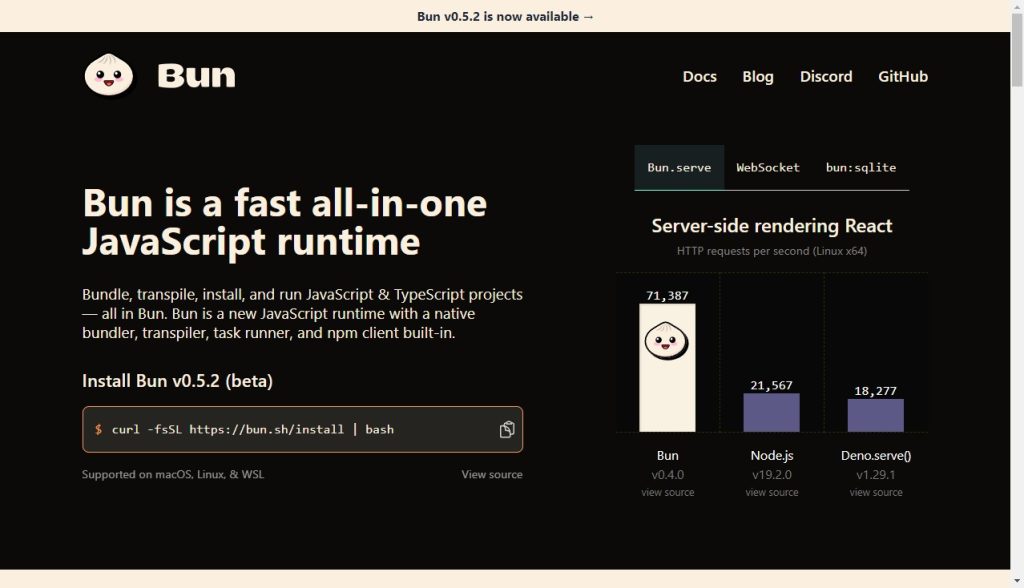
Bun
Bun is a modern JavaScript runtime, like Node or Deno, that aims to bring performance and complexity enhancements to web development, with an emphasis on starting fast, high performance, and being a great tool. It is built on the JavaScriptCore engine and written in Rust, which gives it a performance boost and low-level control over memory.
Bun has built-in support for TypeScript, JSX, and npm package manager, and it was designed as a drop-in replacement for existing JavaScript/TypeScript projects, with the aim of running most JavaScript code outside of browsers; it natively implements hundreds of Node.js and web APIs, including fs, path, Buffer and more.
Databases
MySQL
MySQL is a database management system (DBMS) that runs as a server providing multi-user access to various databases. It is an open-source project that is available under the GPL license and is developed, distributed, and supported by Oracle Corporation.
MySQL has become a leading database choice for web applications used by high-traffic websites. Wikipedia, Facebook, Twitter, and YouTube all use MySQL.
MongoDB
MongoDB is a document database. It stores data in JSON-like format making it easy for JavaScript developers to use. Moreover, it has an index on every field in a collection which makes data retrieval quick and easy. The use of dynamic schemas makes data integration in MongoDB quite simple.
PostgreSQL
PostgreSQL is a powerful, free, and open-source relational database management system. It has more than 15 years of active development and a proven architecture that has earned it a strong reputation for reliability, data integrity, and correctness.
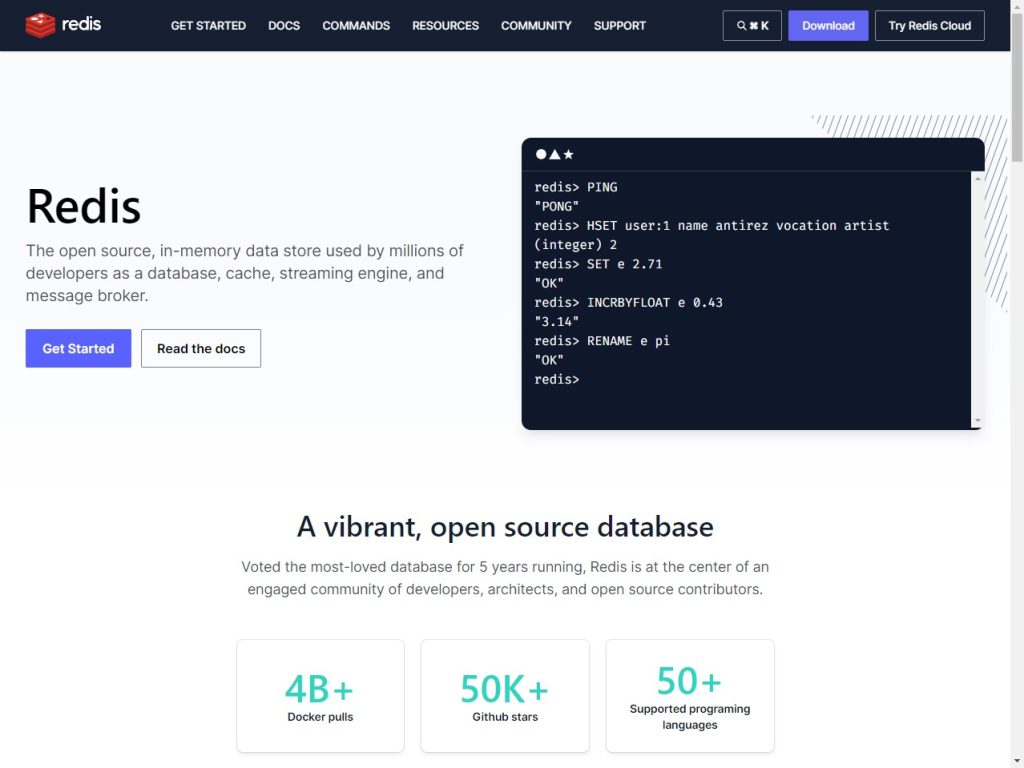
Redis
Redis is an open-source, in-memory data structure store that can be used as a database, cache, and message broker. It supports various data structures and has built-in support for replication and partitioning, making it a powerful tool for building highly available and scalable systems.
Redis is known for its speed, as it stores all data in memory, and it has the option for persistence on disk to avoid data loss. It supports Lua scripting for atomic operations on the data, making it popularly used in caching, real-time analytics, and leaderboards, session storage, full-text search, and autocomplete.
Libraries
Partytown
Partytown is a library that aims to speed up websites by relocating resource-intensive scripts, such as analytics and ads, into a web worker. By moving these third-party scripts off of the main thread, Partytown frees up resources for the primary web app execution and improves overall performance.
Partytown allows developers to sandbox third-party scripts, isolate long-running tasks, reduce layout thrashing, and throttle scripts’ access to the main thread. This means that web developers can continue to use third-party scripts without experiencing a significant performance hit. Partytown is currently in beta and is maintained by Builder.io.
D3.js
D3.js is a JavaScript library for creating data-driven documents, which means it’s used for manipulating and displaying data on a web page using HTML, CSS, and SVG. It’s designed to work seamlessly with web standards and doesn’t rely on any specific framework or library. Therefore, it doesn’t need specific libraries to be relocated in a web worker to improve performance.
D3.js is a very powerful and flexible library that can be used to create a wide range of visualizations, and provides a powerful API that makes it possible to create complex visualizations with just a few lines of code.
Day.js
Day.js is a lightweight JavaScript date library that provides a simple and modern API for manipulating dates. It’s designed to be fast and easy to use, and it offers a similar API to Moment.js, a more popular but heavier library. It does not require specific libraries to be relocated in web workers for performance improvements. By default, it uses the native Date object, and it’s very lightweight.
Lodash
Lodash is a JavaScript utility library that provides a wide range of functions for manipulating and manipulating objects, arrays, and strings. It’s designed to be lightweight, fast, and easy to use, and it provides a lot of functionality that’s not available in the JavaScript standard library. This allows developers to streamline their workflows and simplify math operations and other programming tasks.
Bootstrap
Bootstrap is a free and open-source front-end web framework for designing websites and web applications. It contains HTML and CSS-based design templates for typography, forms, buttons, navigation, and other interface components, as well as optional JavaScript extensions.
Bootstrap is the most popular HTML, CSS, and JavaScript framework for developing responsive, mobile-first websites.
Material-UI
For those who don’t know, Material-UI is designed in line with Google’s design language – Material Design. It’s a popular component library that you can import in React, and use the HTML tags to customize your site.
Material-UI also includes a selection of themes, both paid and free, so there are plenty of design choices available too. If your primary development is for websites or apps that follow the Material Design philosophy, this might be a great component library for you to check out.
CSS Processor
SASS
SASS (Syntactically Awesome Style Sheets) is a powerful style sheet language that enables you to write cleaner, more maintainable CSS code. It’s incredibly popular amongst front-end developers.
SASS is written in Ruby, and was first launched in 2006. Since then, it has amassed a vibrant, active community of developers, with detailed guides and resources available for those who’re interested in learning it.
LESS
LESS (Leaner Style Sheets) is a CSS preprocessor that allows you to write cleaner and more manageable code. It can run on both the client or server side.
In general, LESS is just a language extension for CSS, including a few more features, such as mixins, variable substitutions, operations, and combining functions.
Stylus
Stylus is a dynamic stylesheet preprocessor language that’s compiled in Cascading Style Sheets (CSS). The design of Stylus was heavily influenced by LESS and SASS.
Stylus launched in 2010, and was created for the Node.js ecosystem. While it’s a popular choice for Node.js developers, it doesn’t command the same share as LESS or SASS.
Package Managers and Task Runners
Grunt
Grunt is a task runner that helps you automate your workflow. It’s versatile and easy to use, making it a popular choice for web developers. Grunt can help you with several things, such as minifying code, compiling CoffeeScript files, and linting code.
npm
npm is a popular package manager that’s used with JavaScript. It’s the default package manager for Node.js, and includes a CLI, an online registry of packages.
It is free to use and widely considered as the largest software registry in the world, with open-source developers using it to share software.
Bower
Bower is a package manager for the web. It lets you install and manage front-end dependencies for your projects.
In order for Bower to work, you will need to first install Node.js, npm, and Git. It’s a command-line utility that’s fully optimized for the front-end.
Bower helps simplify workflows by finding and installing packages from the web, downloading and saving them in a manifest file.
Site Speed Tester
Chrome Developer Tools
Google Chrome Developer Tools are a set of web development tools built into the Google Chrome browser. They allow you to examine, edit, and debug web pages on the fly.
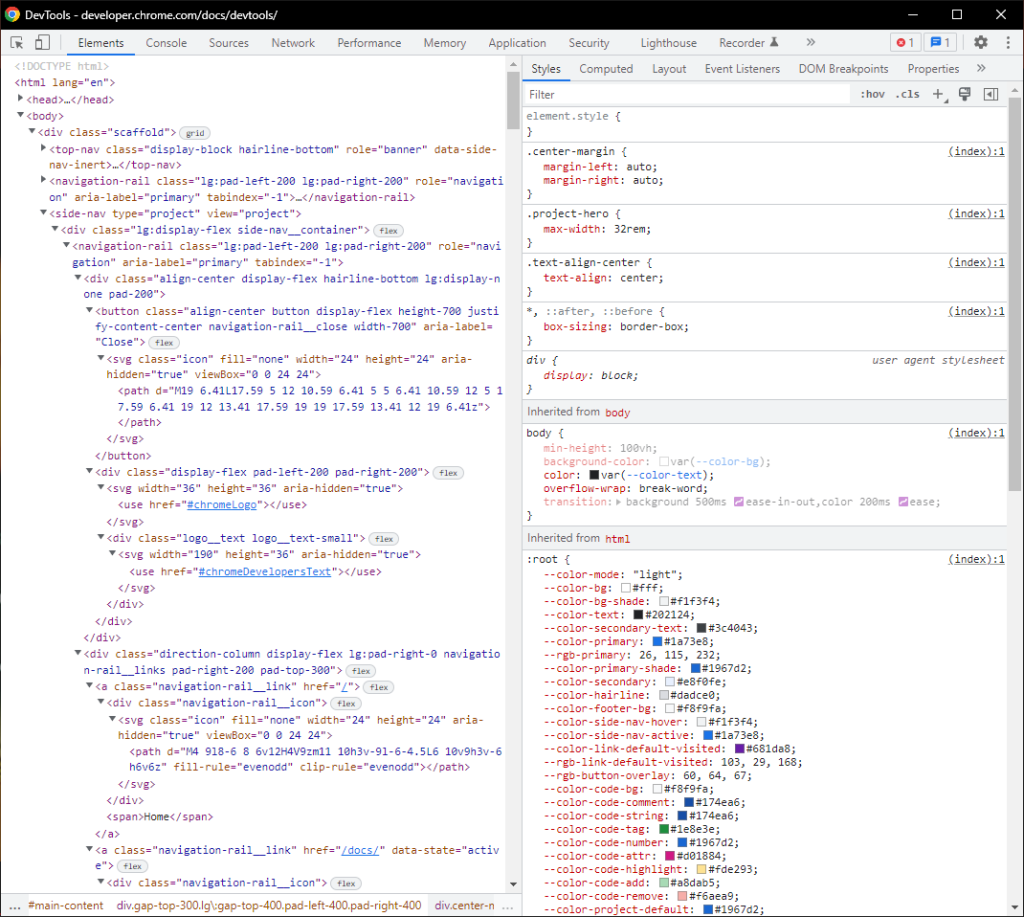
You can use Chrome DevTools for basic web development tasks such as debugging errors and inspecting page elements. You can open the developer tools menu by pressing F12 key on your keyboard, right clicking a page and selecting “inspect” or using the keyboard shortcut Ctrl+Shift+i.
Google PageSpeed Insights
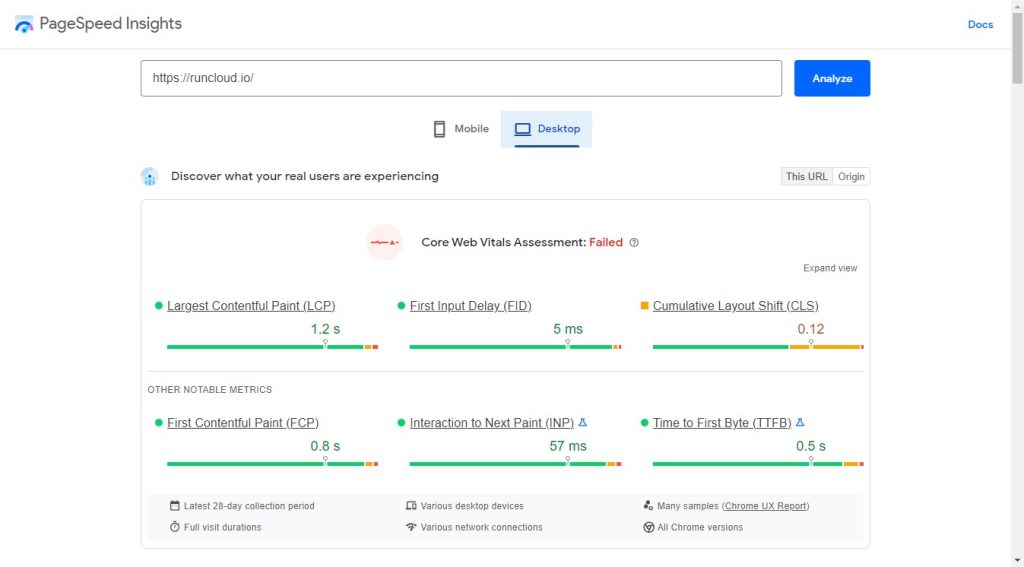
Google PageSpeed Insights is a tool that helps you measure the performance of your website and identify opportunities to improve it. It measures page load time, compression, images, and other factors that affect page speed.
Pingdom
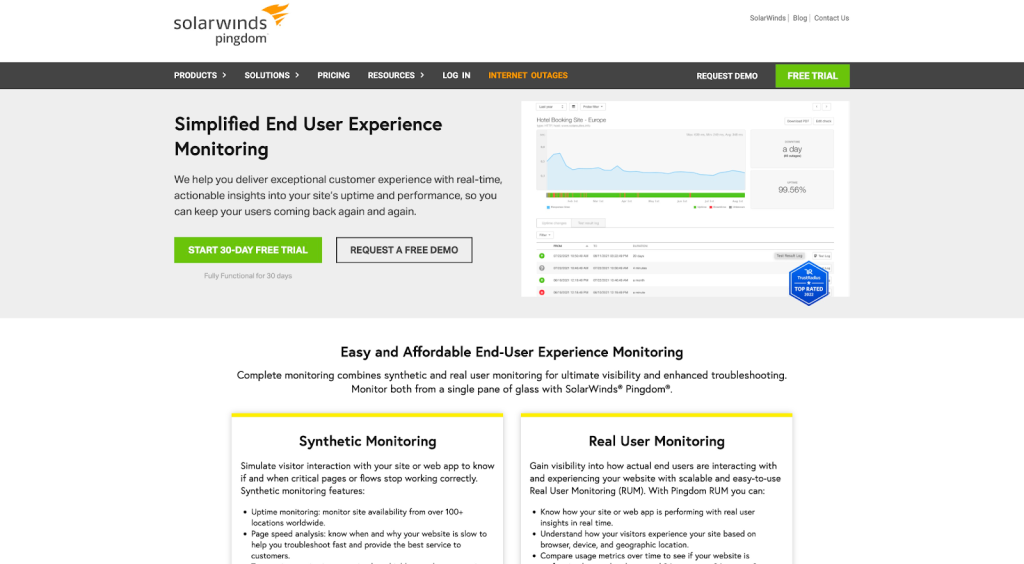
Pingdom is a website monitoring service that watches your website’s uptime and performance. They’ll send you an email or SMS notification if something goes wrong, so you can fix it before your customers start to complain.
Pingdom offers automated website status checking using a global network of data centers. It checks if your website is down and instantly sends a notification. Thanks to its massive network, it can check the status of a website from more than 100 locations every minute!
Git Services and Clients
GitHub
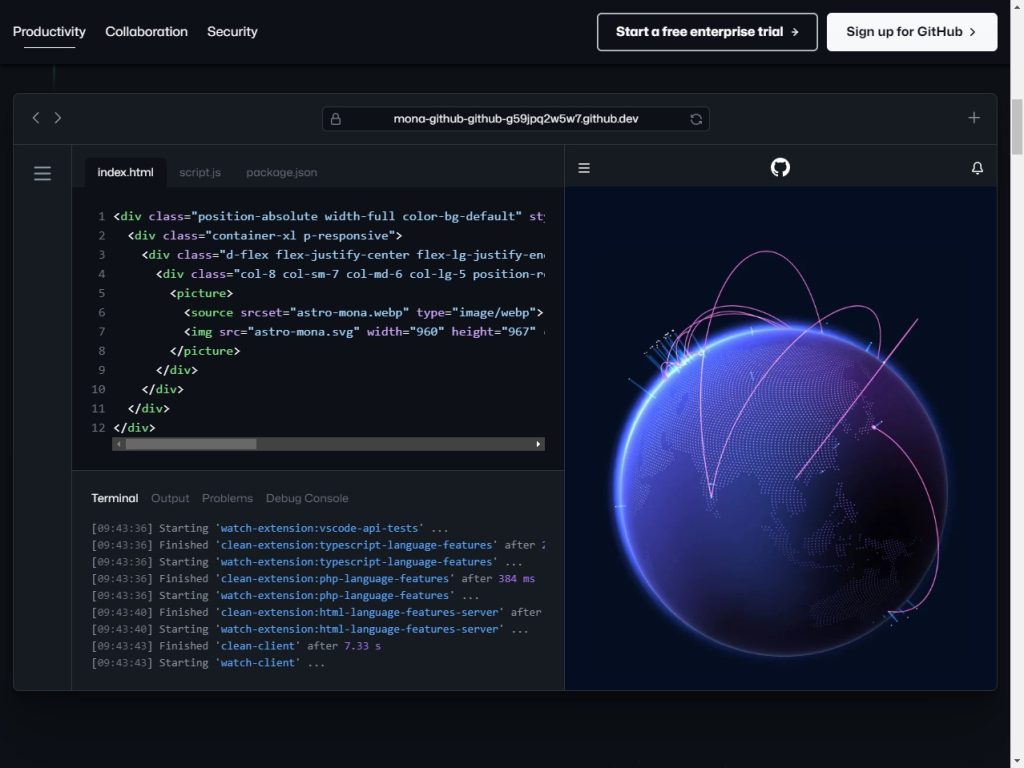
GitHub is a web-based hosting service for software development projects that use the Git revision control system. GitHub also provides access to a social networking site for developers.
GitHub Client is a desktop application for Windows, Mac, and Linux desktops that allows you to manage your repositories, collaborate on code with others and install things like Git from the command line.
GitLab
GitLab is a web-based Git repository manager with issue tracking and code review features. It is similar to GitHub, Bitbucket, and VSTS, but GitLab offers a few features that are unique to it, such as allowing for greater collaboration between team members.
Note: We’re big supporters of GitLab and use it at RunCloud.
GitLab is open-source, offering a collaborative environment for DevOps teams to work on different projects. It was first launched in 2014 and has since become an incredibly popular alternative to GitHub.
While it’s available for free, you will have to consider upgrading to a subscription service to access all of GitLab’s features.
JetBrains Space
JetBrains Space is a comprehensive software development platform that integrates with JetBrains IDEs, making it easy for software teams to build, deliver, and manage their projects. It features tools for Git hosting, code review, CI/CD pipelines, package management, and cloud development environments, among others.
It also includes a range of team collaboration tools, such as document storage, issue tracking, and chat functionality. It is designed to minimize distractions and allow developers to work remotely, making it a great solution for software development teams. It can store artifacts in package repositories, extend and customize via APIs, connect to external services, automate workflows using webhooks, integrate with JetBrains IDEs, and more.
Sourcetree
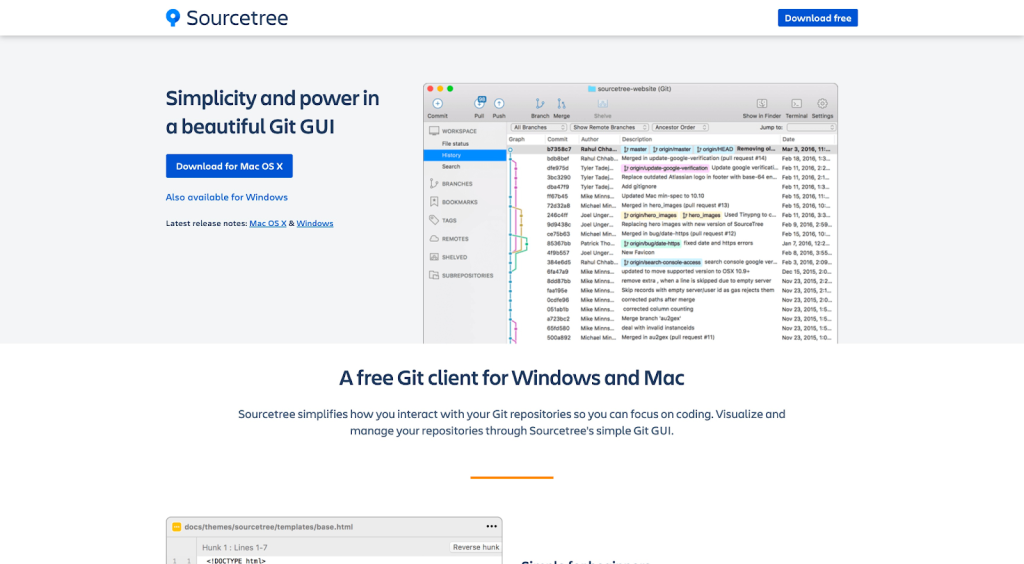
Sourcetree is a popular Git management tool that makes working with source code files much easier. It helps developers get a visual representation of their repositories, making it easier for them to sift through data.
Sourcetree is popular since it offers a GUI, allowing developers to manage their repositories more effectively. You can see information on branches or commits with just a click, and you can even review specific changesets, stashes, and even clone remote repositories.
Collaboration Tools
Slack
Slack is a communication tool used by software developers and other professionals that allows for real-time messaging, file sharing, and more. Its popularity comes from its ease of use and the numerous integrations it has with other apps.
Slack makes it easy for remote teams to collaborate through a centralized platform, allowing them to connect their work apps, create dedicated channels for each project or topic, and communicate through an accessible, streamlined messaging platform that’s also incredibly secure.
Trello
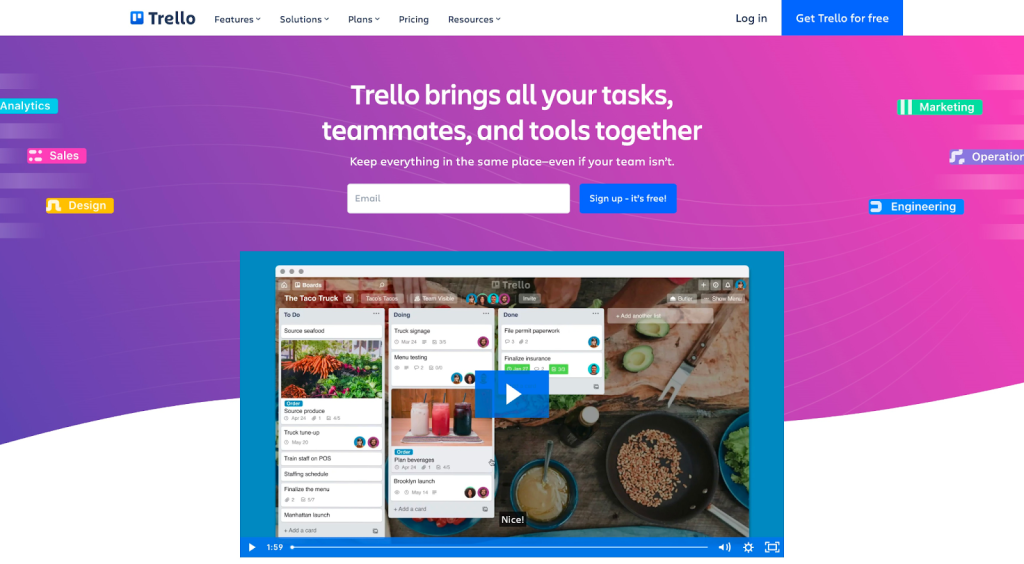
Trello is a project management system that helps you organize your to-dos, projects, and ideas. It’s simple to use, yet very powerful. Trello can be used for both personal and team projects.
You can create boards, lists, and cards, and add members to your boards. Boards can be shared with others or kept private. Cards can be assigned to specific members and dated. You can also add files, links, notes, and due dates to cards.
Web Servers
Apache
Apache is a web server software that enables websites to be hosted on a single computer. It’s the most popular web server in the world and is used by millions of websites. In addition to its popularity as a web server, Apache also has a wide range of other features that make it an attractive choice for developers.
NGINX
NGINX is a web server used by many high-traffic websites such as WordPress, Dropbox, and GitHub. It is known for its stability, flexibility, and performance. NGINX excels at serving static files and can handle large loads of traffic very easily.
Caddy
Caddy is a web server that you can use to host your websites. It’s different from other web servers because it is designed to be easy to use and configure. What makes Caddy really stand out is its built-in support for automation and security features such as HTTPS and SSL certification.
Serverless Platforms
AWS Amplify
AWS Amplify is a set of tools and services for building scalable mobile and web applications. It includes libraries for building user interfaces, back-end services, and authentication. It can be used along with App Composer, a visual application builder that allows developers to build web applications with little or no coding.
Together, these two can create and manage the back-end services needed by the application, such as authentication, storage, and APIs. By using Amplify and App Composer together, developers can quickly and easily build and deploy web applications that are scalable and secure.
Firebase
Firebase is a mobile and web development platform developed by Google. It provides a set of tools and services for building, deploying, and scaling applications. It offers features like real-time databases, authentication, hosting, cloud functions, and more.
It can be used along with Rowy to have more control over the back-end services and also be able to add more features that Firebase doesn’t provide. Rowy enables developers to create, manage and scale their back-end services with no-code or low-code. It uses a visual interface that can be used to interact with databases, authentication services, and more.
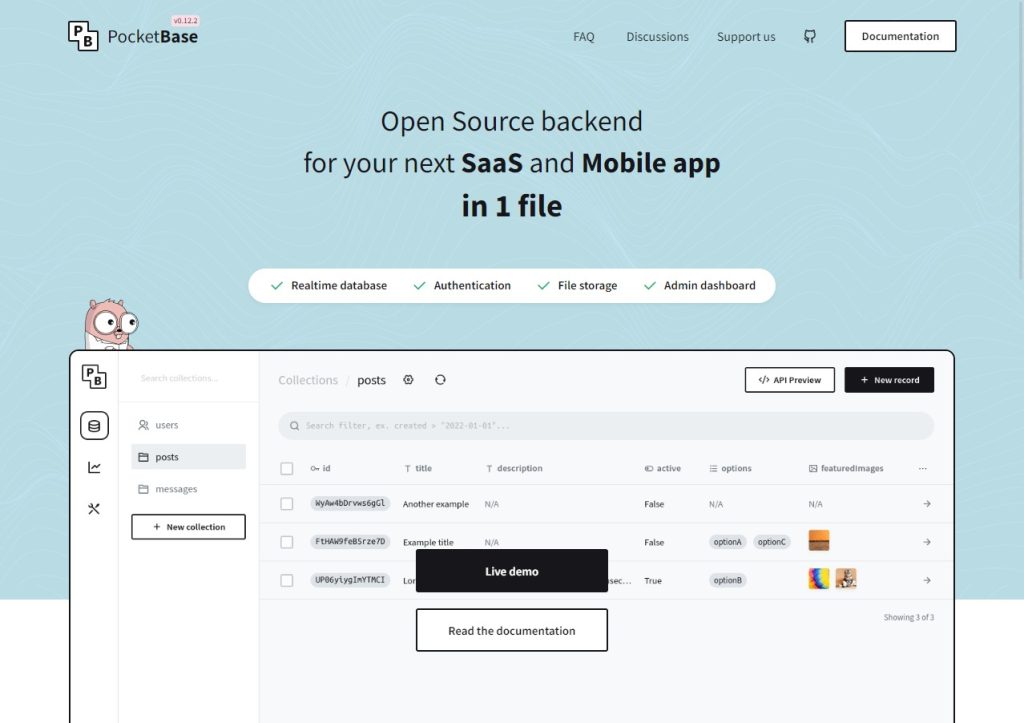
Pocketbase
PocketBase is a platform that allows developers to create and manage a back-end for their mobile and web applications with no-code or low-code. It offers features such as database management, user authentication, and data storage.
By using PocketBase, developers can easily create and manage their back-end services, and focus on building the front-end of their applications. It is a platform that provides an easy and simple way to handle the back-end infrastructure without having to write any back-end code, and that can speed up the development process and make it easy for even non-technical people to build and manage their app’s back-end.
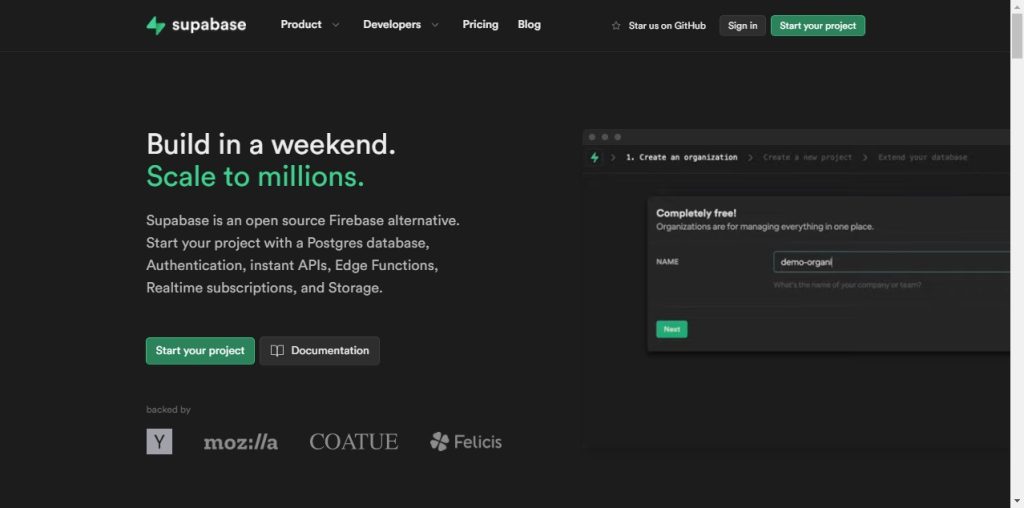
Supabase
Supabase is an open-source Firebase alternative, providing real-time databases, authentication, and hosting through a simple API. It allows developers to build web and mobile apps using the technology they are already familiar with, such as PostgreSQL and GraphQL.
With Supabase, you can create, manage and scale your back-end services with ease. It provides a simple and seamless integration with the web/mobile application allowing for easy access to the back-end services, with a user-friendly console for management and maintenance.
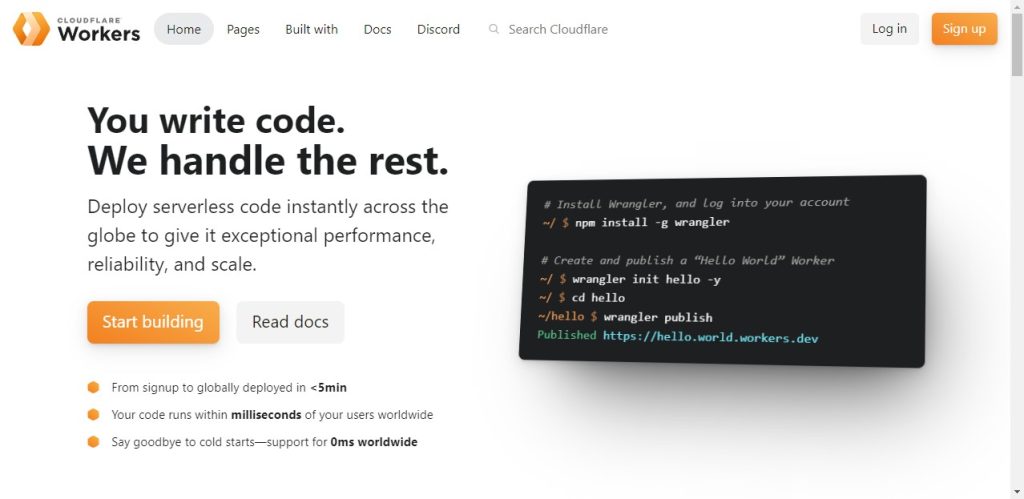
Cloudflare Workers
Cloudflare Workers is a platform that allows developers to write and run JavaScript code on Cloudflare’s edge network, allowing for the creation of serverless functions and edge logic. These scripts can be used to manipulate incoming and outgoing HTTP requests, perform caching, and more.
It can build, deploy and run code without provisioning or managing servers; it also allows for low-latency and high-performance computing at the edge of Cloudflare’s global network. It also provides a platform for creating and deploying custom logic on a global scale, which can be used to handle everything from serverless functions to route-based logic.
Captcha
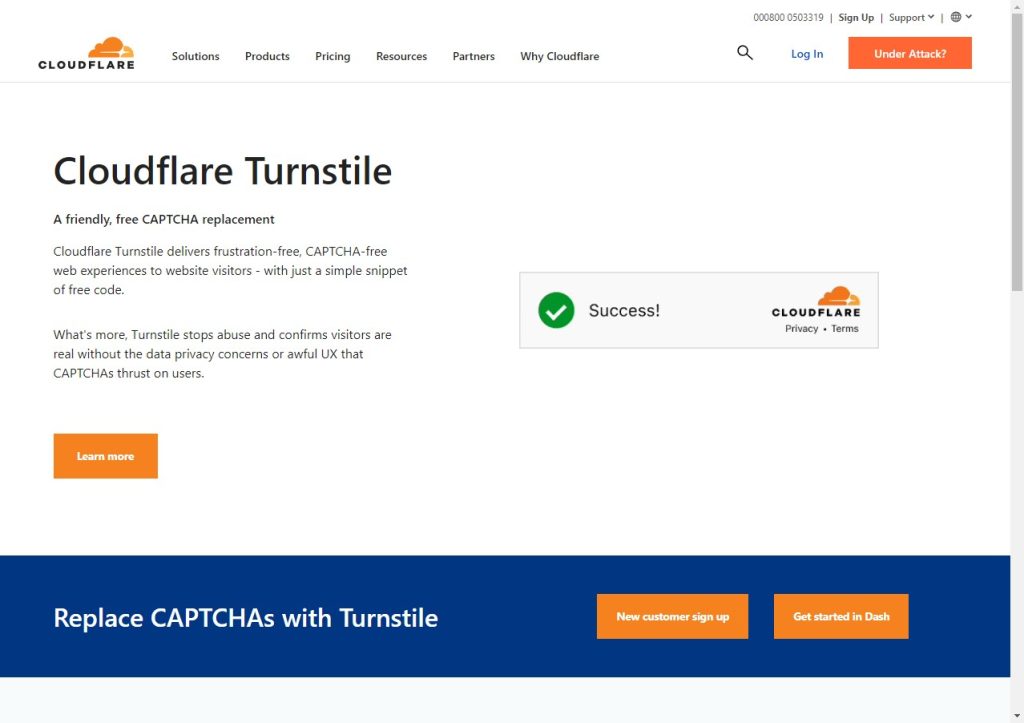
Cloudflare Turnstile
Cloudflare Turnstile is an alternative to traditional CAPTCHA that provides a more user-friendly and privacy-respectful way to verify users.
You can simply call an API and replace CAPTCHA on your sites. The aim of Turnstile is to choose non-intrusive browser challenges based on client behavior and telemetry, replacing the traditional frustrating CAPTCHA system, which was created with a poor UX. And also to minimize data collection and ask other third parties like device manufacturers, who already have the data that would help validate a device.
API testing
Httpie
HTTPie is a command line HTTP client for interacting with web services. It is designed to be easy to use and intuitive, allowing developers to easily make HTTP requests and see the responses.
It supports various features like JSON, forms, and authentication, making it a versatile tool for testing and interacting with APIs.
It also provides an AI-assisted feature that can process requests in natural languages, similar to typing a search query in a browser’s address bar. One could tell HTTPie to “fetch repo details of httpie/desktop”, and even use a different language like Spanish.
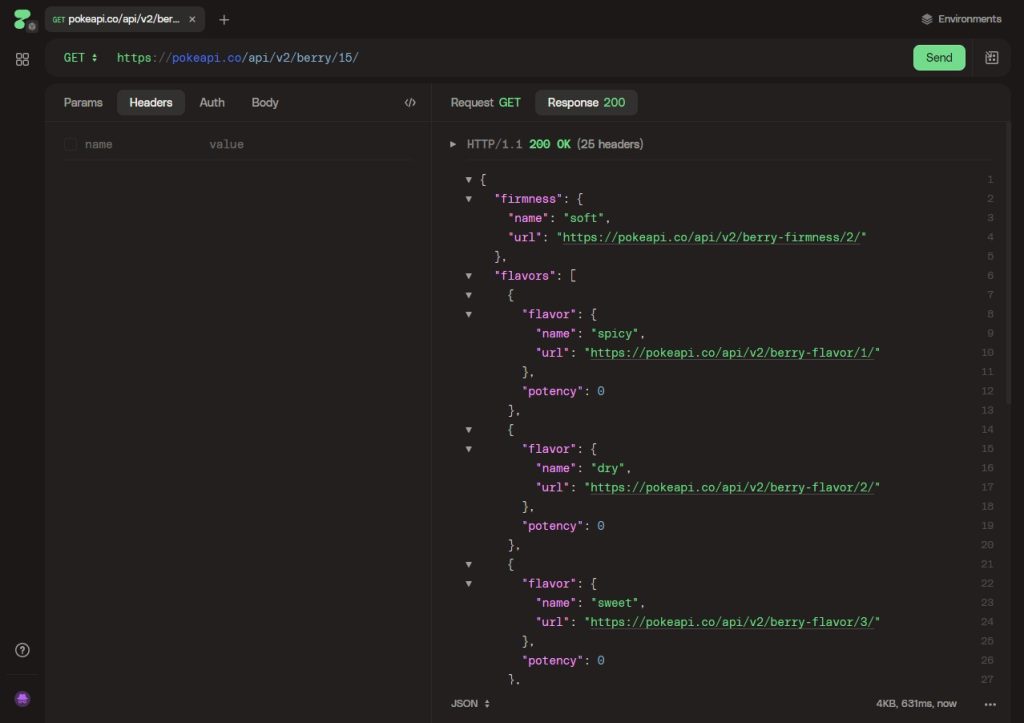
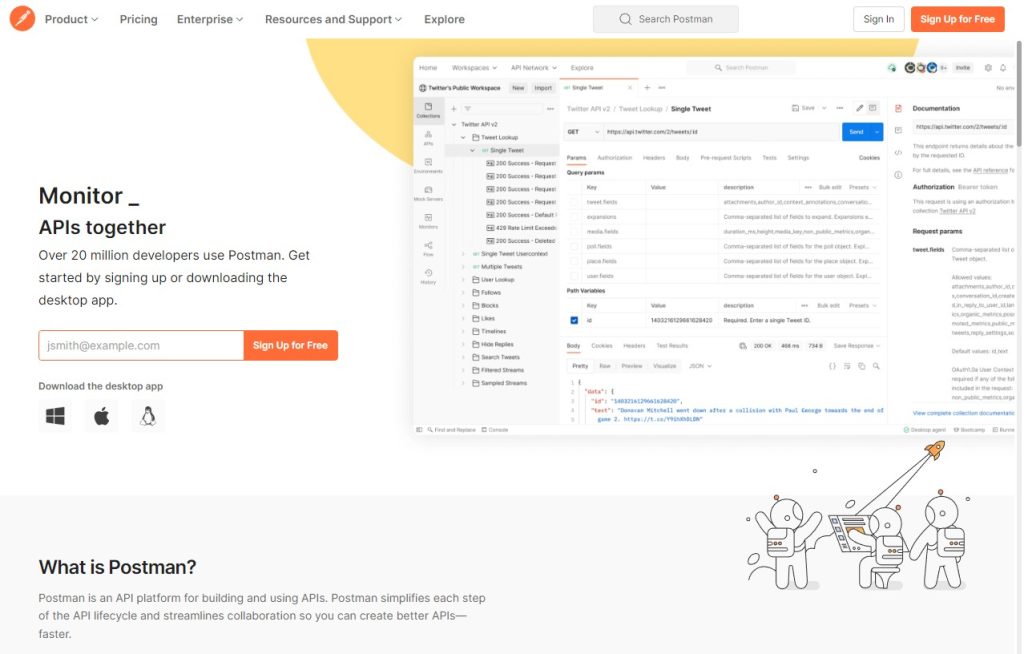
Postman
Postman is a popular tool for API development, which allows developers to test and interact with web services using various request methods like GET, POST, PUT, DELETE, and more. It provides a user-friendly interface for creating and sending requests, with support for various authentication methods and the ability to save and organize collections of requests.
It also supports a wide range of data formats such as JSON, XML, and more, and can also automatically generate code snippets in multiple programming languages that can be used to replicate the requests in an application. It speeds up the testing and debugging process.
Insomnia
Insomnia is a cross-platform REST client available for Windows, Mac, and Linux. It allows developers to make and test HTTP requests, as well as save and organize them for later use. One of its main features is the ability to create requests using a user-friendly interface rather than manually typing in the request details.
It allows you to test and debug APIs. It also supports request templating, environment variables, and importing and exporting the requests.
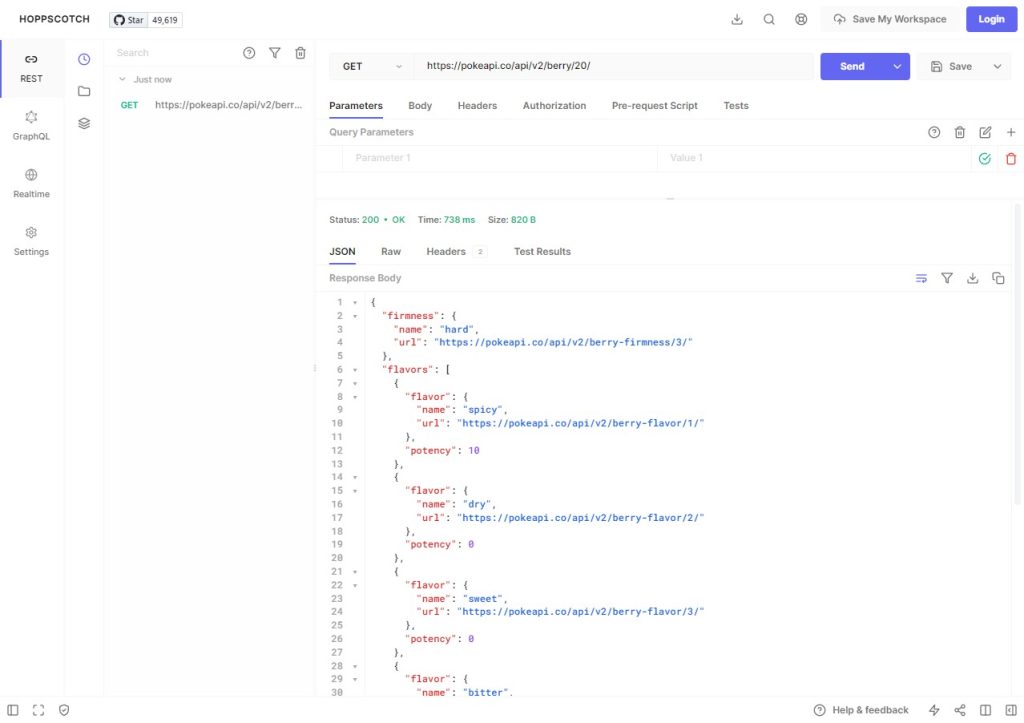
Hoppscotch
Hoppscotch is a web-based API testing and development tool that allows developers to easily make and test HTTP requests and view the responses they receive. It has a user-friendly interface that helps developers quickly create and test requests without having to manually type in the details.
It also allows users to save, organize and share requests. Hoppscotch support multiple authentication methods and also allows to define variables and environment. You can also use Hoppscotch to test RESTful and GraphQL APIs, and it also provides request history; you can check your previous requests too.
Traffic capture and analysis
Burp Suite
Burp Suite is a powerful web application security testing tool that allows developers to perform various tasks related to web security, such as penetration testing, vulnerability scanning, and web application testing.
It can be used to intercept, inspect and modify HTTP/HTTPS requests and responses between a web application and a browser. This allows developers to identify and fix security issues, such as SQL injection, cross-site scripting, and other vulnerabilities. It also automates the testing process and integrates with other security tools. Additionally, it can be used to perform manual testing and assess the security of web applications.
Wireshark
Wireshark is a network protocol analyzer that can be used to inspect network traffic and troubleshoot issues in web development. It allows developers to view the low-level details of network communication, such as the headers and payloads of packets, and can help them understand how their web applications are interacting with the network.
Wireshark can also be used to identify issues such as bottlenecks, security vulnerabilities, and compatibility problems. Hence, it is a powerful tool that can be used to optimize the performance and security of web applications.
JSON Viewer
After you get the results from the API, you need to visualize them.
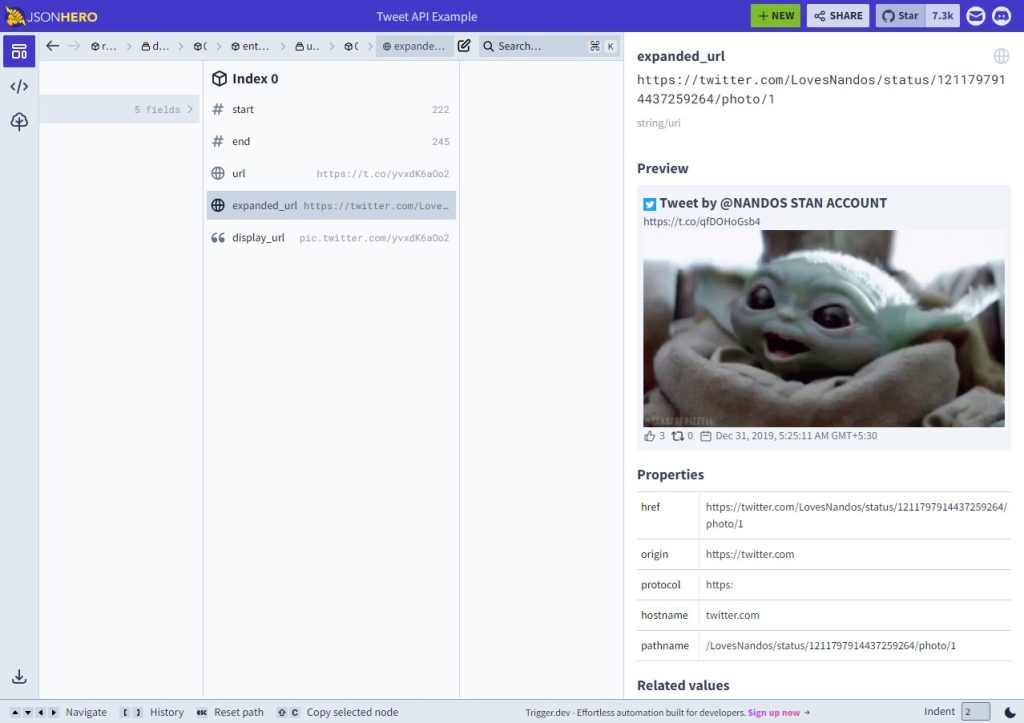
JSON Hero
JSON Hero is a tool that helps developers work with JSON data. It allows developers to view and edit JSON data in a more user-friendly format, making it easier to understand and work with. JSON Hero also provides features such as JSON validation, syntax highlighting, and conversion to/from other data formats such as XML and CSV.
It can also allow developers to merge, diff, and format JSON data, which allows them to manage and manipulate JSON files quickly and effectively. JSON Hero can be very helpful when working on web development projects that involve a lot of JSON data.
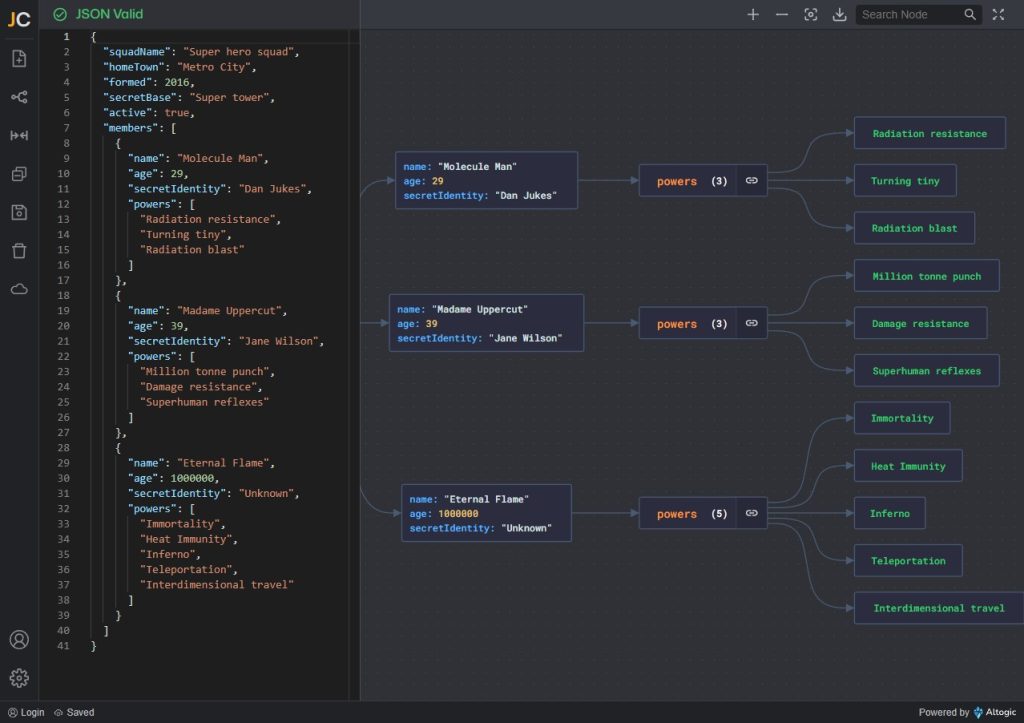
JSON CRACK
JSON Crack is a tool for analyzing and visualizing JSON data. It allows users to easily load and explore their JSON data, and provides features such as search, download, live editing, and validation to make working with JSON data more efficient.
The tool also allows users to embed the JSON Crack app into their website using an iframe, and use it to view and analyze JSON data directly on the website. JSON Crack is an open-source project and actively encourages contributions from the community.
Image optimization
Squoosh
Squoosh is a web-based image compression tool that allows developers to optimize images for web use by compressing them to reduce their file size without degrading the quality of the image.
This can improve the performance of a website by reducing the time it takes for images to load. It supports a wide range of image formats and includes various compression options, making it a versatile tool for web developers to use in their workflow.
ShortPixel
ShortPixel is an image optimization plugin and API service that can be integrated into a web development workflow to automatically optimize images as they are uploaded to a website. This helps reduce the file size of images without significantly degrading their quality, improving the website’s performance by decreasing load times.
ShortPixel supports a wide range of image formats and can optimize images in bulk, making it a convenient tool for developers to improve website performance.
Documentation and references
MDN Web Docs
MDN Web Docs is a comprehensive resource for web developers, providing documentation and guides on web technologies such as HTML, CSS, JavaScript, and web APIs. It serves as a reference for developers to look up information on specific web technologies, as well as a learning resource for those new to web development.
It provides in-depth explanations of how different technologies work, along with interactive examples and code snippets to help developers understand and implement them in their projects. It is the go-to place for the developer community for web standards and best practices.
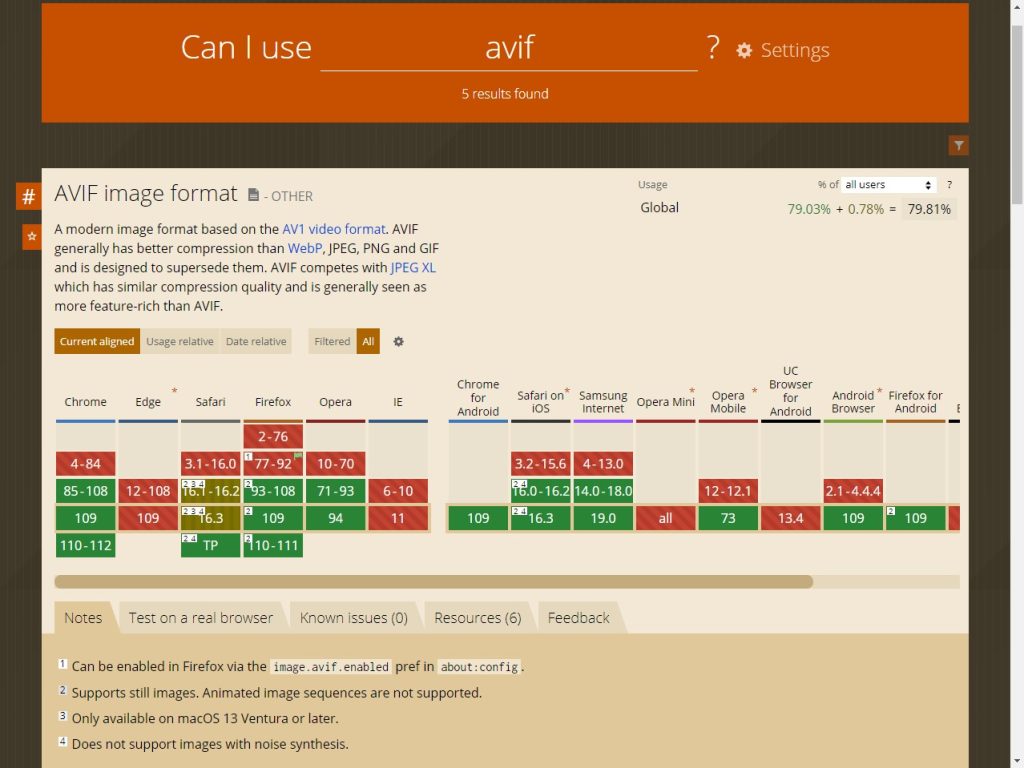
caniuse
caniuse is a web-based tool that provides information on browser support for different web technologies such as HTML, CSS, and JavaScript. It allows developers to check which features are supported in which browsers, including specific versions.
This helps developers to make sure that their website or web application works correctly across different web browsers and devices. It is widely used by web developers to check what features they can use safely, and what to do for users who have to use older browsers or different devices.
Coding assistant
GitHub Copilot
GitHub Copilot is an AI-powered code completion tool that is integrated into GitHub, which can help developers write code faster and with fewer errors. It provides context-aware suggestions for code completion, and can also recommend changes to code in real-time as it is being written.
It helps developers to focus on the problem they are trying to solve rather than getting bogged down in the details of code syntax, making it an efficient tool for writing, editing, and understanding code. Additionally, it also can provide explanations of code and suggestions for refactoring and performance improvements, making it a valuable tool for web developers.
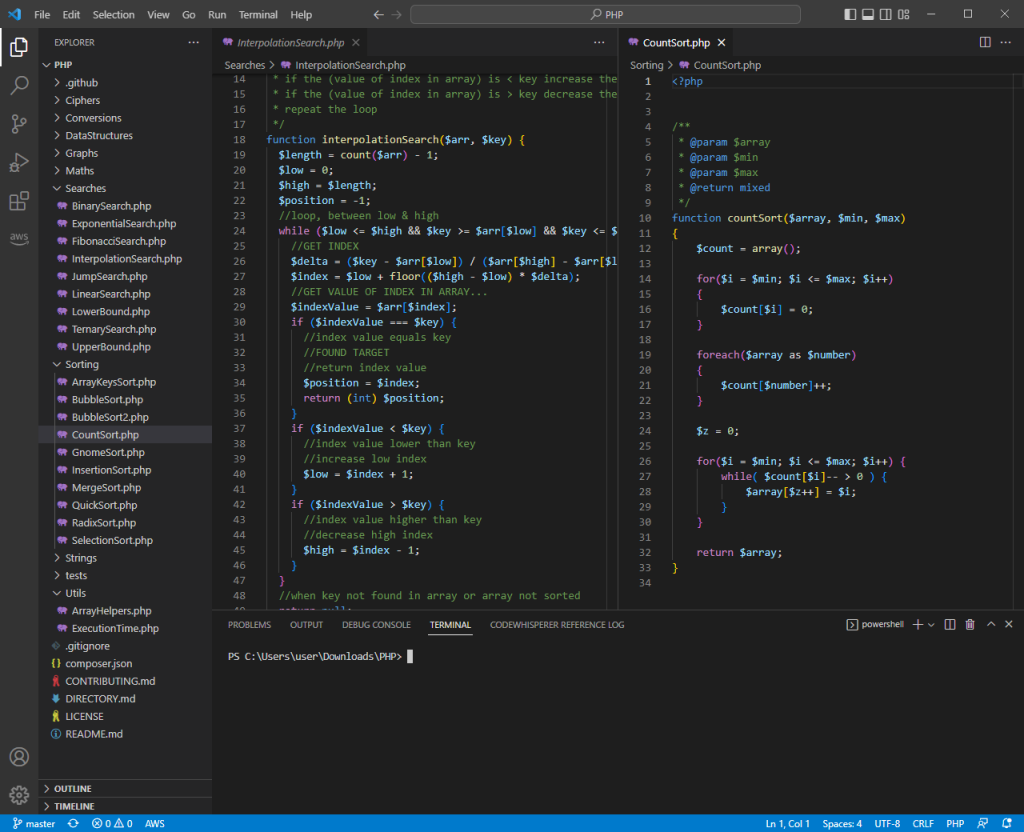
AWS Code Whisperer
AWS Code Whisperer is an AI-powered tool developed by Amazon, which can be used to automatically improve the security, performance, and maintainability of code. It does this by using machine learning models to analyze code and provide developers with suggestions for how to improve it.
For example, it can scan for vulnerabilities and recommend fixes, find performance bottlenecks and recommend improvements, and suggest code refactorings to make it more maintainable.
It integrates with developers’ IDEs, code repos, and build systems; it can also analyze the code as it is written and provide real-time feedback to developers. It can be used with multiple programming languages and it’s integrated with other AWS services like AWS CodeCommit, AWS CodeBuild, AWS CodeDeploy, and more.
Tabnine
Tabnine is an AI code assistant that can help with web development by providing suggestions and auto-completing code. It can also assist with debugging and refactoring.
By using machine learning techniques, it can learn from a developer’s coding style and improve its suggestions over time. It can also save developers time by quickly generating boilerplate or repetitive code. Additionally, it can also assist with identifying and fixing errors, allowing developers to focus on more complex tasks.
Server Management
RunCloud
RunCloud is an incredibly useful tool for web developers as it allows them to quickly and easily deploy, manage and monitor their web applications. It provides a comprehensive suite of tools that make it easy to manage servers, databases, storage, and other infrastructure components.
It offers various features such as automated backups, application monitoring, and more. Web developers can use it to streamline their workflow and ensure their applications are secure and running efficiently, making it an ideal choice for web developers.
After Action Report — Which Web Development Tools Do You Use?
These are just some of the many web development tools that you can integrate into your workflow and improve your operations.
If you’re tired of managing your own servers – you might want to check out RunCloud (yep, that’s us!). RunCloud is built for developers that want to focus on shipping great work, not on managing their infrastructure. Painless server configuration, so you don’t need to spend hours figuring it out – get started with RunCloud today & get up and running in minutes.
Do you have any others that you’d want to add to this list? Let us know in the comments below, or join the conversation by sending us a Tweet!
Teamwork is an important part of software development. In most cases, teams often work together and use the code written by their colleagues to incrementally improve and build new software.
But with constant changes, it can be difficult to know how the code has evolved over time. That’s where version control systems come into play. Version control systems allow users to document changes to existing code, amend it, and upload new versions for others to tinker with.
Project hosting services like GitHub, GitLab, or Bitbucket allow companies to work on code, create multiple versions, and track its development over time.
In this article, we are going to talk about the most popular version control systems out there, including GitHub, GitLab, and Bitbucket, and see what sets them apart.
GitHub, GitLab, Bitbucket — What Are They?
Before we go into the differences, let’s talk about what each of these platforms really are, and what they do.
GitHub
GitHub is the most popular version control system in the world. It’s a Git-based version control platform that hosts 83 million developers, and more than 200+ million project repositories. It’s widely used in the open-source community for tracking changes to code.
GitHub is popular because of its simplistic user interface, and it also allows developers to work seamlessly with Git-based algorithms. Its speed and efficiency are two major reasons why so many developers prefer working with GitHub.
As far as cost is concerned, GitHub is free to use for the average user, but for larger corporations that need access to private repositories, the price differs based on the number of users.
Gitlab was founded as a competitor to GitHub in 2011 and rose to popularity because of its simplistic user interface. Many teams have started switching to GitLab more recently as it offers support for containerization platforms such as Docker and integrated CI.
Bitbucket
Then you have Bitbucket. It launched in 2008, but in the beginning, it was only compatible with Mercurial Projects – another version control system. In 2011, Bitbucket was acquired by Atlassian and transitioned to using Git instead.
Bitbucket is just one of many tools in Atlassian’s arsenal since they also own other software-focused tools like Confluence and Jira. As you can imagine, Bitbucket integrates neatly with other Atlassian tools.
GitHub vs. GitLab vs. Bitbucket — The Main Differences
So let’s now take a close look at the main differences between GitHub, GitLab, and Bitbucket.
Features
GitHub
GitLab
Bitbucket
Free private repositories
Yes
Yes
Yes
Free public repositories
Yes
Yes
Yes
Merge Request/Issue Templates
Yes
Yes
No
Integrated CI
No
Yes
Yes
Open-source
No
Yes
No
File storage
Yes
Yes
Yes
Integrations
Yes
Yes
Yes
Analytics
No
Yes
Yes
GitHub’s Main Features
Some of the main reasons why GitHub is so popular is because it offers repository branching and forking, lets you clone an entire codebase, and use both pull and merge requests.
Ownership
Development on GitHub started in 2007. It was originally launched by three software developers as a flat organization with no middle management whatsoever. It was a fully bootstrapped company.
By 2012, Microsoft was hosting most of its projects on GitHub, including some of its biggest open-source projects such as .NET Core, MSBuild, PowerShell, and Visual Studio Code. In 2018, the company decided to purchase GitHub for $7.5 billion.
Speed
It’s also incredibly fast, resolving requests quickly, and allowing developers to upload files to different repositories. GitHub is free to use for all personal accounts, and they made private repositories free for unlimited collaborators too.
Simplified Project Management
GitHub offers support for kanban boards to help you structure and streamline your software development workflow. It also lets developers quickly synchronize merged versions, resolve issues, and track changes more conveniently.
Integrations and Language Support
Currently, GitHub supports more than 200 programming languages, and because it’s so popular in the developer community, it also has dedicated integrations available for popular platforms such as Google Cloud, Windows Azure, Asana, AWS, and others.
Popularity
GitHub is by far the most popular version control system in use today. It has certain features that you won’t find in BitBucket, such as syntax highlighting, and GitHub Pages, which lets you host sites on GitHub only.
Support
Again, owing to its popularity, support from the GitHub community is massive. You can find guides, tutorials, and extensive documentation about virtually anything you’d want to know about the platform.
GitLab
Now, let’s talk about GitLab and how it sets itself apart from the competition.
Ownership
GitLab was founded by alumni from the Winter 2015 batch of the Y Combinator seed programme. It was built around the software project of the same name and was originally launched by two developers in Ukraine.
The company raised seed funding from Khosla Ventures $4 million in September 2015. Another $20 million followed from August Capital in the subsequent year. And, in 2021, GitLab Inc., its parent company, had its IPO on NASDAQ.
Compliance Control
One of the major benefits of using GitLab is that it comes with compliance control built in. It runs security scans automatically and has compliance pipelines to ensure that standards are imposed on the entire codebase.
Managing Permissions
GitLab lets you define and modify permissions for individuals based on their roles. You can also attach files to specific issues, which isn’t possible with GitHub.
Issue Tracking
GitLab’s administration solutions are designed to help software developers trace issues throughout the lifecycle of the project. Users can create new issues using the Issue Board, and assign them to team members.
GitLab Flow
GitLab Flow is a Continuous Integration (CI) tool that lets users automate code testing using various tools. It’s a great way to ensure that your code remains free of any bugs or major issues.
Bitbucket
Bitbutcket is the oldest tool on this list and is used by many software development companies. Here are some key differentiators.
Ownership
Bitbucket was launched as an independent company in 2008, working primarily with Mercurial Projects. In 2010 however, Atlassian acquired the company. Today, Bitbucket is a key part of Atlassian’s software offering.
Integrations
One of the things that sets Bitbucket apart from the rest is how seamlessly it integrates with tools like Jira, an issue-tracking software. This was also developed by Atlassian, and so unsurprisingly Bitbucket integrates perfectly with Jira to improve version control and bug tracking.
Code Review
When you send a pull request in Bitbucket, it shows the test results of security scans directly in a visual format, making it easier for users to analyze the code. Everything’s presented on one page, which reduces back-and-forth.
Source Control
Developers can easily track changes to the source files of a project, which makes it easy to determine what stage of the project the team is at. This also makes it easier for distributed teams to collaborate with others.
REST APIs
Bitbucket offers REST APIs that make it easy for developers to start building third-party apps using different programming languages.
Code Snippets
Developers can share code snippets and files with each other, allowing them to quickly get feedback and resolve issues.
After Action Report — Which Version Control System Do You Use?
These are three of the most popular version control systems available today. Most companies generally prefer using GitHub because it’s easy to use and lets users create their portfolios.
However, some organizations also prefer GitLab and Bitbucket, especially those which use Jira and other Atlassian products.
Which version control system do you use? Let us know & join the conversation by leaving a comment below!💬
Docker is a popular containerization platform that has been used by developers and teams to build and scale containerized applications. However, many non-technical professionals are unaware of its capabilities, or why Docker is such a popular choice.
In the following article, we are going to do a deep dive into Docker, and explain why it is so popularly adopted and used.
What is Docker?
At its core, Docker is simply a containerization platform that’s available open-source. For those who don’t know, containerization simply refers to packaging software code using simply the libraries of the operating system and the dependencies needed to run the code.
It’s all packaged in a single, lightweight “container”, allowing consistent execution on any kind of infrastructure. Containers are preferred by developers instead of virtual machines (VMs) because they are more portable and can be used for running modern cloud-based applications.
Docker makes it easy for developers to create containers, making the process for building, managing, and deploying containers incredibly straightforward. Think of it as a toolkit that lets you manage containers using a single, straightforward API.
Here are some other reasons why Docker is so popular:
It simplifies infrastructure management
Ideal for building and sharing disk images
It can be used to maintain a centralized repository of all disk images
For instance, while you write code in Java and run it using a JVM, you can create a Dockerfile and deploy it on a Docker server.
And, like Git, Docker makes the same promises, except you can track changes in systems, instead of changes in code. Docker lets you track changes throughout your entire system, letting you pull history to see all recent updates.
We already made an entire post on what Docker is, so if you want to know more details about it, make sure to check our post here.
Why Use Docker?
So, now that you understand the basics, let’s talk about the many reasons why so many dev teams and technical professionals prefer Docker over other options, such as Kubernetes or Microsoft Azure Container Registry.
1. Security
One of the main reasons why Docker is such a preferred choice for dev teams is because it adds a layer of security that developers don’t get if they build outside of Docker. For starters, you get the option of separating individual components of a larger application into separate containers.
This way, should a single container become compromised, you won’t have to worry about the effect permeating through the rest of the application. With distributed teams working on different components, additional security is always good.
2. Version and Environment Control
Docker has the ability to track discrete versions of container images. This gives you unprecedented version control, letting you roll back to a previous iteration, view past-built versions, including developers who worked on them, and how the work was done.
More importantly, you can also decide to upload exclusively just the changes that were highlighted between an existing version of a container and the new version.
If your software runs in different environments, there’s also a risk of identifying inconsistencies in behavior depending on the machine or environment that the software runs on.
For instance, one element that works on a developer’s computer might not work on a specific server, which would be a new environment.
However, since Docker lets you isolate software in containers, you can run them separately without having to worry about environmental changes.
3. Identical Code Reproduction
One of the biggest advantages of Docker is its ability to reproduce code in an identical fashion on any system, as long as it is capable of running Docker. Just like Java apps, which tend to run in the same way as long as the machine supports Java VM, Docker containers can do the same.
You can view the exact specifications of different containers using their Dockerfiles. This way, when working in teams, you can guarantee that all software images that are built using the same Dockerfile will function the same way.
And, having consistent code documentation is obviously going to make it easier for you to identify issues and track your application development in a better manner.
4. Isolated Environment
This one links with additional security. Since the dependencies of one container don’t affect other installations on the container or other containers, developers can prevent any kind of conflicts between dependencies.
For instance, you can use separate containers for front-end development or for servers. This makes it easy for dev teams to run multiple projects on the same server, without having to worry about any conflicting dependencies.
5. Easy Technology Management
Docker makes it incredibly easy to manage new technologies and to test them out. If you’re interested in trying out new programming languages or new databases, you can easily do so. The Docker Hub has a fantastic collection of ready-to-use docker images.
Just search for a relevant Docker image, and you’re good to go. You can seamlessly add it to your existing Docker configuration. This helps teams save a great deal of time that would otherwise be spent on debugging or installing new images.
When To Use Docker
Not sure about when Docker might be useful for your development? We’ve put together a range of situations to give you a better idea about when to use Docker.
1. When Running Orchestration Engines Like Kubernetes
While it’s easy to manage a handful of containers directly from the Docker Engine, things do become a bit confusing when your software deployment includes thousands of containers and several services.
That’s why you might want to consider using an orchestration engine, such as Kubernetes. Container orchestration tools such as Kubernetes are incredibly powerful and are the preferred choice for most developers.
Docker does have its own orchestration engine, entitled Docker Swarm, though Kubernetes far outranks it in terms of popularity.
It helps automate several tasks associated with containerized architectures. This makes it incredibly easy to run multiple servers and even lets you deploy your services on several new services.
2. Ideal for Implementing Version Control
As stated above, Docker containers make it easy for you to standardize the environment and speed up software development cycles. For instance, if you perform an upgrade on a specific component that ends up breaking the entire environment, you can easily roll back to a previous Docker image.
Docker is much faster than conventional VM backups, allowing you to quickly replicate the changes and launch new Docker images.
3. When You Have Developers Working In Different Setups
Development teams tend to change quite frequently. It’s always a bit time-consuming when you are onboarding new developers to an existing project. Before they can start writing code, you need to make sure that they have a local development environment set up.
Depending upon the project complexity, this can take quite a bit of time, especially when you have to add third-party libraries and databases too. Docker simplifies this process, virtually automating it to the point where developers just have to run a single command, and Docker will do the rest.
This way, not only do you save a great deal of time, but it also allows you to activate new team members from the first day.
4. Isolating Apps
Developers tend to add new libraries, dependencies, and services to software on a daily basis. This tends to get more complex over time, which is why it’s important for you to make sure that you keep track of all parts, and above all, prevent the software from breaking.
Docker lets you isolate apps or settings within specific containers so that they won’t affect other installations or instances of apps running on the same system.
5. When You Want to Move Away From Amazon AMI Marketplace or the Warden Project
There are a couple of alternatives available to Docker, including the Amazon AMI Marketplace, which is arguably the closest substitute. However, the problem with AMIs is that they run exclusively on Amazon.
That’s not the issue with Docker, since you can run it on any Linux server, as long as it supports Docker. More importantly, Docker container services also work on Amazon EC2 (Elastic Compute Cloud).
Another option is the Warden Project, which was written for Cloud Foundry. However, Docker again wins in this field as it contains more social options, letting developers share images with others who are on the same Docker Index.
After Action Report — Docker Is Application Development Standard
Docker is a fantastic choice in most cases, but it’s not always the best choice. For instance, while Docker’s a fantastic choice for web apps, it’s not viable if you’re developing a desktop application. While you can build such apps on Docker, it’s generally not the natural environment for running apps that have rich GUIs.
All in all, Docker’s a fantastic open-source platform that greatly helps development teams streamline workflows and manage development more effectively.
Have you worked with Docker before? What are your thoughts on it? Let’s discuss in the comments!
With over a million websites powered by Laravel, Google pushing the importance of website speed, and users less & less accepting of anything other than an incredibly smooth user experience – some are giving PHP & frameworks like Laravel the reputation of being less performant than other frameworks. While there very well may be truth to this, that doesn’t mean there isn’t anything you can do about it – so, in this guide, we’ll dive deep into how you can optimize Laravel for performance.
Expert Tips on Optimizing Laravel
This article will go over several important tips, each with step-by-step guides to optimize your Laravel website. While some of the steps may sound technical, the steps will be easy to follow and recreate on your own screen.
Using Artisan Commands
Although Artisan commands are commonly listed as part of the optimization tips, it’s not really a hack. Artisan is just a Laravel command line interface that helps you execute instructions through simple commands. We’ll be using a lot of these commands later on.
Artisan Optimize Command
A quick search online will reveal many articles recommending the use of the Artisan Optimize Command. While this used to help, with much improved PHP op-code caching it’s no longer relevant. It was deprecated in Laravel 5.5, and since 5.6 it’s been removed completely. So don’t go looking for this solution as it will no longer exist!
Config Caching
Any web developer today will certainly agree that caching your files is a great way to save on loading time and increase website performance. By generating a ready, easy-to-read template of your website that your servers read instead of all your web files every time someone loads your site, loading times are cut dramatically.
The only problem with caching is that it sets your website to a semi-permanent state. If you plan on making changes anytime soon, you’ll have to undo the cache before configuring your website and then redo it when you’re done.
Aside from that, caching with Laravel is considerably easier than other frameworks because you can do so through caching engines that don’t involve coding.
If you’re ready to cache your website, simply type this in the Artisan command line:
php artisan config:cache
Remember, any changes you make on your site after this won’t have any effect because of your cache. If you want to refresh the cache config, simply type the command again. Otherwise, you can also clear the cache by typing in:
php artisan config:clear
There are multiple ways you can cache with Laravel, but these two basic commands are enough to get you started.
Route Caching
A route cache is a collection of routes around your website that helps load your pages faster. This works by avoiding the taxing and sometimes slow process of mapping your routes from scratch. With route caching, Laravel can temporarily load the routes from a pre-compiled cache instead of starting from scratch for every new user. The cache lasts only until the user exits out of your website.
Just like config caching, any changes you make to your website after the cache will not have any effect until you update the route cache. It’s important to remember to update the cache after making any changes to your website’s structure.
Here’s the command that you have to run to start the route cache:
php artisan route:cache
To clear the cache, you use a similar command:
php artisan route:clear
Route caching is a simple way to make your website feel snappier and load faster.
Use Queues
Laravel queues work like your CPU. Whenever your computer processes a task, it does so in the most efficient way possible that doesn’t degrade the quality of the user’s experience. This means that when you’re rendering a file or doing something resource intensive, your CPU makes sure that you still have processing power left for your other tasks until its limit is reached.
The way this works is that your CPU queues tasks after each other, with no strict adherence to order. If you’re rendering a file, then opening a browser window, your CPU will insert the browser process earlier to make sure it opens without delay. Just like a CPU, Laravel can also improve web performance by offloading time-consuming processes to a queue.
Simple examples of this are:
Sending emails
Downloading files
Uploading files
These tasks don’t need to be seen by the user and can be done as a background process.
Queues are an in-depth trick though and we, unfortunately, don’t have the space to cover it fully within this article. Instead, you can check out the official Laravel documentation for this. If you’re curious about what the basic commands look like, here are some examples from Artisan:
Laravel also has several queue driver support documentations and offers unique solutions for each, such as Horizon, a dashboard that monitors your queue system.
Use Eager Loading
Eager loading is a way of coding rather than a simple command that you can run via Artisan.
Eager loading is the process of sending a larger, nested data structure with more than enough information for the query. Although sending a larger query might require more memory or data, since the internet is already at blazing fast speeds, several more kilobytes or even megabytes will be barely noticeable for most users. These larger data queries are better for the server since it means sending one large query, rather than processing several hundred queries just to look for the user’s data.
The opposite of this is lazy loading, which might be what your website is utilizing by default, where single items of data are retrieved individually as and when required, resulting in many more server requests. Here’s what the query for that looks like:
$books = App\Book::all();
Foreach ($books as $book) {
Echo $book->author->name;}
Eager loading on the other hand looks like this:
$books = App\Book::with(‘author’)->get();
Foreach ($books as $book) {
Echo $book->author->name;}
A simple example where this is used is in games. Most games use eager loading when preparing levels or discrete phases. Whenever you’re loading into a map, the game loads everything in advance so that you have all the assets you need — even if you don’t explore or use all the objects inside that map.
The main downside to eager loading has always been the amount of information users would need to download or prepare to access your site. Each query would mean sending a file that’s larger than technically necessary. However, with mobile data and home Wi-Fi fast becoming near-gigabit speeds, file sizes have gone down the priority list when it comes to optimization.
Clear Up Unused Service
Another tip that involves how your code is clearing up any services that are unused by the user.
It’s common to add and start a service when your website loads, but unused services can add unnecessary burdens on your system and strain your server speed. This is especially apparent when handling larger amounts of visitors. You may even have services that were utilized at the beginning of your development process but are no longer used today.
You can open the Laravel app and go to:
config/app.php.
This will show a list of all the services installed on your server. Simply comment out the services that are unused.
NOTE: be careful with the services you’re trying to disable. You may accidentally disable a service that plays a huge role in your site, causing certain parts of your website to malfunction or not start at all.
Run tests and check the services manually on staging machines first before disabling services you aren’t sure about.
Remove Dev Dependencies
Dev dependencies are often injected into your system by default when installing Laravel or a composer for the first time. While these dependencies do aid in building your website, you don’t need these dependencies when your site is up and running.
You can input this simple command through Artisan to remove those dependencies:
composer install --prefer-dist --no-dev -o
After running this command a package or directory will be created (possibly a zip file or similar) which you can then use to install the release. The command specifies only to retrieve and package the official distribution, without dependencies.
NOTE: Dev dependencies are different from dependencies that are required at runtime. Don’t delete runtime dependencies as this may affect your website’s performance or even crash certain parts of your site.
General Web Optimization Tips
There are also several optimization hacks that you can do for your website outside of Laravel. If you’re looking to polish every aspect of your site and increase its performance and rankings on Google, then here’s what you should do next.
Use a Fast Host
A fast host is undeniably the first thing you should start looking at. Is your host fast enough and can it handle the number of visitors that your website is currently receiving, or which you anticipate will be visiting following your business’s growth? This is an essential question to ask at the moment with Google actively punishing websites which it deems too slow (including speed responses measured in milliseconds).
Going for a dedicated 3rd-party host is always the best option. Shared hosts are too slow and hosting physical servers yourself is expensive and hard to scale. 3rd-party hosts on the other hand will cost you between $25 to $150 per month on average and will provide you with blazing fast speeds, secure connections, and website optimization tools.
Minify CSS and JS Files
Your CSS and JS files are laid out to be easily read by default. This means your files have spaces, indentations, and other formatting that make it easy to read for us. However, your website doesn’t care about these visual syntax practices and can easily read your files without them.
Minifying your CSS and JS files means removing all of the unnecessary spaces, indentations, and other characters that take up valuable server space. Depending on the size of your website, this can make a significant difference in server response times. Just remember to keep a separate copy of the CSS and JS files that aren’t minified, in case you ever need to edit or review your code.
This process can be carried out very quickly by using any one of the many online CSS and JS minifiers available for free.
Compress Your Images
Images are one of the biggest performance leaks in websites that aren’t optimized. This is especially true for those who upload 1920×1080 images only display it in a 540×300 format. It may be that you upload an image at the largest size you think you’ll ever need, and then just have it rendered down to the actual size in the browser, but this is hugely damaging to response times, and having multiple image files set at all of the needed resolutions is far better.
Compressing your images will not only reduce the sizes of your image files by more than half, it will also retain the quality pretty well. Typically, you’ll have to compress the images before uploading them to your website, but there are several plug-ins and online services that will compress all the images on your site for you. From our experience, a lot of these will need to be paid for.
As either an alternative or additional solution we often recommend clients use a CDN (Content Delivery Network) which helps boost server response times too.
Reduce the Number of HTTP Requests
Another major performance issue is when websites make multiple HTTP requests from the server whenever a visitor loads a web page. Typically this can involve many separate calls from JavaScript files, CSS files, and images.
HTTP requests are basically your computer asking your website for information. Each block of information, whether that’s an image, a link, or any kind of content, will require its own separate HTTP request. Larger files will mean longer request times and many files will mean more HTTP requests.
To find out the number of HTTP requests your website needs, you can use Google Chrome’s Network panel. You should ideally aim for a number between 10 to 30 files per page. For reference, the average number of requests is typically around 60 to 75 requests.
With Laravel, you can reduce the number of individual HTTP requests easily by using the CodeSleeve/asset-pipeline. What this will do is to combine all of your separate assets (such as JavaScript files and CSS scripts) and combine them all into one single file. This reduces the HTTP requests down to one. Not only that, but it will also minify the code (something we mentioned earlier), which will help speed up the page loading time dramatically.
Use a CDN (Content Delivery Network)
If your website is hosted in the US, then it may be that visitors from across most of the US will benefit from good response times, but potentially there can be significant delays for those accessing your site from other areas around the world.
One solution to this is to use a Content Delivery Service (CDN). These provide a cached version of either your whole site, part of your site, or assets such as images/videos/audio files on various alternate servers around the world.
When a visitor’s browser requests to load a page from your site, the CDN determines their geographic location, and serves them the page, or assets, from the server that is located closest to them, or which provides the fastest response times.
Getting a CDN used to mean subscribing to another 3rd-party CDN service. However, most 3rd-party website hosts already offer CDNs as part of their basic packages. To reduce the number of payments and have your website set up more conveniently, we recommend looking for a host with CDN features instead of finding a 3rd-party CDN service.
Conclusion – Optimize Laravel for Performance
Laravel has made its name around the web-development scene because of how easy it is to use. It’s straightforward and is fast by default. However, Laravel isn’t immune to bloat and can benefit a great deal from general maintenance and optimization tips.
By using any of the top optimization tips we’ve included here you can combine the fantastic advantages of Laravel with the ever-growing need to keep your website fast and responsive, keeping Google (and your website visitors & users!) very happy. Do you have any specific questions about Laravel? Or think we’ve missed a top optimization tip? Join the conversation by leaving a comment below. 💬
Software development is a process that evolves every year, but very few things in the industry have become the standard, like Docker.
Since 2013 when it was publicly released, Docker has been used for developing, shipping, and running applications. To this day, it’s a vital part of software development that many experienced developers use.
In this article, we’ll be covering what exactly Docker is, the advantages, and disadvantages of using it, and how it actually works.
What is Docker?
Docker is an open-source containerization platform that develops, ships, and runs apps separate from your local or host infrastructure. It’s a platform that creates and manages containers that are isolated from one another but can communicate with each other through defined channels.
The reason why Docker is a popular PaaS is because of the concept of containers, where they use fewer resources than VMs.
What Are Containers and What Do They Solve?
Before we elaborate on what Docker does, let’s first understand its components.
All apps and programs are developed to run in specific environments. These environments either have the libraries or tools required by the app or run the software version that the app is compatible to run on.
Containers are such environments and include all of the libraries and tools for apps to run in. What a container does is pack these apps inside containers together with the app’s libraries and tools so that it can run anywhere without having to rely on the host’s environment.
Here’s a simple analogy:
IKEA sells furniture that requires self-assembly. But, how do they know that all their customers have the tools to assemble their furniture? They don’t. IKEA ships the tools together with the furniture so any customer in the world can set it up the moment the IKEA package arrives on their doorstep.
This is essentially how containers work, making developing and shipping software easier. By including all the tools necessary in the container environment, developers no longer have to worry about incompatibility issues with different servers or hosts. Another term that’s often thrown around with containers is microservices.
What Does Docker Do?
Docker is simply a platform that manages these containers so that you can build different, specific environments easily.
The Docker platform lets developers and programmers use containers seamlessly throughout their workspace. Whether you’re an in-house or remote team with members around the world, using Docker to ship and run your containers is a low-cost way of building software more efficiently.
But there are many more benefits to using Docker aside from convenience. We’ll talk more about how containerization is faster, more secure, and better suited for scaling, later on in this article.
What Does Docker Solve?
Docker solves the problem of creating containers yourself and managing them across an entire team. This becomes especially important when you want to optimize the workflow of your development process.
The Advantages and Disadvantages of Using Docker
Aside from just the managerial side, Docker also solves numerous other complex, arduous problems.
Here are the key advantages of using Docker
Reliability. Containerization with Docker ensures that your apps will run virtually anywhere that has Docker installed. You don’t have to worry about having incompatible versions or manually installing dependencies.
Efficiency. A huge bottleneck in software development is when apps or software break down in computers without their environment. By using containers, you can get rid of these bottlenecks and streamline workflow to focus on developing software and not getting sidetracked by installing dependencies.
Scalability. Having the option to quickly create new containers and deploy them allows for faster patches or updates to your software. Unlike monolithic programming which typically means building into existing code and then restarting it to update the program, containers let you build on top of each other independently. This means that you can add and remove containers without damaging other containers and their functionality, making it easier to scale your software.
Accessible. The routine check-up and optimization process of software maintenance is also easier with containers. Since containers work independently from each other, you can configure, update, and then deploy a container without having to shut down or disturb other containers. This makes containers easily accessible.
Lightweight. Containers are a lightweight alternative to virtual machines that need operating systems to function. Containers avoid the need to do this by sharing the host’s resources, like RAM and CPU, instead of virtual machines that require dedicated resources even if unused.
Version-freedom. Since containers are isolated from each other, you can run a container with the latest version of JavaScript while another container runs an older version. There’s no perfect version for every language and programmers are more familiar with some versions than others. Having the creative freedom to use any version without damaging other lines of code through containers makes your software all the more versatile.
Nothing is perfect and Docker is far from being the one-stop solution for everything. The platform does have its own fair share of disadvantages that you should look out for.
Disadvantages of using Docker
Steep Learning Curve. Although Docker is convenient and fast, there’s no denying the learning curve it takes to become proficient with the platform. You won’t be a master at using Docker overnight and you can expect your team members to have the same struggle. You’ll also have to learn about Linux if you need to conduct maintenance or customizations on your Docker Engine.
Platform to platform communication. Although containers talk to each other seamlessly, the companies that work in this space don’t always see eye to eye. Rival container companies don’t often work with each other, which can be a deal-breaker if you want to expand the tech you’re using.
Temporary containers. Once a container’s use is finished, such as when it finishes a process and is no longer used, the container shuts down together with all the data it processed. The data isn’t saved unless you use Volumes to store your data to the Docker Engine. This isn’t necessarily a bad thing, but it’s something noteworthy for the development process of your software. Docker has no automated solution for this yet.
Command line interface. Docker’s interface is similar to a command line, making it a bad choice for running apps that require a graphical interface. It’s mainly optimized for apps and programs that are run through commands on a terminal.
Lastly, a common problem new companies face with Docker is when they try to use it without understanding how to design and orchestrate development architecture first. Docker isn’t meant to be a one-size-fits-all platform and some programs are just better off without it.
How Docker Works
Docker works on a client-server basis. The Docker client, which is what you see, talks to the Docker daemon which takes care of executing and managing tasks.
Docker’s Core Components and Architecture
Beneath all that, there are more features from Docker that serve different functions. For today, we’ll only be focusing on Docker’s four core components.
Docker Client
The Docker client is the interface between you and the Docker daemon. This is where you’ll be inputting your commands, running programs, and mainly interacting with Docker.
Docker Daemon
The daemon is what manages everything on your Docker platform, whether it’s images, containers, volumes, or networks. In simpler terms, this is the mastermind behind your entire Docker operation. All the commands you send through the client are processed by the daemon and managed by it. Daemons can also connect with daemons from other servers.
Docker Registries
The Docker registry is an open-source system where you can store and download Docker images. You can even set up a private registry in your workspace that’s shared with your colleagues.
Docker Images
Docker images are read-only files with instructions for creating Docker containers. In simpler terms, it’s like a blueprint that tells the Docker daemon what environment to run. This is part of what makes container creation much easier and faster. Combined with the Docker registry, you can find presets of images that are publicly available or even create custom ones for your workspace that your colleagues can use.
Docker or Kubernetes
A question that’s often asked by newcomers to Docker and containerization is “What’s better, Docker or Kubernetes?”
The answer to that is surprisingly simple: both.
What is Kubernetes?
Kubernetes is a system developed by Google to manage deployment automation and containerized services. It’s built to handle and manage containers in the hundreds or thousands, and to optimize how these containers work with each other. Kubernetes does this through nodes that are built for special functions.
These nodes can be categorized into two things: workhorse nodes and head nodes. Workhorse nodes are responsible for anything computational and do all the heavy lifting. This requires more resources than the head nodes. On the other hand, head nodes are responsible for assigning tasks and receiving the final outputs.
In short, Kubernetes is made to manage and optimize the entire workflow of containers with each other, and this makes it very different from Docker.
What’s the Difference Between Docker and Kubernetes?
Docker is a containerization platform that builds, ships, and runs containers. It’s a platform that lets you build containers just as easily as you can deploy them.
In contrast, Kubernetes shines more on container management and efficiency. It handles lots of containers and optimizes them to work faster through nodes.
After Action Report – Should You Use Docker?
So, should you use Docker for your software? Well, it depends.
Docker generally has the highest impact on your development process if you need to port your environment often. The next biggest consideration for using Docker is if you’re working with large teams that have to continually test your apps back and forth. Teams that work between developers and operations managers who need to run apps on different computers would find Docker a lifesaver.
Are you still worried about which email hosting services will be a good fit for your business?
With a market size of over $25.70 billion, email hosting services are a popular way to communicate with your customers and send them regular updates. As good as it sounds, it’s also important to choose an affordable email service provider you need.
But, how do you go about choosing one and what are the different types of email hosting? Let’s answer those questions and take a look at the 15 best email hosting providers for small businesses.
What Are the Different Types of Email Hosting Service Providers?
Generally, there are three different types of email hosting service providers and all of them serve different purposes.
Shared web hosting email — some shared hosting websites will include basic email service. This is the bottom line though since you can’t send or receive bulk emails because of limitations on the email server.
Self-hosted email server — you can also set up and host your own email services, but the entire process is complex. We don’t recommend this for small businesses as you’ll have to take security, updates, and general maintenance into your own hands.
Third-party email hosting — the most popular choice, 3rd-party email hosting is also known as cloud email services. It works by paying a service a monthly subscription fee to rent an email server and have them manage it for you.
Important Note: Security is one of the key features you need in an email service. Don’t skimp on premium service here because it can save you from potentially malicious threats in the future.
When choosing a third-party email hosting provider, you need to evaluate important email features like custom domain name support, 24/7 customer service, anti-spam, and anti-virus, mailbox storage, email attachment limit, ease of use, supported email protocols, and more.
Here are some popular key features that are usually added as a bonus tool for some email hosts:
Syncing across all your devices
Shared calendar or integration with 3rd-party calendar apps
Instant messaging
Email encryption
The following are the 10 best third-party email hosting services (not in any order). Don’t forget to check out the comparison table at the end of the list too!
Keep note that most, if not all, of these options, have some form of security and anti-spam attached to them. If we failed to mention that, it’s probably because we had to mention other features that take precedence.
10 Best Third-Party Email Hostings
Third-party email hostings are the most popular solutions, so in this first section, we’re going to cover the top 10.
1. G Suite Gmail — Google Workspace
Google Workspace, formerly known as G Suite or Google Apps, is a set of Google cloud-based tools for online work. The tools included are Gmail, Calendar, Hangout, Drive, Docs, Sheets, Slides, Sites, and more.
Although these are standard free Google apps, the difference between G Suite and Gmail is that G Suite lets you manage and collaborate with other users. You and your employees can have the same ending email (e.g. @runcloud.com) and other professional quirks.
Gmail is the most popular email service nowadays, with over a billion active users worldwide. This makes G Suite a great way to stick with using what you already know, Gmail and other Google apps, while upgrading your capabilities to support a professional workspace. Unlike a free Gmail account, G Suite email does not contain ads nor read your email messages. So security shouldn’t be an issue.
Here are some other features you can get from Google Workspace:
Custom business emails
Ad-free email experience
Phishing and spam protection
24-hour Google Meet length with noise cancellation and recordings automatically saved to Google Drive
100 to 500 video meeting participants, meeting recording, and attendance tracking
30GB to 5TB per user. Enterprise plans are unlimited
25 MB attachment size via email, anything more must be sent as a Google Drive link
Google provides 24/7 phone and email support to Google Workspace customers as well. Refer to the migration guide to import your email messages, contacts, and calendars into Google Workspace easily.
When it comes to pricing, Google Workspace is a good all-around option. The main attraction to using this email host is that it uses Gmail and other Google tools already. If you’re already juggling a personal and business email, then sticking to Gmail through G Suite for both will streamline your work.
Google Workspace’s pricing can be expensive when you start adding multiple users since the pricing is calculated per user. If you want an email hosting service that’s only about emails, read on.
2. Zoho Mail
Zoho Workplace is arguably the 2nd-most popular alternative to Google Workspace. The basic plan includes hosted email, an office suite, and other tools for work.
This email hosting service rose in popularity as a free service for custom domain email hosting. It was like a G Suite account with domain-specific email, except it was free. Later, Zoho removed most of the email features from the free service and moved it to Mail Lite, their basic plan at $1 per month (billed annually).
Despite that change, Zoho Mail is still a popular, affordable choice for custom domain email hosting that starts from only $12 per year. That comes with:
Zoho Calendar that can be shared or grouped, together with Calendar Sync for mobile and PC
Email recall, unsending email that has already been sent
Email hosting for multiple domains
Email routing
Streams – collaboration tool for sharing and posting emails to initiate social-media style conversations
eWidget and Develop Space for integrations and custom extensions using developer tools
250MB to 1GB attachments
Email backup and restoration
White labeling rebrand for custom login URL and logo
S-MIME encryption and digital signatures
Although you’re stuck with just emails and the Zoho Calendar, the features those two tools have are full of functionality.
Zoho pricing is one of the most affordable on this list. If you’re looking for an email hosting service that’s strictly email and calendar, Zoho is a great choice. Otherwise, additional storage, file management, document writing, editing support, and more are features you’ll find elsewhere.
Keep in mind that Zoho’s Free plan is only good for 1 user, the Standard plan is good for 3 users, and the Professional plan supports unlimited users.
3. MXroute
MXroute is a cPanel-based email hosting with a very simple pricing system.
First off, MXroute offers unlimited domains and unlimited email accounts, which can be game-changing for some users. For business owners who operate a lot of websites, the option of having unlimited domains is much better than other hosting services that charge per domain.
The only limit that MXroute really emphasizes is storage space. You’ll find the details in the Pricing below. For now, here are the simple features you can get with MXroute:
Mail forwarding and other basic e-mail protocols
Afterlogic Pro, Crossbox, Rainloop, and Roundcube for webmail choices
Between 10 to 50GB of storage space
IP reputation, using reputable IP addresses so the emails you send don’t get flagged or marked as spam
Unlimited domains
Unlimited email accounts
And that’s pretty much it. Although it’s the bare basics, MXroute is still a popular choice because it’s easy and straightforward to use. They don’t sell calendars, though they license Afterlogic Pro in case you really need it, and they don’t sell groupware like G Suite or Office 365 (Microsoft’s email and tool package).
MXroute charges pricing based on year, so unfortunately monthly or short-term users are going to be stuck in a yearly contract. They also don’t have a free trial, unlike some services. But other than that, MXroute has a straightforward package and pricing system. Unlimited domains and email accounts, you just have to watch out for storage.
4. Rackspace Email
Rackspace is a managed cloud computing company founded in 1998.
They’re one of the older tech companies in the industry and all those years of operation come with solid service and consistency.
The first thing that stands out with Rackspace is its compatibility with MS Office applications like Word, Excel, and so on. Their higher-paid plans include file storage, syncing across devices, and MS Office app support.
Here’s what you can expect from working with Rackspace:
Microsoft Office support, meaning access to Office apps like MS Word, Powerpoint, and so on
25GB mailboxes regardless of the payment plan
Unlimited Email Aliases
30GB File Storage
Shared calendars
Instant messaging
Email archiving
While all these are stellar features, the Rackspace interface does feel quite dated. The color scheme and design itself feel like you teleported back to the early 2000s, so your personal taste will be the judge of that.
All Rackspace email plans have the same 25GB email storage, and it supports email attachments up to 50MB.
Rackspace charges for pricing differently. Instead of increasing the basics, like storage, all it does is charge you extra if you want more features. The Rackspace Email Plus plan is $1 higher than the Email plan, but you’ll have Office app compatibility, instant messaging, calendars, and more. Overall, it’s a solid service.
You can try Rackspace out for yourself by registering for a free 14-day trial.
5. Office 365 Outlook
Office 365 is Microsoft’s version of groupware. For those of you who already work with Outlook, upgrading your workspace with Office 365 might be a comfortable investment.
A lot of businesses still use Microsoft’s powerful MS Word and MS Excel applications. Although they aren’t web-native like Google, Microsoft Office is generally faster, easier to work with offline, and is sometimes more powerful (like Excel). These are a few reasons why businesses prefer MS Office over more cloud-based applications.
These are the features you get when subscribing to Office 365:
50 to 100GB of mailbox
Up to 150 MB email sizes
1.5TB of mailbox archives
Hosted voicemail that can provide call-answering, automated voice responses, and a dial-in user interface
Web versions of Word, Excel, and PowerPoint
Included access to Office apps like Outlook, Word, Excel, and PowerPoint as well as services like Exchange, OneDrive, Teams, and SharePoint
Online meetings with capacity for 250 people through Microsoft Teams
Access to Microsoft Bookings, Planner, and Yammer
1TB of OneDrive storage
While Office 365 looks like an absolute powerhouse of features, it does have a couple of downsides. For one, the custom email domain address only comes with their highest plan and isn’t a basic feature.
You can also migrate email and contacts from Gmail or other providers to Office 365 easily, so moving shouldn’t be a problem. Please note that Office 365 Business is not compatible with the Linux operating system.
Office 365 doesn’t offer custom email domains from the start. Having a custom email adds a ton of credibility to your emails and is something business owners can benefit from, especially the ones who do lots of cold emailing.
Aside from that, it’s a solid service with a lot to offer, granted that you transfer wholeheartedly into their workspace.
6. Yandex Mail for Domain
Yandex is a Russian company launched in 1997 as an internet search engine company. Today, the company has 18 offices worldwide and provides over 70 services in total, including Yandex Mail.
In Russia, Yandex is a big competitor of Google and they hold 44% of the market share. Besides being extremely reliable and having a good reputation, Yandex is probably the only free email hosting for a custom domain name today so it’s worth checking out.
Here are the features that come with Yandex:
1,000 mailboxes with 10GB of storage space in Yandex.Disk for the free plan. Also have access to collaboration services like Yandex Telemost, Messenger, Calendar, Notes, and Documents
100GB to 3TB of storage space in Yandex.Disk for each employee
Unlimited mailboxes in the company
Anti-spam, anti-virus, and anti-ads on the mailbox
History of file changes in Yandex.Disk for 90 days.
All in all, Yandex has been operating for decades at this point and has built itself a reputable name. So much so that according to some reviews on Reddit, their browser and other services are faster than Google’s.
Tip: Linux users should give Yandex a look because it syncs well with Linux operating systems.
If you’re interested in trying out Yandex, they offer a free 30-day trial period for their Basic service plan. Other than that, the difference between their payment plans is really just the storage space. If you don’t need a lot of space but could benefit from their premium features that come with the basic plan, then you can save some money with Yandex Mail.
7. Mailcheap
Mailcheap is another email hosting provider in this list that offers unlimited mailboxes and domains per account at affordable pricing.
It offers many different types of email hosting, from shared to a reseller to a dedicated email server. Here we only focus on the dedicated email servers, which are email servers that you own by yourself.
We don’t recommend going for shared servers if you can help it, since the service and speed are usually subpar or even slow depending on the traffic.
Here’s what Mailcheap can offer you:
Storage between 250GB to 4TB
Unlimited domains and users
Custom branding
API support for all accounts
Web-based admin panel (MasterAdmin)
Roundcube and Rainloop webmail, up to 50MB in attachments
Addressbook and calendar support
Access to server logs and advanced server configurations
Autoresponder and sieve filtering
Usage metrics
Personal and offsite data backups
Data restoration
Despite all those features being a mouthful, it comes at a costly price.
Although its shared email services can rival those of MXroute and others, shared email is generally what you don’t want to have as a growing business.
Mailcheap offers a mail migration tool to import your existing email accounts to Mailcheap without any stress.
Just like Yandex and MXroute, Mailcheap’s pricing is highly dependent on the amount of storage space you need. This is great for users who want more features but don’t necessarily need large amounts of storage. If you can afford the hefty prices that Mailcheap charges you for, you can at least rest assured that you’re backed by some beefy features.
8. FastMail
FastMail is another email hosting business that’s been in the industry for more than two decades. It promises private (no tracking), secure, ad-free email hosting, among many other robust features.
This host supports standard protocols like IMAP, SMTP, CardDAV, and CalDAV, and Its web-based email interface is fast and flexible. It also includes calendars and contacts that auto-sync on your phone, tablet, or PC. If you have multiple email accounts? You can set up FastMail to send and receive messages from other email accounts you own to manage all your emails in one place.
Here are some other features from FastMail:
600+ alias addresses
Masked emails
Shared calendars and calendar groups
Custom email domains
Add and manage users, available all paid plans
Flexible choice of email apps between Outlook and Apple Mail
Email retention archives to keep your emails intact forever
FastMail also provides an email import tool to transfer your email to FastMail from any email provider that supports IMAP protocol. On the other hand, if you want to migrate away from FastMail or make a backup of your data, you can download all your data on FastMail.
Users can access 24/7 support via email but FastMail doesn’t have a customer service phone number.
With FastMail pricing, both the storage size and a number of features change. The change in storage between 2GB, 30GB, and 100GB per user is the biggest factor between plans though. If you want something lightweight that comes with a calendar and user management, FastMail would be a great choice.
9. ProtonMail
ProtonMail is an open-source email service that sends and receives encrypted email messages.
It was founded in 2013 by a group of scientists who met at CERN, the European Organization for Nuclear Research, and share a vision of a more secure and private internet. ProtonMail founded and runs all server infrastructure exclusively in Switzerland. Therefore, the service and your confidential data are protected by Swiss privacy laws, which are among the strongest in the world. Here’s an article from ProtonMail explaining why it’s more secure than Gmail.
Besides the ProtonMail encrypted communication, you can even send a self-destruct email message with an expiration time. Email receivers cannot read your message after it has expired and is convenient for sending a one-time secret message.
Here are some other ProtonMail features:
500MB to 20GB of storage per user
Between 150 to unlimited messages per day
3 to unlimited folders or labels per user
1 to 10 custom domains for paid plans
Email filters
Autoresponders
Catch-all email feature
Multi-user support
ProtonVPN
ProtonMail is the world’s largest secure email service. It is an open-source software funded by the community and it does not show ads or track your data. Revenue from paid accounts is used to develop ProtonMail and support free users, including democracy activists and dissidents.
For all intents and purposes, ProtonMail is the most secure email hosting service on this list. ProtonMail support is available 24 hours a day, 6 days a week via email and forum.
When it comes to pricing, ProtonMail differs them according to storage, users, messages, and more. It’s quite a diverse layout of pricing plans, but the good news is that they have a free package available. You can also opt for extra storage, domain, and addresses at an added cost.
10. Namecheap Private Email
Although Namecheap is more popularly known for being a domain registrar service, they also offer email hosting plans as well — Private Email.
Their email service is powered by Open-Exchange (OX), cloud-based collaboration software for emails, calendars, task management, and document storage.
This means that Namecheap’s email hosting package comes with groupware for increased productivity and workflow. While that might sound like a great idea, it can be intimidating to move to an online workspace that’s as unfamiliar as OX. So, keep that in mind as you may have to go through a learning curve if you go with Namecheap email hosting.
Here are some features you can expect from going with Namecheap and OX:
Groupware like calendars, task management, and document storage
2 to 30GB of file storage
5 to 75GB of space for emails
1 to 5 mailboxes
Mobile sync support
Anti-spam protection
Namecheap’s features are basic compared to others on this list, but they’re solid for the price point—check the pricing details below.
All in all, though, security and data preservation like backups might be a concern since it isn’t included in any of the packages. If you can live with that, then Namecheap is one of the most affordable options here.
The main changes between Namecheap’s pricing plans are the number of mailboxes and storage space. You’ll also only have access to full mobile sync on their Pro plans and above, as well as groupware with their Ultimate plan.
5 Best Self Hosting Email Server
A self-hosting email server is a service you run on your own and it works with other email services. It prevents 3rd party to read your messages without permission and also save on per-user email subscriptions.
However, self-hosting your email is not easy (more difficult than web hosting). Mitchell Anicas, Digital Ocean software engineer, warns that “setting up and maintaining your own mail server is complicated and time-consuming, and there are several affordable alternatives—most people will get more value, in the form of saved time, out of using a paid mail service.“
Mail server is way more complex than the web server. A typical mail server consists of several required software components, Mail Transfer Agent (MTA), Mail Delivery Agent (MDA), IMAP/POP. You may also want to add other components, such as spam filter, anti-virus, and webmail.
The good news is that we have many ready-made mail server packages that make it easier to install all the mail components. Here are several popular choices of self-host mail server packages: (not in particular order)
1. MailCow
MailCow is an open-source Docker-based email server suite. It is a collection of containers linked in one bridged network. Each container represents a single application, such as Dovecot, Memcached, MySQL, PHP, Postfix, Nginx, etc. MailCow provides a web user interface to manage the mail server and email accounts.
MailCow features:
SOGo web based email
SMTP and IMAP
Easy mail client configuration
Two facto authentication and brute force protection
Email whitelist/blacklist and spam thresholds
Process isolation via docker containers
Web administration
MailCow system requirements: 1GHz CPU, 6GB + 1GB swap (default config), and 20GB storage (without emails), x86_64 system type. You can find other Mailcow prerequisites here.
2. Poste.io
Poste.io is an open-source Docker-based mail server that you can set up in 5 minutes. The database is stored in a file-based SQLite database. Update, backup, and migration is easy.
Poste.io features:
Native implementation of SPF, DKIM, DMARC, SRS
Antivirus engine (ClamAV)
Spam filter (RSPAMD)
Email redirection, autoreply, and filters
Quota limit for mailbox space or email count
Web administration
Autodiscovery for email client software
Server diagnostics
Process isolation via docker containers
Poste.io system requirements: Poste.io does not have specified system requirements. All you need is a 64-bit Linux distribution, enough CPU, and free RAM to run Spamassassin and Clamav, Docker engine running.
They have a free plan with a solid amount of features, and if you need an upgrade, the pricing plan starts at $349/year.
3. Mail-in-a-Box
Mail-in-a-Box is an open-source software bundle that makes it easy to turn a cloud server into your own email server for multiple domains.
Mail-in-a-Box features:
SMTP and IMAP
CardDAV/CalDAV through Nextcloud
Exchange ActiveSync
Roundcube webmail
DNS server auto configure SPF, DKIM, DMARC
Backup to Amazon S3 cloud storage
Static website hosting via NGINX
Free TLS(SSL) certificates from Let’s Encrypt
Web administration
Spam filtering, greylisting
Host email for multiple users and multiple domain names
Unlimited mail accounts, domains, users, mailing lists, admins
Paid professional support available
iRedMail system requirements: Fresh Linux/BSD server, 4GB RAM.
They offer a free version, and the next one on the pricing plan is iRedMail Easy which starts at $49/month.
5. Modoboa
Modoboa is a free and open source email hosting and management platform that support SMTP, IMAP/POP. It is written in Python and released under ISC license.
Modoboa features:
Web admin panel to manage domains, mailboxes, aliases and more
Support MySQL/MariaDB, PostgreSQL database
Email blacklists monitoring and DMARC report generation
Mail server monitoring
Own web mail client
Anti-spam and anti-virus via Amavis
Calendar and address book
Free SSL/TLS certificates by Let’s Encrypt
Paid professional support available
Modoboa system requirements: 2 CPU, 2GB RAM, 10GB disk storage (exclude emails), and Pyton 3.
If you know how to set up and run everything on your own, then you can use Modoboa freely. However, if you require services such as installation, update or service ticket then they have a special pricing for that. Also, they offer support plans, and the most basic plan starts at €800 per year.
BONUS: Free Email Forwarding Service for Custom Domain
Don’t feel like paying for email hosting and do not want to take the hassle to set up your own mail server? You only need to forward custom domain emails to another mailbox, such as a Gmail-free account?
Try ForwardEmail, a free, encrypted, open-source email forwarding service for the custom domain name.
All you need to do is only add DNS records to your custom domain name, then all emails to your domain will be forwarded to the email address you specified. It also supports Gmail’s “Send Mail As” feature, so that you can reply to emails from your custom domain in Gmail.
RunCloud User Choice: Email Hosting Services
We ran a poll on our Facebook Group and Twitter page. Here are the results:
G Suite — Gmail is a popular choice for free and paid email hosting because it is fast and reliable. It’s also built into other G Suite features like Google Drive, Gmail, and Calendar
Zoho Mail — Another crowd-favorite with both free and paid plans. If you want the paid plan, it’s a cheaper alternative to G Suite and offers a lot of integration with calendars, appointment scheduling, and other features.
MXroute — Affordable email hosting for unlimited users and unlimited domains using cPanel. However, the storage is quite small compared to other competitors.
Rackspace Email — All-around, affordable email service with unlimited email aliases and decent-sized mailboxes. The only downside is that mobile sync, calendars, and other features are reserved for their premium plan ($1 more per month than their basic plan).
We also made a poll on Twitter for the top 4 email hosting services from your Facebook page and this is the result.
At the end of the day, the best email hosting plan is the one that serves your company best. You’ll have to take the time and patience to understand what your business needs, but once you do know what that is, then you’ll know exactly what to look for.
There are a lot of choices and reputable companies out there, so the picking is yours. You can even avail of some free trials with some of these email hosting services.
Wrapping Up
RunCloud is a powerful and easy-to-use platform that helps you manage your websites on any cloud server. With RunCloud, you don’t need to be a Linux expert to set up, secure, and optimize your web applications. You can do everything from a simple and intuitive dashboard, saving you time and hassle.
RunCloud supports various web servers, PHP versions, databases, and frameworks. You can also monitor your server performance, back up your data, and automate your tasks with RunCloud. Whether you are a developer, a freelancer, or a business owner, RunCloud can help you run your websites faster and smoother.
What are you waiting for? Join RunCloud today and enjoy the best web hosting solution for your websites. It’s free for 7 days, no strings attached!
Joining some of the best Facebook groups for SysAdmins and developers is a great way to learn, improve, and stay up-to-date with the industry.
Any developer with more than a year of experience will know for a fact that tech is always evolving. With so many popular tools, languages, libraries, and other technologies out there — it’s impossible to learn everything on your own. That’s why joining a Facebook group with like-minded developers is a great idea.
In this article, we’ll be going over the best Facebook groups for SysAdmins and developers.
Let’s get started — here’s is the breakdown of some of the best Facebook groups for SysAds and Devs:
What the group is about: The RunCloud Community is a Facebook group originally made for RunCloud users and developers. It’s a medium-sized group with a lot of active members.
The group is only available for active RunCloud users and is mainly composed of posts about:
RunCloud news
Industry news for DevOps and SysAds
Personal and work-related questions
RunCloud Community is one of the most active Facebook groups on this list, despite being just 2,300 members. This makes it a great choice for developers who are looking for quick replies and a group that’s full of new content — without the fear of never seeing the same developer again.
It’s a tight-knit community with a lot to offer both beginners and veterans in this field, especially for developers and SysAds that use RunCloud.
So in case, you decide to go with RunCloud as your web hosting company, we’re 100% certain that you will find amazing support in our community of developers, sysadmins, and engineers!
Why you should join the group: RunCloud Community is a great place to learn about RunCloud, DevOps, and SysAds together with a group that practices the same technology as you. If you’re a RunCloud user, then this would be the best place to grow your skills and network with other developers or system admins.
What the group is about: The Black WPT group is a professional, helpful and enthusiastic community for web developers, programmers, engineers, and techs. This group is arguably the most active one on this list, with nearly 500 posts from December 2021 alone.
The Black WPT group places heavy emphasis on networking, mentorship, collaboration, resource sharing, and communication. Attached below are some examples of what the group posts about:
Open discussion about how the tech industry and its practices relate to black people
Safe space for candid communication and reviews of tech practices or cultures
Questions and discussions about tech news
The group is private and requires you to answer several membership questions, as well as have a profile picture that shows your face. After getting approved, you can create an introductory post: sharing your goals, aspirations, why you joined the group and anything else that seems appropriate.
Black WPT is a very helpful and collaborative community filled with several useful resources, has different mentorship programs, and is focused on making a strong network connection for every member.
Why you should join the group: If you are a member of the black developer community and like to engage with other black developers or sysadmins, then Black WPT is the perfect place for that. It’s an active group with a lot to offer newbies and vetted professionals — especially those who want to talk about how technology affects black lives.
What’s the group is about: The group discusses info about Cloud, Database, VMware, Linux, and Windows. It’s a huge group with tens of thousands of members, but the members themselves are not very active.
Although this Facebook group has a lot of members and was only recently created, it’s quite inactive. We’re only adding this to the list because there are still regular posts that new users can sift through (granted they’re all promotional content).
You can expect posts like:
Industry news
Self-promotional articles about different technologies
Tutorials and guides
Links to webinars, courses, and online lectures
Just don’t expect to find anyone who’ll reply to your questions or even entertain your comments. The group is filled with people who post their own content and don’t do anything more..
Why you should join the group: If you aren’t looking for an active community, but more of a group with a plethora of possibly interesting articles, courses, or guides to help you. Then this is a good place to find those resources.
What the group is about: Unix DevOps is a group that focuses on AIX, HP-UX, IRIX, Solaris, Tru64, Linux, Darwin, BSD, and Minix. It’s a simple group with relatively idle activity.
Although Unix DevOps isn’t the most active group in this list, it’s good to note that spamming and advertisements are a bannable offense. This means that even though they’ve only had 19 posts as of December 2021, those posts were probably questions or healthy discussions.
Now, the group was created around 13 years ago, so most of the 9,000 members may not even be active at all. Still, it’s always worth a shot since you may be able to find some users who are still frequent contributors to the group.
Why you should join the group: Unix DevOps is an old group, but with some active members who can provide value to both beginners and experts alike. It’s a great place to find a small community to who you might be able to talk on a more personal note, rather than just being limited to comments and posts.
What’s the group about: Full Stack Developers /DevOps / Software Designers and Architects is a simple community of professional developers with various backgrounds.
Besides other groups we mentioned on this list, this group has pretty much everything — learnings, experiences, troubleshooting, job opportunities, and sharing industry-related news.
However, just like any other group with thousands of members, most of them are inactive, but the ones that are active, post really good content.
Cheap or free courses, experiences from members, or even community helping you to solve the problem — you can find all of it here.
Why you should join the group: The first thing we noticed is how posts are heavily moderated — admins don’t allow all kinds of content posted, but very specific purpose-driven posts. That means the content in the group is good quality, and you can always learn something new, or in the worst-case scenario have a good laugh over a meme!
What the group is about: This Vietnamese group is a great resource for Vietnamese developers. It’s an active group, with same-day comments and replies.
Disclaimer: If you can’t speak Vietnamese, we suggest moving on to the next Facebook group.
Docker Vietnam is an engaging group for Vietnamese developers, but anyone who can speak Vietnamese is free to join. Here are some posts you can expect from Docker Vietnam:
Job or hiring posts
Online courses, lectures, or guides
Industry news
Questions about errors and general developer support
The group has more posts about questions, with several corresponding helpful comments, than it does promotional posts. It’s amazing to find a group this active, without all the advertisements. Anyone speaking Vietnamese would benefit from this Facebook group.
Why you should join the group: Vietnamese developers will benefit from local news, local job opportunities, and even finding friends that you might be able to meet in real life.
What the group is about: Helping highly motivated people break into the software development field and become rock-star developers. The group is all about helping fellow developers and promoting the group’s Software Development Mastermind course.
This Facebook group is basically a community of developers who are followers of Andy Sterkowitz and his software development course.
Although that sounds like a cult, the group is very particular about posting promotional content and spam. The group itself looks to be quite active, especially considering it’s developed more than 50,000 members despite the group only forming last 2018.
One shining quality of this group is that you can expect only one kind of post here: software development questions and problems.
You won’t find any ads in this Facebook group, the rules state that it’s strictly a group where developers can learn from each other and improve. It also helps that all the members and posts have to be approved by the admin before being accepted.
Why you should join the group: This Facebook group is all about software development problems, questions, and queries. You won’t find jobs here, people selling courses, and other types of advertisement. Developers who join this group will be greeted with the good old “why isn’t this working?” and all that fun stuff.
What the group is about: The DevOps | Knowledge Sharing & Jobs is an active group that’s full of opportunities and job listings for developers and system admins. They also have online training, courses, and workshops that are self-promoted.
For a group that was created 4 years ago, having 2,600 members is a good indication for a slowly growing, but active community. One of our favorite features from this group is their implementation of #hashtags to help organize the posts and make it easier to sort by.
Now, the group mainly have two types of posts:
Promotional content like workshops and boot camps
Job listings
There aren’t a lot of question-and-answer posts here, but you’ll find tons of opportunities if you’re job-searching. Since it is also a public group, you can easily join without having to go through any membership tests or have to wait for an admin to let you in.
Why you should join the group: The group offers a lot of job opportunities for rising developers and even vetted professionals. You should join the group if you’re looking for work and want to see the market for your skills. You can even look around and keep note of the highest-paying jobs or the ones that are most in-demand.
What the group is about: This Facebook group is dedicated to software developers and engineers. It’s a mixture of programming in C, C++, C#, Java, Android, PHP, JavaScript, MySQL, HTML/5, CSS/3, Bootstrap, JQuery, and more.
I am a Software Engineer is a weird name to name a group, but it embodies what this Facebook group is all about. Regardless of what language or framework you’re studying, chances are that this group can answer your questions and teach you more about your technology.
Here’s what posts you can expect from this Facebook group:
English only posts (strictly in the rules)
Question and answer posts about technical challenges and difficulties
Industry news
The group mainly focuses on the development side of things and doesn’t allow for promotional content like jobs or advertisements. With almost 100,000 members, it might be worrisome to keep track and know everyone. The group’s activity levels aren’t anything to boast about, with only 125 posts from December 2021.
Just the right amount of activity for a small community in a large group.
Why you should join the group: if you’re looking for a group that can answer your questions and is a safe place for you to have discussions, then I am a Software Engineer is a great place to start. You won’t have to deal with any promotional content, plus you’ll get to learn more about different technologies from one group!
What the group is about: Software developers and SysAds who use Google Cloud Platform and Kubernetes. The group is also open to other technologies, especially the ones that have a direct impact on GCP or Kubernetes like AWS.
Kubernetes and Google’s cloud platform are two of the biggest systems in the world right now. For SysAds and developers who are trying to jump on this bandwagon, this Facebook group has a lot to offer when it comes to technical resources.
You can find all sorts of posts here, like:
Question and answer posts for developers and system admins
Online courses, workshops, and boot camps (only a few of these are present)
Technical articles explaining high-level concepts of Kubernetes as well as other technologies
Industry news
The group lets you filter through all of the posts with a #hashtag system as well, and that’s always a plus. It has a designated tab for questions too, which is a godsend feature for separating technical questions from everything else that’s posted in the group.
Why you should join the group: In short, if you’re thinking about learning Kubernetes and Google Cloud Platform, this group is a great place to hang out. You can get job opportunities, technical articles about Kubernetes, online courses with discounts, and question-and-answer posts that are great for discussion.
What the group is about: The Computer Science/Software Engineering Conferences Facebook group is exactly what it sounds like — a group for conferences.
If you’re looking for a consistent stream of online events and conferences that you can attend, this is the place to start. The Facebook group requires all posts to follow a strict format, which helps organize all the events and makes things skimmable for members who are uninterested.
Although the group only offers conferences, you can still find all sorts of topics at work here. From AI safety all the way to Robotics and Smart Cities, you won’t be worried about not having enough conferences to attend.
The best part of this group is how diverse it is. There are tons of submissions from India, Switzerland, and even the UK.
Some conferences even allow users to submit papers for review, coupled with some formal benefits and perks if you win anything important.
Why you should join the group: Research papers and theses are important for developers who are taking their masters. Joining conferences to find out the latest and greatest advancements in technological developments can be a huge strength to your skills and ability to adapt to future technologies.
What the group is about: The JavaFX Software Developers & Engineers group is about all things JavaFX and Thick Client Java.
Java is a language that’s been around for a long time and still looks to be quite a force in the programming world. The JavaFX Facebook group is a great resource for question-and-answer posts!
The group bans all kinds of advertisements and job postings, so all you see in the group are technical questions that are java-related. It’s a great place to have a casual conversation with a fellow developer or to ask for help with some of your demanding problems.
As the cherry on top, the group also lets you sort through topics by #hashtags. Granted it looks like their hashtags are a bit outdated.
Why you should join this group: Java is still one of the biggest languages in the programming world and this Facebook group is a great place to start asking questions.
After Action Report – Why Should You Join Developer Groups?
Despite the criticism it now gets, Facebook is still a great place to connect with like-minded people in your industry – stay tuned with what’s going on in the industry, what other respected developers are up to & more.
We recommend picking and choosing wisely. Communities are great but they’re also incredibly time-consuming. What’s your personal favorite Facebook group? Let us know in the comments, join the conversation, and don’t forget to join the RunCloud Community.
Have you been struggling to convert paying customers into raving fans? Then it might be time to create an online community. And forums are an excellent opportunity to build a thriving online community and allow your users to connect, share, and give each other feedback.
Online forums provide more interaction between customers and your brand than social media, resulting in stronger engagement and brand affinity. At the end of the day – you’re launching a community to strengthen the connection between users and your brand – and the forum software you choose to do this has a huge impact as it’s what members of your community are going to interact with. So – let’s dive right in!
What Makes Great Forum Software?
Most forums include basic features like user-role systems – allowing you to separate admins, moderators, and normal users – as well as letting you register an account, create threads and respond to other users’ messages.
Apart from the basic functionality, here are some other features to look out for when you are choosing an online forum software:
Profile customization: Enable users to personalize their profile by giving them more flexibility and control, which increases engagement.
User-friendly text editor: Almost all forums are 100% text-based; this is why a user-friendly text editor is important for users to create and customize their posts.
Private messaging: Most forums are all about community discussion, and enabling private messaging is a great way to advance interpersonal relationships.
Comment signatures: Comment signatures are similar to profile customization, allowing users to add relevant information about themselves, links to their work, or even something like a joke – usually resulting in more engagement.
Achievement systems: Some forums have ‘user levels’ that can be unlocked after completing specific tasks or being active on the platform.
It’s not necessary for your desired forum building software to offer all the features we just mentioned. What’s most important is that the forum provides the best experience for your customers.
For example, if your goal is to set up a forum that lets users submit customer support queries, it might be irrelevant to enable achievements or signature features.
However, having modern features in the forum can be beneficial as it keeps users coming back again and again.
Three Ways to Build Your Community Using Forum Software
People notice when brands pay attention to their customers, listen to their issues, and converse with them; they especially notice when brands grow their own communities.
But, how exactly does that happen? Through word-of-mouth marketing.
Customers who find themselves as valued community members are much more likely to talk about your brand to their friends, family, and co-workers.
Here are a few tips on how you can build a strong community using your forum software.
Spread the word
Spreading the word about your new forum through different marketing strategies, like including CTAs to join your forum in email newsletters or social posts, helps inform people about your new community.
You can even also your customers to help in spreading the word by posting content about the forum on their social media. For example: “Like, follow, and share this post to win our product!”.
Keep engaging with your community regularly
Moderating your forum and engaging with your audience is an important part of community building. Your customers will be less likely to participate if they feel that they are being ignored or unheard.
Answering queries and responding to their feedback shows your users that you value their opinions and experiences with your product.
Create a helpful environment
The ideal forum should be a safe place for your customers, prospects, and audience to interact, ask, and answer questions. By creating a helpful environment or creating community guidelines that focus on patience and kindness, your community will grow without the need to monitor it 24/7 constantly.
The Best Forum Software to Build Your Community in 2021
Discourse is an open-source forum software that can be used in tandem with your existing website and CMS platform. It’s mobile-friendly and allows users to get dynamic notifications, badges, emojis, and more. There’s also a built-in moderation system that protects your community from spam and abuse.
Discourse offers a number of features and integrations for every use case, and the platform’s interface is similar to the traditional forum structure that you may be familiar with.
The best thing about Discourse is its unique user ranking system that provides experienced members with certain moderation capabilities. This leads to a self-moderated community where users are rewarded for their meaningful collaborations and engagement.
If you want to use this open-source forum software and don’t know how to host a website or don’t have the resources to do so, Discourse offers a managed hosting solution for a monthly subscription starting at $100.
Key features:
Mobile device optimization
Advanced moderation settings
Business plugins and social media integrations
Rich messaging tools
Performance analytic tools
Price: Free, open-source version, business plans start at $100/month
Using a multi-purpose platform CMS like WordPress to power your online community allows you access to many different software options in the form of plugins like bbPress. You can use bbPress to create multisite forums and maintain them from one dashboard within your WordPress site.
WordPress has many more plugins which provide basic forum features with extra benefits.
Key features:
Provides access to the largest collection of themes and plugins on the web
Allows you to set up both regular websites and online discussion sites
Provides a wide variety of forum plugins for a highly personalized experience
PhpBB has an intuitive board set-up where users can post public or private messages, and you can create as many internal messaging boards as you want without spending any extra bucks. You can also use different extensions to add new options to your forum community. This makes phpBB very customizable and allows you to personalize the forum software according to your needs.
PhpBB lets you create password-protected forums for extra security, sub-forums, and gives the option to display active topics and community guidelines at the top of your forum.
Invision Community is a very popular forum software for large businesses and enterprises. It includes a forum module that can power thousands of message boards around the web and offers a large number of community management apps to help you engage with your audience.
It has a fully customizable interface with rich content creation tools and a comprehensive admin panel that makes it easy to set up and manage. It enables users to customize every part of their forums, right down to the activity feed on a user-by-user basis. Invision Community also lets users create and manage their own communities, known as clubs, that seamlessly integrate with your forum. These clubs have designated club leaders who can add new forums, calendars, or galleries to the community.
Vanilla offers both open-source and premium versions of its forum software. The open-source version provides users with a self-hosting platform with essential features and community-built plugins, and the premium version offers a powerful cloud-based solution for enterprise customers.
Some of its features include a wide array of marketing integrations, automatic content curation, and gamification practices. These features aim not just to support and increase user engagement, but also to improve business effectiveness.
Vanilla can also be used as help desk software to create a robust ticket system for customer support efforts. The platform’s built-in knowledge base allows businesses to develop a self-service system that helps relieve support demand.
Another great feature is its intuitive dashboard that lets you manage every aspect of your community. You can view stats, manage users, and use an advanced editor that recognizes HTML, BBCode and Markdown using this software.
Vanilla also allows you to adjust permissions of forums or members if you’re looking to control access. It enables your users to submit, view, and vote on ideas to drive innovation for your business; use the Q&A option to connect and help each other with your products or services. The best part of Vanilla is that it offers an on-boarding process with useful checklists, training materials and provides access to their support reps.
Key features:
User-friendly setup process
Mobile-friendly interface
Social and data sharing integration
Wide range of themes and plugins
Auto-saving feature
Price: Free open-source version or business plans start at $689/month
VBulletin is a popular option for hosting your forum, with over 100,000 websites trusting vBulletin to manage their community – including NASA, EA, and Sony Pictures. The software includes many great features like advanced security, built-in SEO, and responsive web design. With VBulletin, you can create an unlimited number of open forums as well as private forums.
VBulletin provides a fun and unique features for your community members, including friends lists, member birthdays, and the ability to see who’s online. The software forum offers quality support for its users, has a clean design, and is also known as one the fastest forums available.
Flarum, despite still being in the beta phase, has already secured a place for itself as one of the best software forums available. The main reason for this lies in the core ethos upon which the solution has been built: simple, modern, and fast.
And, beyond that – it’s also easy to install and loads fast because of its lightweight JavaScript framework. The software emphasizes user experience, with the platform’s user interface being modern and sleek. The elegant, simple design is complemented by smooth animations and large buttons, which provide a professional look.
One of Flarum’s most unique features is its two-pane interface. This feature provides users with a flexible environment to participate in numerous discussions without opening several tabs. Other engagement-focused features include a floating message composer, discussion-organized notifications, live chat, and user mentions.
Of course, as we all know is incredibly important – Flarum is also optimized to work incredibly well on mobile devices that make it easy to navigate online communities on any device.
Key features:
Easy forum set up
User-friendly design tools
Two-pane interface
Advanced permission settings
Comprehensive APIs
Price: Free
Summary – Building An Online Forum Shouldn’t Be Complicated
We explored some of the best community solutions based on ease of use, growth potential, and features.
However, the question remains which forum software is best for your community? To choose the right option, you will have to determine your goals, list the features you need, and settle on what budget you’re working with. Then, all you need to do is match your requirements with one of the forum-building tools we’ve mentioned.
But, if you’re overwhelmed with choices and can’t decide, here’s what we would recommend:
The best forum software for small communities – WordPress
With WordPress, you can easily create a forum or discussion board. Many WordPress forum plugins can help you to build a forum with basic functionalities and more advanced functionalities like a question & answer board, custom social network feature, and more according to your requirement. And for something even simpler that requires almost no setup, an even easier place to start is with a Facebook Group which is also where we initially launched RunCloud’s Community.
The best forum software for large, purpose-driven communities – Discourse
From expanding small communities to managing large, complex communities, Discourse really has everything you need to manage and run a thriving forum. It’s open-source, incredibly flexible, and even encourages longer, sustained conversations that people can add to over time.
As a community participant or owner – what’s your favorite forum software? Let us know & join the conversation by leaving a comment below! 💬
Whether you’re new in tech or a seasoned developer curious about AI or love hearing about the latest rumblings in the world of crypto, this list of newsletters we curated is perfect for developers looking to keep up with all the news and everything that’s changing in the industry…
How to Filter Newsletters and Clean Up Your Inbox
Newsletters are the most effective way to follow developer insights, but subscribing to too many of them may be a bit heavy on your email inbox. To work around this issue, you can set your subscription up by going through the following steps:
If your email address is your.address@domain.com, add +newsletter before the @ like so: your.address+newsletter@domain.com. Doing this will still result in the newsletters ending up in your regular inbox, but lets you set up a filter.
Next up, create a filter or a rule in your email inbox that indicates all emails you receive at your.address+newsletter@domain.com end up in a particular folder.
If you use Gmail, go to Settings -> See all settings, and then to the Filters and Blocked Addresses section. Then, click on Create a new filter, go to the To section and paste your.address+newsletter@domain.com in it.
Next up, click on Create filter, choose to Skip the Inbox (Archive it), Apply the label, and add a custom label called “Newsletter”. Finally, save your changes by clicking on the Create filter button. Note that the procedure is similar but slightly different for other email providers.
With that said, let’s dive right into our list of newsletters that every developer needs:
You may have heard about Changelog from their podcasts. Apart from those, they also feature a curated newsletter, complete with editorial comments.
The Changelog team provides a weekly highlight of news in the open-source and software development field, along with informational content about JavaScript.
Frequency: Weekly
What is it best for: Everything you could want to know about tech. From AI to Java, you’ll find everything you need to brush up on your tech knowledge.
Hacker News is a news website that focuses on computer science and entrepreneurship. Hackernewsletter talks about information technology, coding, and startups in the IT field. The team also curates all the links to ensure it remains high quality.
Frequency: Weekly
What is it best for: Tech enthusiasts who want to read the best articles on startups, technology, programming, and more.
No CS Degree focuses on interviewing successful self-taught developers, or developers who learned how to code in boot camps. In general, they are making a community of developers who don’t have a four-year Computer Science degree.
No CS Degree is a great resource if you’re not planning to educate yourself through the traditional schooling system, as the developers they are interviewing were probably at the point in their life where you are currently, so solutions they found to certain problems can definitely inspire you to get on the next level.
Frequency: Weekly
What is it best for: Self-taught developers, or tech-savvy individuals looking to learn how to make it in coding.
Curated by Peter Cooper with the assistance of his team of software development analysts, Status Code issues multiple weekly newsletters, all of which you can find on their main page.
Status Code’s newsletters primarily cater to programming apprentices, but they’ll keep you updated on all the latest articles, trends, ideas, releases, and events related to coding, with a special focus on UNIX, C, and algorithms.
Frequency: Weekly
What is it best for: It’s best known for curated articles in a variety of programming niches.
The SitePoint website already enjoys a reputation among the web developer and designer community for the quality articles, courses, and books they post. With their newsletter, Versioning, you can get all the knowledge this site provides by email.
SitePoint’s Versioning comes out weekly and provides its readers with a hand-curated pick of relevant web development and design content. It even includes a fun section.
Frequency: weekly
What is it best for: Gives the latest information on writing better code, designing better interfaces, tools, and tips.
GitHub, the most popular repository provider that hosts developers’ code, also issues a newsletter. GitHub Explore requires a GitHub account that is free to create.
This newsletter lets you choose between a daily, weekly, or monthly issue. You’ll find it helpful if you’re searching for your next open source project, trying to stay informed on what’s going on in the open-source community, or if you’re just looking for curated articles on a related subject.
Frequency: Daily/weekly/monthly
What is it best for: Latest news and happenings in the open-source world
Software Lead’s weekly newsletter is made for dedicated professionals who wish to remain informed about software development culture and the people behind it. Its main target audience is IT entrepreneurs, managers, and tech leaders.
Software Lead Weekly also sends you inspiring management stories to help you improve your tech leadership skills. Whether you’re a manager or aim to become one, you’ll find this newsletter useful for learning about management and working with people committed to software development.
Frequency: Weekly
What is it best for: It’s all about tech, culture, and leadership.
If you are a developer who wants to stay on top of the latest trends and tools in the tech world, you should subscribe to Console devtools newsletter. Console devtools newsletter is a weekly digest of the best developer tools that will help you improve your skills, productivity, and creativity.
You will get a curated list of the most useful and innovative dev tools, devops, cloud, and APIs that are released or updated every week as well as interviews with industry leaders in tech who share their insights, tips, and best practices on how to use these tools effectively.
Frequency: Every Thursday
What is it best for: Anyone who wants to try out new tools and technologies before they become mainstream.
The Code Project community issues their weekly newsletter with coding tutorials. It aims to provide useful information to web developers and engineers.
Code Project’s newsletter sends you weekly articles and updates covering different subjects including quality assurance, software testing, reviews, and more. It also gives you access to libraries related to programming languages, including C++, PHP, and JavaScript.
Frequency: Daily
What is it best for: Everyone in tech. It lets you customize your topics and the frequency at which you receive them based on your preferences.
The Android Weekly newsletter focuses on developers for the Android OS. It sends you all the latest tutorials, screencasts, and news relevant to the Android developing community.
Frequency: Weekly
What is it best for: Android/mobile devs. Sends out weekly tutorials, screencasts, news, and everything else surrounding android development.
The Frontend Focus newsletter, formerly known as HTML5 Weekly, is sent weekly, curating the most important and interesting news in the field of HTML5. A super-interesting read for staying up-to-date with the latest HTML developments.
Frequency: Weekly
What is it best for: Weekly round-up news about HTML5, CSS, browser tech and more.
tuts+ provides a plethora of in-depth tutorials, along with software reviews and news on web development topics.
By subscribing to their newsletter, you’ll receive weekly updates on new code courses and web development tutorials.
Frequency: Weekly
What is it best for: Sending weekly online courses that will help you learn software development, helping you to improve your code and web applications.
If you’re interested in the latest industry news, the TechRepublic Daily Digest is your go-to newsletter. TechRepublic sends you a summary of the best IT and tech articles on the regular.
Frequency: Daily/weekly/bi-weekly – depending upon the topic
What is it best for: Selecting topics of your choice and staying up-to-date with all the current happenings.
CSS Weekly is a weekly round-up containing the best tutorials, experiments, and tools for CSS. Besides Frontend Focus, it’s a great resource for front-end developers and those who want to learn more about CSS.
Frequency: Weekly
What is it best for: All things CSS; articles, tutorials, experiments, and tools.
This one isn’t a web development newsletter but a much broader newsletter for tech startups. The newsletter calls itself a newsletter for startup founders. However, it’s an excellent subscription for developers and techies since it provides some great resources on work productivity, growth, and scaling your tech business.
Frequency: Weekly
What is it best for: Full of tech news, tech startups info.
CSS Tricks is a must-have newsletter for any developer who wants to stay up-to-date about front-end development and web design. It also covers tutorials, tips, and CSS tricks.
Frequency: Weekly
What is it best for: Everything you want to know about CSS.
Sidebar is the newsletter equivalent of a podcast. Every day you’ll get curated links and discussions on a variety of tech-related topics. It allows you to stay up to date with design news, without getting overwhelmed by noise.
Frequency: Daily
What is it best for: Staying updated on news related to the tech field.
TLDR will deliver you a daily dose of interesting stories related to tech, science and coding. They market themselves as “bite-sized news for busy techies”. So, if you feel like you never have enough time to get through your daily newsletters, this could be a great option for you.
Frequency: Daily
What is it best for: Sends out a daily newsletter with interesting stories on tech, science and coding.
Number of subscribers: Over 4,000,000 across their 10-interest based newsletters
Pointer is known as the reading club for software developers. They send out curated content related to software development with links, summaries, and digestible stories every week.
Frequency: Weekly
What is it best for: Everything related to software development, such as Ruby, DevTools, management and much more.
Programming Digest is a minimalist newsletter that showcases the five most interesting stories in programming and tech, with a small summary for each one.
Frequency: Weekly
What is it best for: Great for people who want a bite-sized newsletter without any fluff.
And last but certainly not least, Frontend Weekly is a great newsletter that roundups the best articles, links and news in frontend development every single week.
Frequency: Weekly
What is it best for: Staying up-to-date with the latest in frontend development.